EasyManua.ls Logo

Canon DC20 - Page 71

Canon DC20
200 pages
Print Icon
To Next Page IconTo Next Page
To Previous Page IconTo Previous Page
Loading...
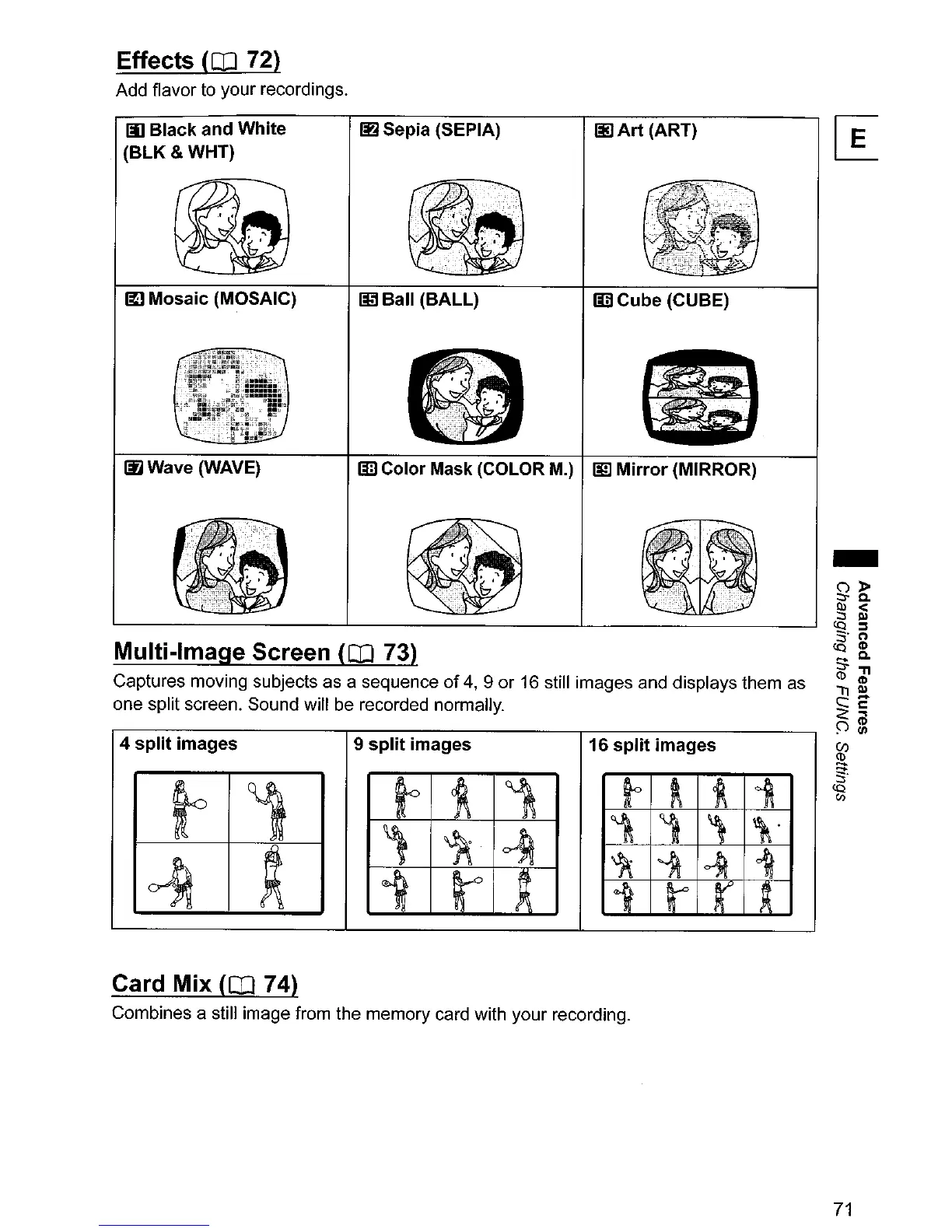
Effects
(OJ
72)
Add flavor to
your
recordings.
III
Black and White
(BLK&WHT)
~
Sepia (SEPIA)
Jj] Art (ART)
~
Mosaic (MOSAIC)
~.
'."
••..
""
•••••
'
...
'
...•....
'
••.
".'
..•.•••
"
••
"
....•.•...••.••...•..•.•.••.•..
"
.•.•.....
i
••.........••••.•..
:
•......•.•••.•••••.......••.•..•...••••..•...•........•.•.•...•••.•••.••••.••..•....•••...•.•
..•..•.
':,:f-
j
"
-.".
>\"Ji.~;,
~Ball
(BALL) Iii) Cube (CUBE)
-
16 split images
liD
Color Mask (COLOR M.)
I!!l
Mirror (MIRROR)
9 split images
~
Wave (WAVE)
4 split images
Multi-Image Screen
(CO
73)
Captures
moving subjects
as
a sequence
of
4,9
or
16
still images and displays them
as
one
split screen.
Sound
will be recorded normally.
Card Mix
(CO
74)
Combines
a still
image
from the
memory
card with
your
recording.
71

Table of Contents

Other manuals for Canon DC20

Related product manuals