Quick Control
52
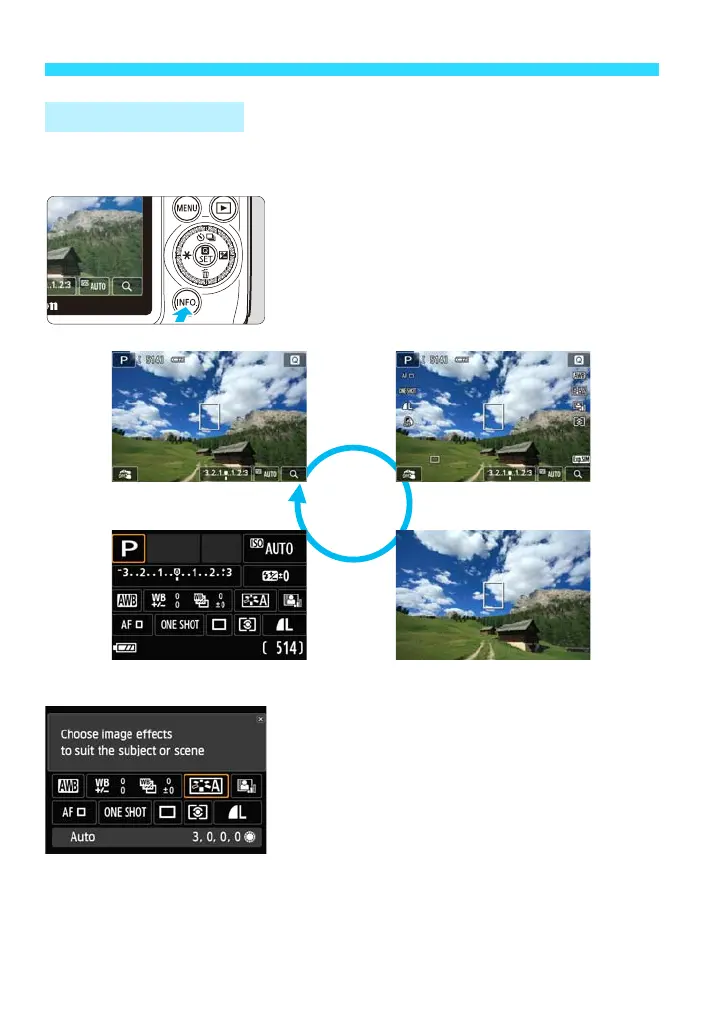
With B Quick Control, you can select a shooting function from a list and
set it.
1
Press the <B> button.
Each time you press the button, the
displayed information will change.
Display the B Quick Control screen.
2
Select the desired function.
Tap the function to be set.
The Feature guide will appear.
Tap it again to display the function setting
screen.
B Quick Control
Basic information
B Quick Control
Detailed information
No information















 To Next Page