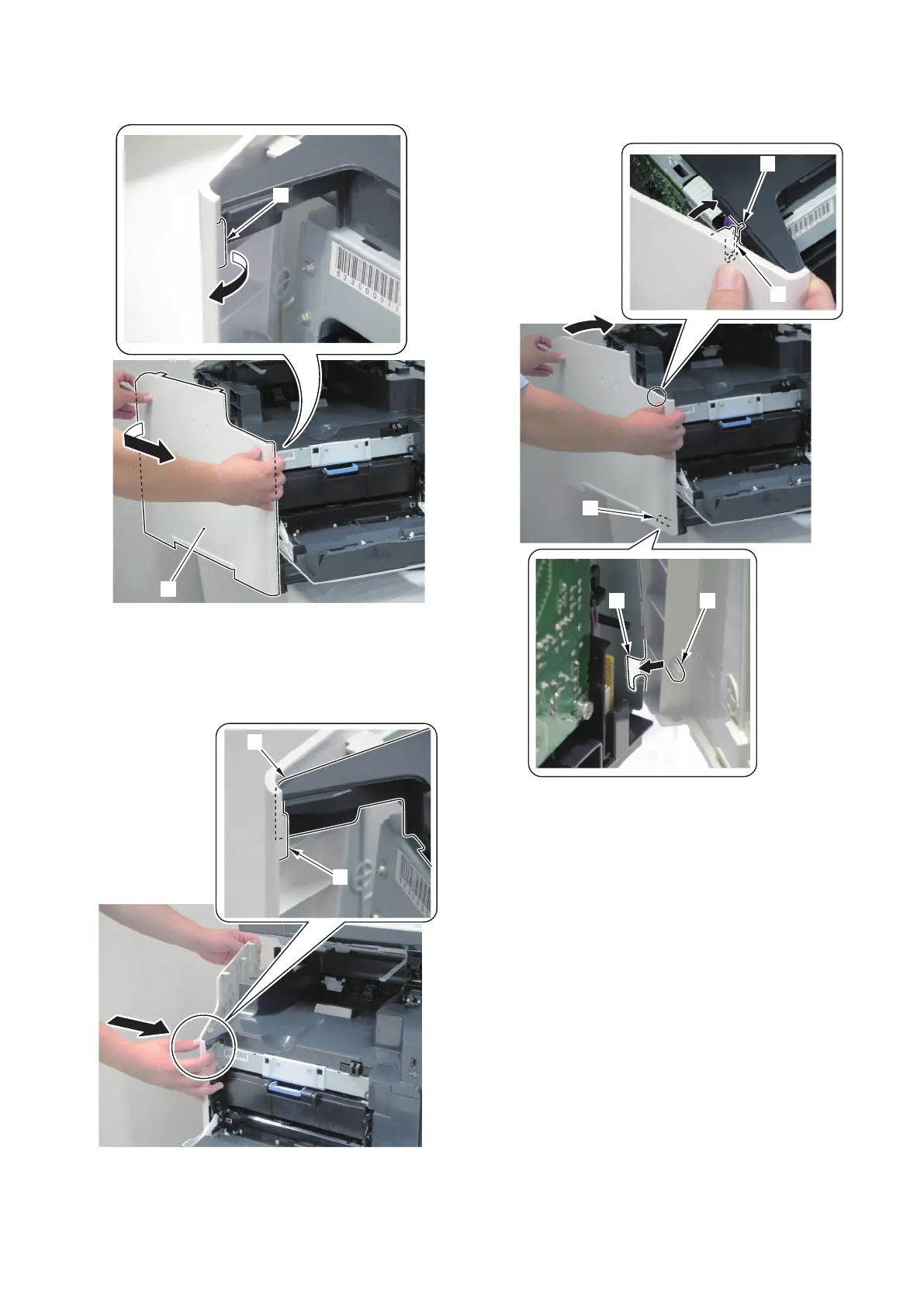
6. Release the hook [2] and remove the Left Cover [1]
while opening the rear of the Left Cover [1].
■ Installing the Left Cover
1. Fit the hook [1] at the upper right side of the Left
Cover to the upper left area [2] of the Upper Cover.
2. Fit the protrusion [1] of Left Cover to the groove [2]
of the frame.
3. Insert the claw [3] of the Left Cover to the groove [4]
of the Upper Cover to match the Left Cover to the
machine.
4. Disassembly/Assembly
119



 To Next Page