2. Removing the Controller Cover.(Refer to “Removing
the Controller Cover” on page 157)
3. Removing the Wireless LAN PCB.(MF728Cdw /
727Cdw / 724Cdw only) (Refer to “Removing the
Wireless LAN PCB (MF728Cdw / 727Cdw / 724Cdw)”
on page 157)
4. Removing the Main Controller PCB.(Refer to
“Removing the Main Controller PCB” on page 157)
5. Removing the Main Controller Support Plate.(Refer
to “Removing the Main Controller Support Plate” on
page 161)
■ Procedure
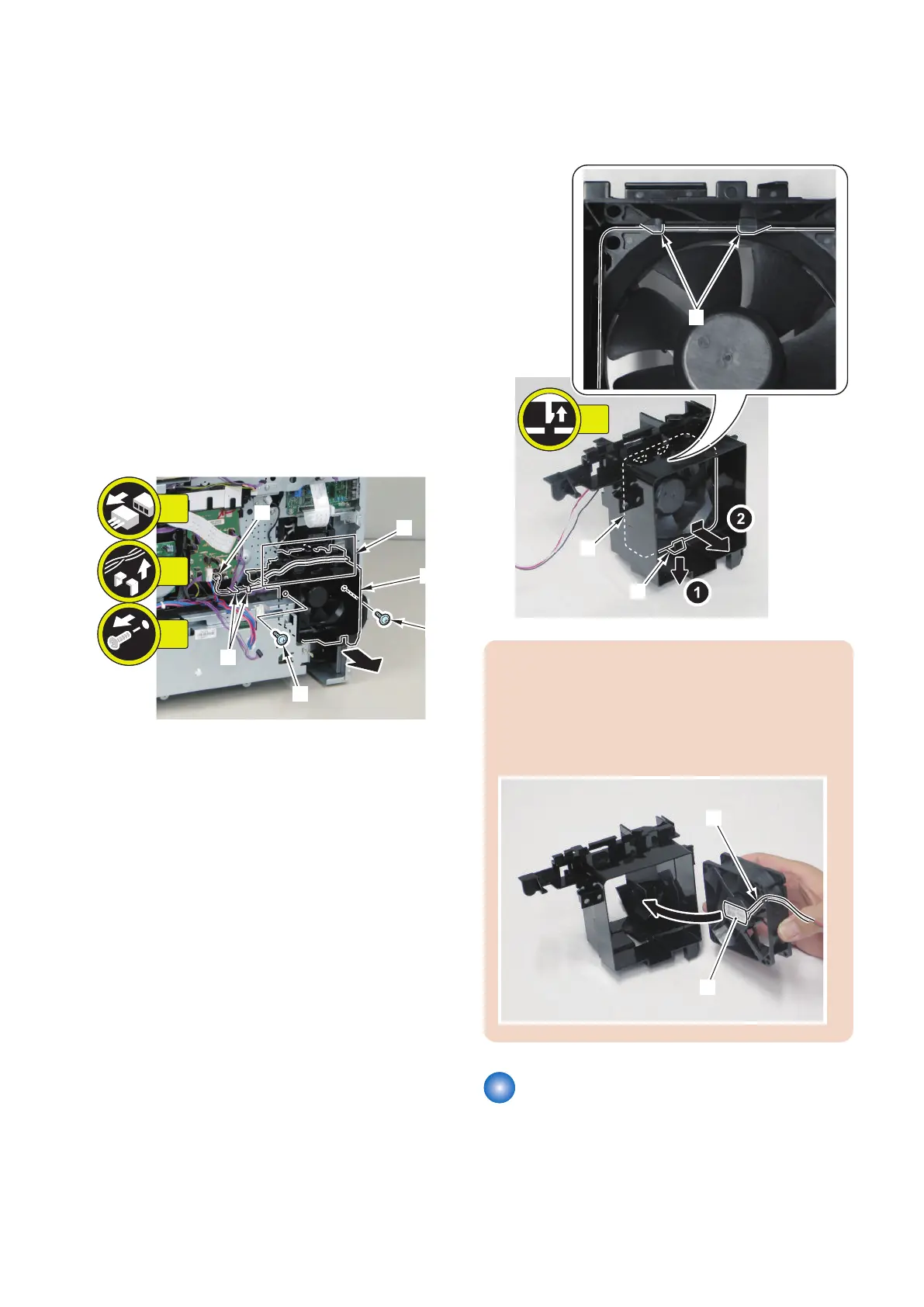
1. Remove the Cooling Fan Unit [1].
• 1 Connector [2]
• 2 Screws [3]
• 2 Harness Guides [A]
• 1 Harness Guide [B]
2. Remove the Fixing/Fixing Power Supply Cooling
Fan [1].
• 1 claw [2]
• 2 protrusions [3]
CAUTION:
When installing the Cooling Fan, be careful of the
installation direction.
• Place the Fan Cable [1] in the indicated position.
• Make sure that the fan label [2] faces to the inside
of the host machine.
Removing the Duplex Feeding
Fan
■ Preparation
1. Removing the Right Cover.(Refer to “Removing the
Right Cover” on page 120)
4. Disassembly/Assembly
181



 To Next Page