Removing the ADF Pickup
Feed Unit
■ Procedure
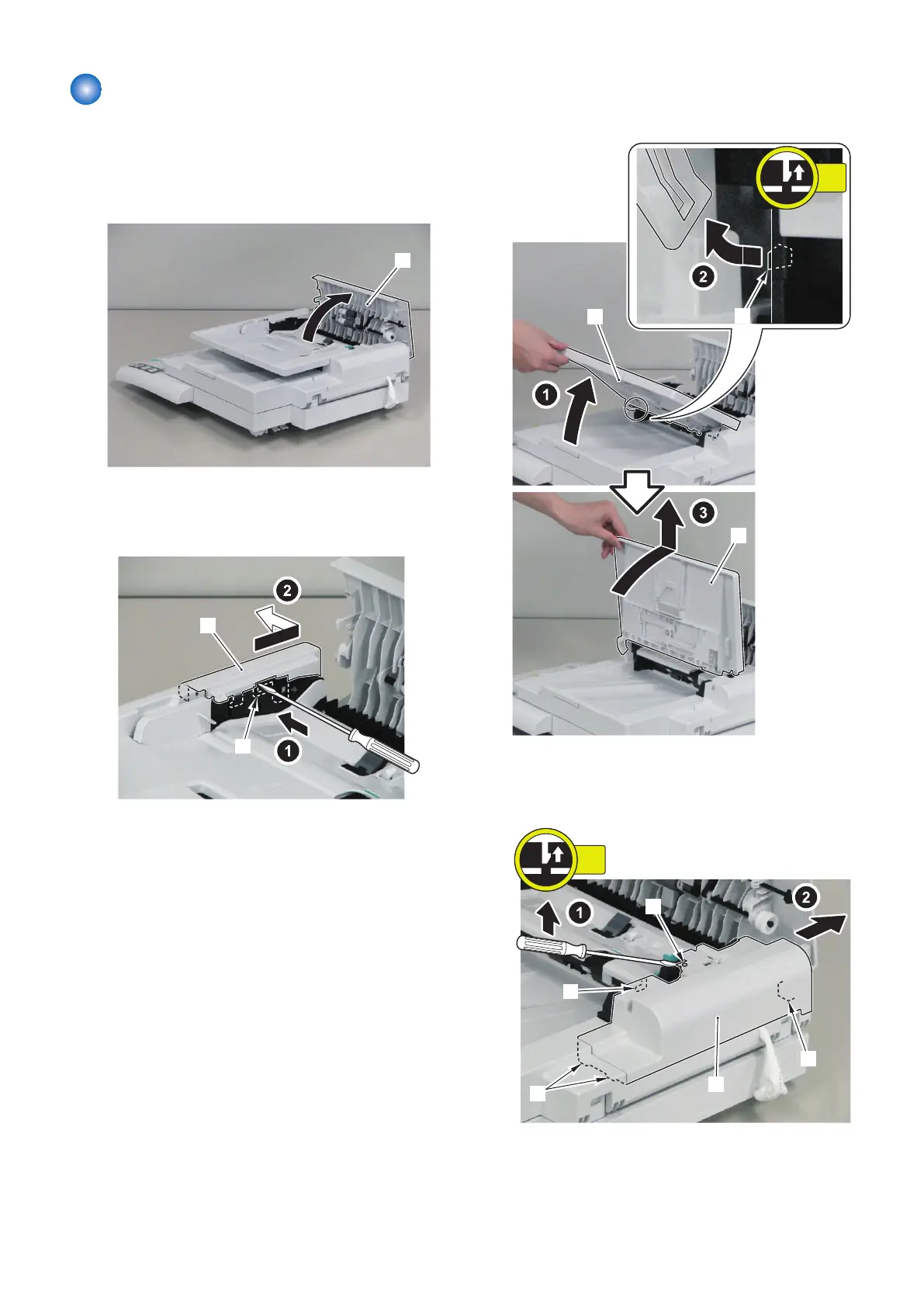
1. Open the ADF Upper Cover [1].
2. Remove the hook [1] using flat-head driver, and
remove the ADF Front Cover [2] in the direction of
the arrow.
3. Lift the ADF Tray [1] until it stops and release the
hook [2] to tip the tray into the perpendicular
position and remove by pulling upward.
4. Remove the boss [1] to remove the ADF Rear Cover
[2] in the direction of the arrow.
• 4 claws [3]
4. Disassembly/Assembly
140



 To Next Page