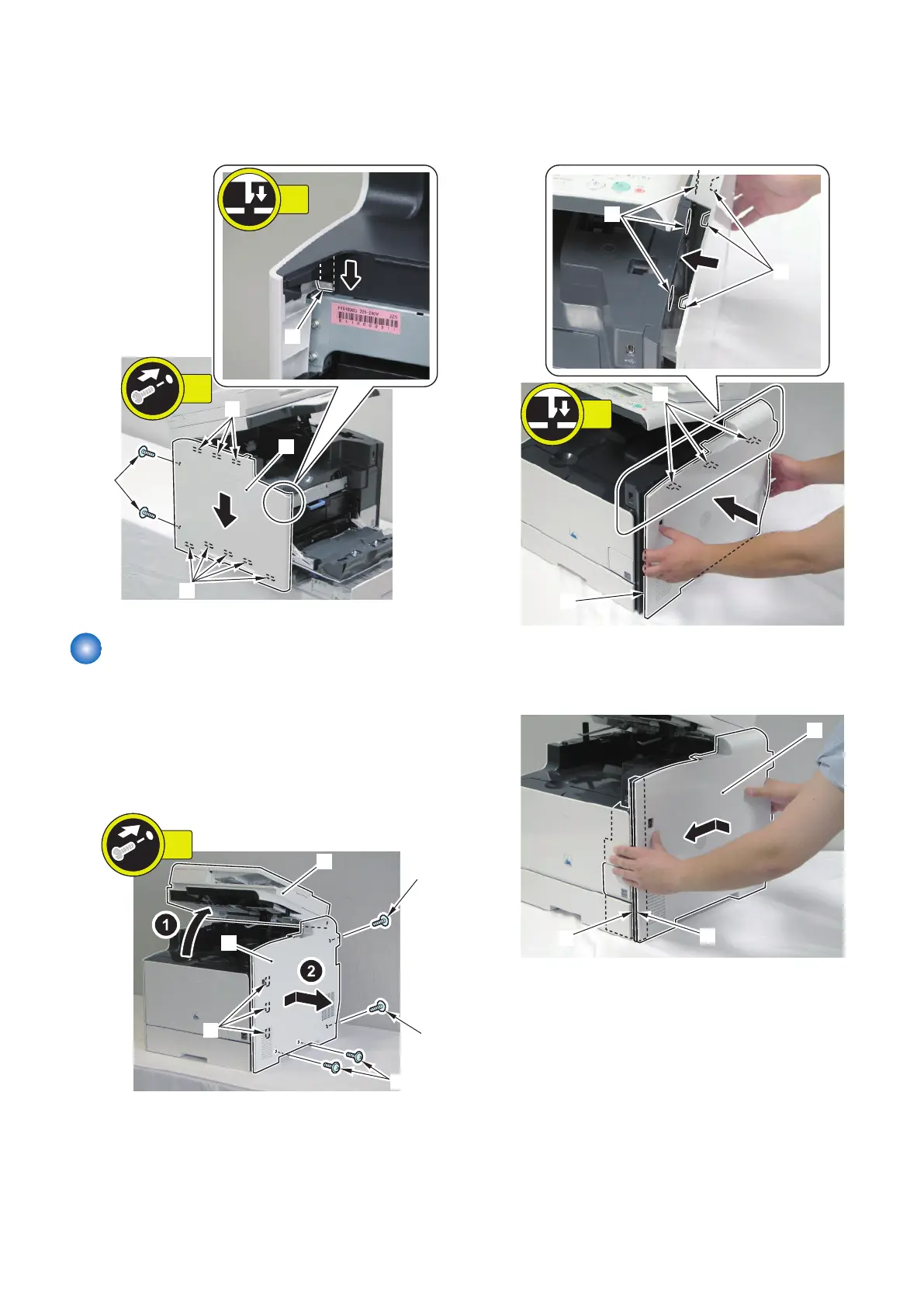
4. Install the Left Cover [1].
• 1 Claw [2]
• 8 Hooks [3]
• 2 Screws [4]
Removing the Right Cover
■ Procedure
1. Open the ADF Unit + Reader Unit [1], and remove the
Right Cover [2].
• 4 Screws [3]
• 3 Hooks [4]
■ Installing the Right Cover
1. Fit the 3 hooks [2] of the Right Cover into the holes
[3] of the Upper Cover.
2. While pushing the Right Cover [1] to the Host
Machine, fit the left surface [A] of the Right Cover to
the right surface [B] of the Right Front Cover.
4. Disassembly/Assembly
120



 To Next Page