Removing the Cassette
Separation Roller
■ Procedure
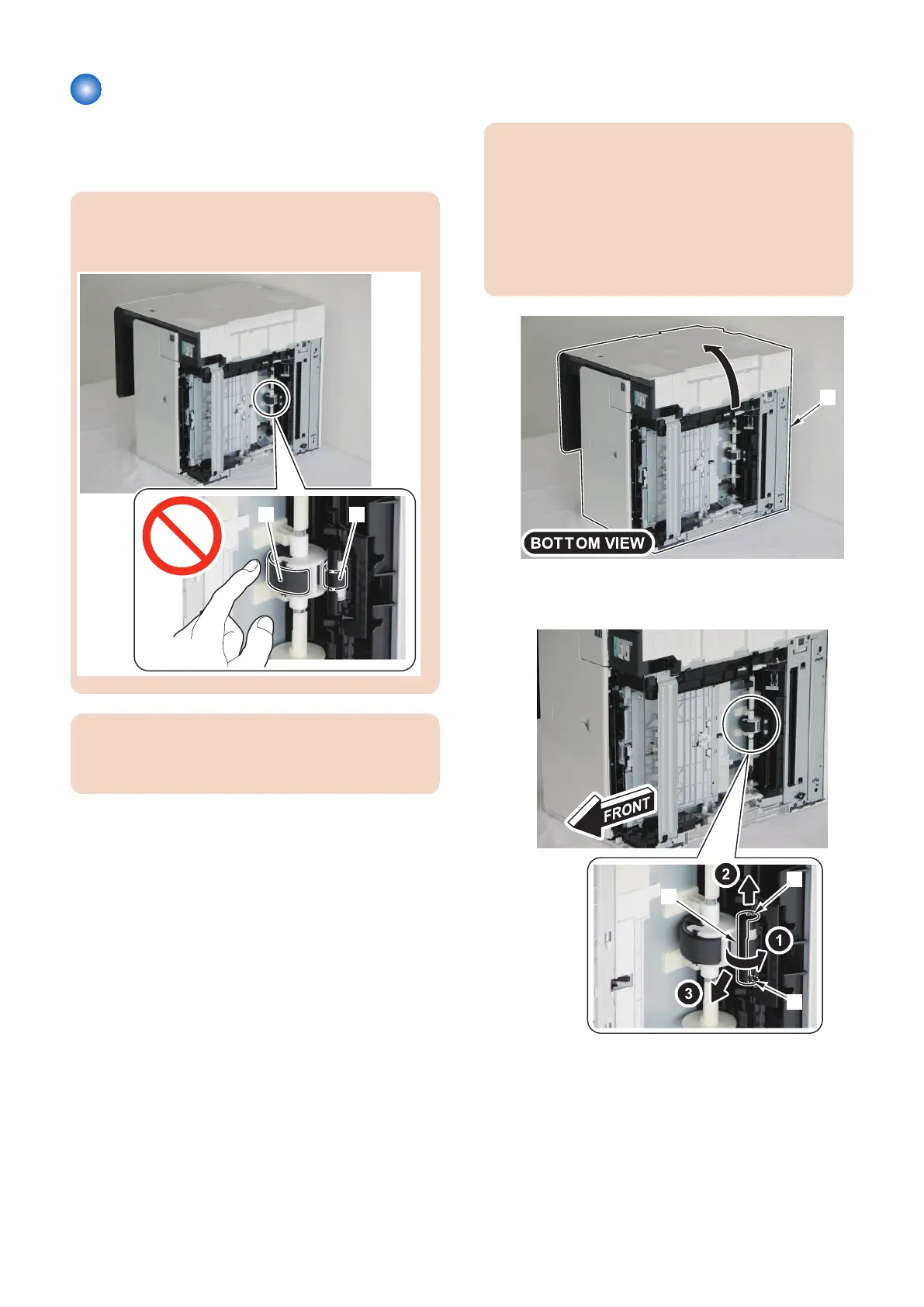
CAUTION:
Be sure not to touch the surface of the Cassette Pickup
Roller [1] and the Cassette Separation Roller [2].
CAUTION:
When tilting the host machine, remove the Toner
Cartridge (Y, M, C, Bk) beforehand.
1. Remove the cassette.
2. Make the Left Cover face down and place the host
machine [1].
CAUTION:
When laying down the main body, be sure to secure
the ADF Unit with tape to prevent from opening.
In case that the ADF Unit is not secured with tape,
when returning the main body to its original position,
the ADF Unit is closed swiftly, so this might cause
damage on the main body or injuries by catching the
fingers.
3. Remove the 2 projections [1] to remove the Cover
[2].
4. Disassembly/Assembly
210



 To Next Page