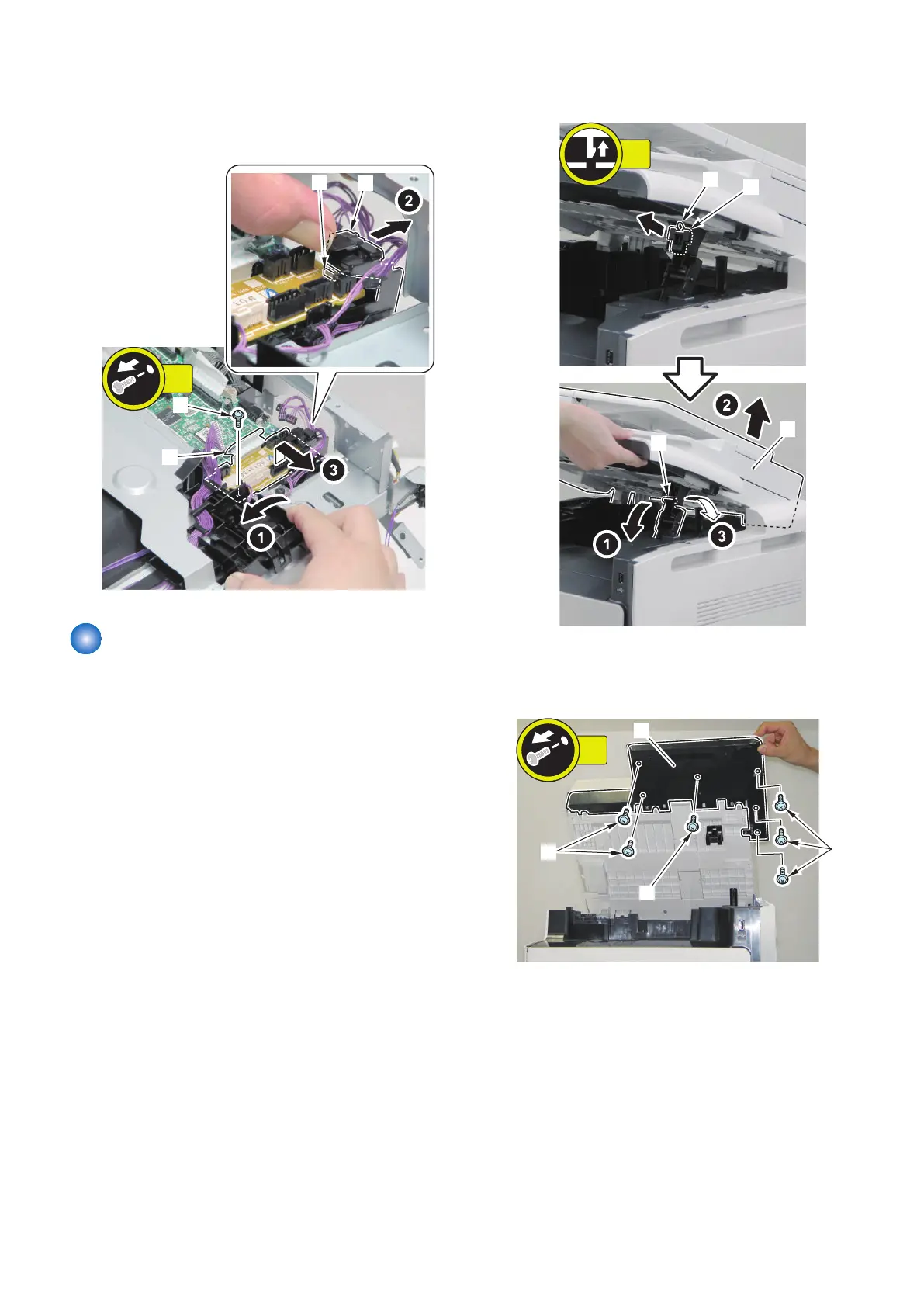
3. Remove the Relay PCB [1].
• 1 screw [2]
• 1 harness guide [3]
• 1 protrusions [4]
Removing the Control Panel
Unit
■ Procedure
1. Remove the claw [1] to remove the Reader Shaft
Retainer [2].
2. While supporting the ADF Unit/Copyboard + Reader
Unit [3], remove the Reader Support Shaft [4].
3. Bring down the Reader Support Shaft [4] to close the
ADF Unit/Copyboard + Reader Unit [3].
4. Remove the screws at the bottom of the Reader Unit
[1].
• 6 Screws [2]
4. Disassembly/Assembly
169



 To Next Page