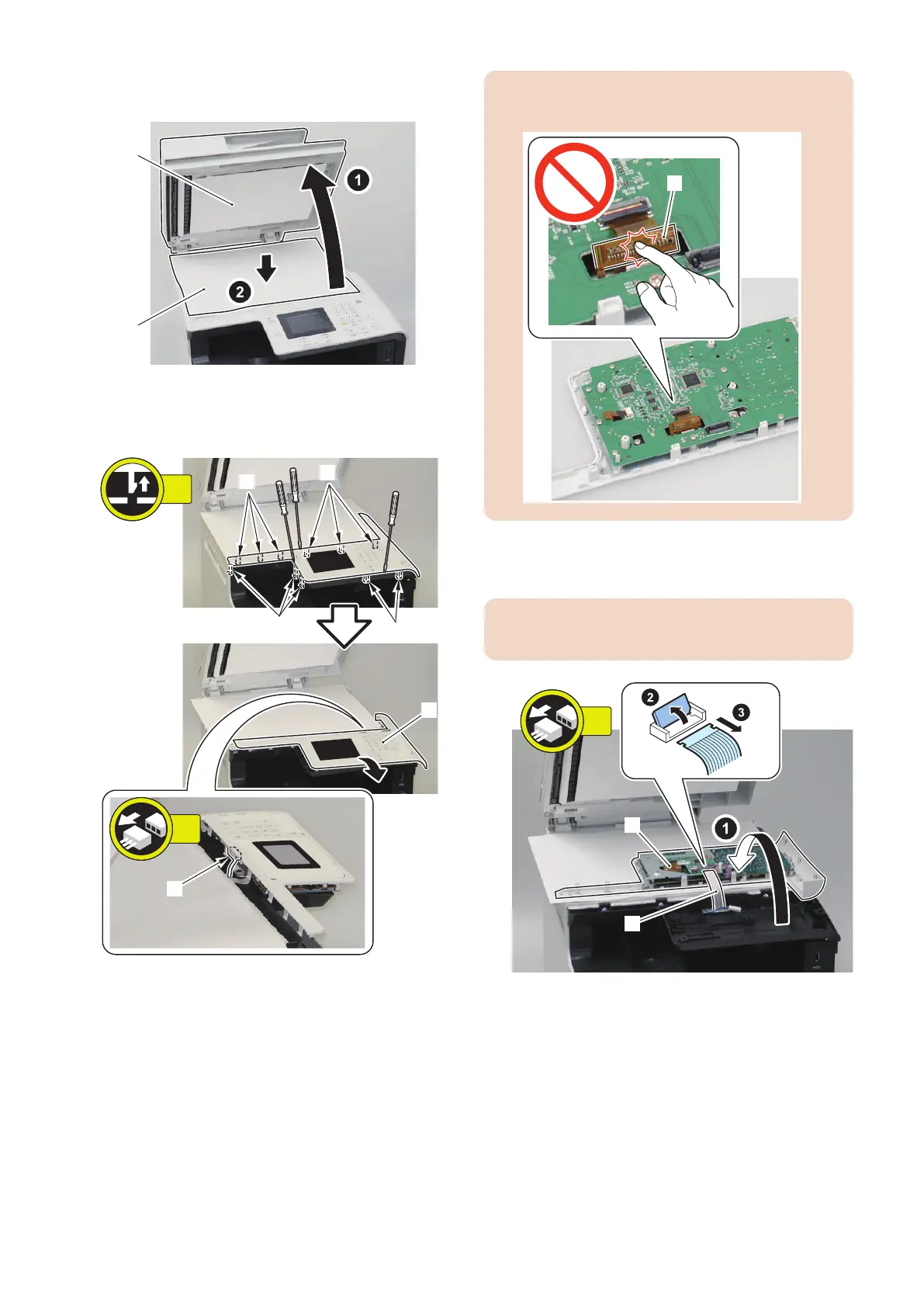
5. Open the ADF Unit/Copyboard [1] and place a sheet
of paper [2] on the copyboard.
6. Shift the Control Panel Unit [1], and disconnect the
Faston Connector [2].
• 11 Claws [3]
CAUTION:
Do not touch the IC part [A] of the LCD Flat Cable [1].
7. Turn the Control Panel Unit [1] over, and disconnect
the Flat Cable [2].
CAUTION:
• Do not damage and cut the Flat Cable [2].
4. Disassembly/Assembly
170



 To Next Page