Removing the Low Voltage
Unit
■ Preparation
1. Removing the Right Cover.(Refer to “Removing the
Right Cover” on page 120)
2. Removing the Right Front Cover.(Refer to
“Removing the Right Front Cover” on page 121)
3. Removing the Controller Cover.(Refer to “Removing
the Controller Cover” on page 157)
4. Removing the Wireless LAN PCB.(MF728Cdw /
727Cdw / 724Cdw only) (Refer to “Removing the
Wireless LAN PCB (MF728Cdw / 727Cdw / 724Cdw)”
on page 157)
5. Removing the Main Controller PCB.(Refer to
“Removing the Main Controller PCB” on page 157)
6. Removing the Main Controller Support Plate.(Refer
to “Removing the Main Controller Support Plate” on
page 161)
7. Removing the Fixing/Fixing Power Supply Cooling
Fan Unit.(Refer to “Removing the Fixing/Fixing
Power Supply Cooling Fan Unit” on page 180)
■ Procedure
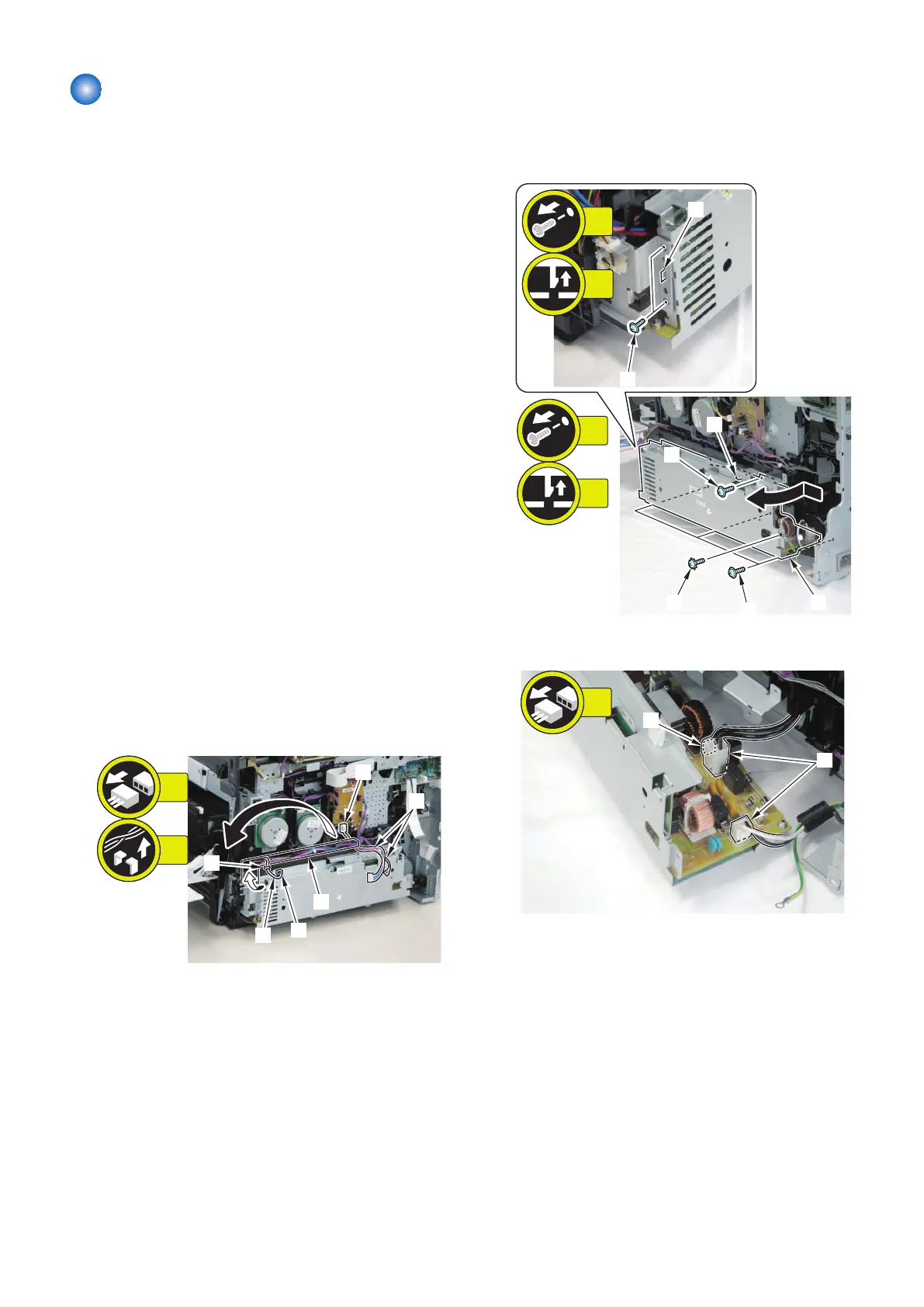
1. Free the harness [1] from the guide [A].
• 1 Connector [2]
2. Free the harness [3] from the guide [B].
• 1 Connector [4]
3. Slide and open the Power Supply Unit [1] in the
direction of the arrow.
• 6 Screws [2]
• 1 Screw [3] (Toothed washer screw)
• 2 Claws [4]
[1]
[2]
[2]
[2]
[3]
[4]
[4]
5x
1x
2x
1x
4. Remove 3 connectors [1].
4. Disassembly/Assembly
165



 To Next Page