External Cover, Internal Cover
Disassembly/Assembly
Procedure
Removing the Left Cover
■ Procedure
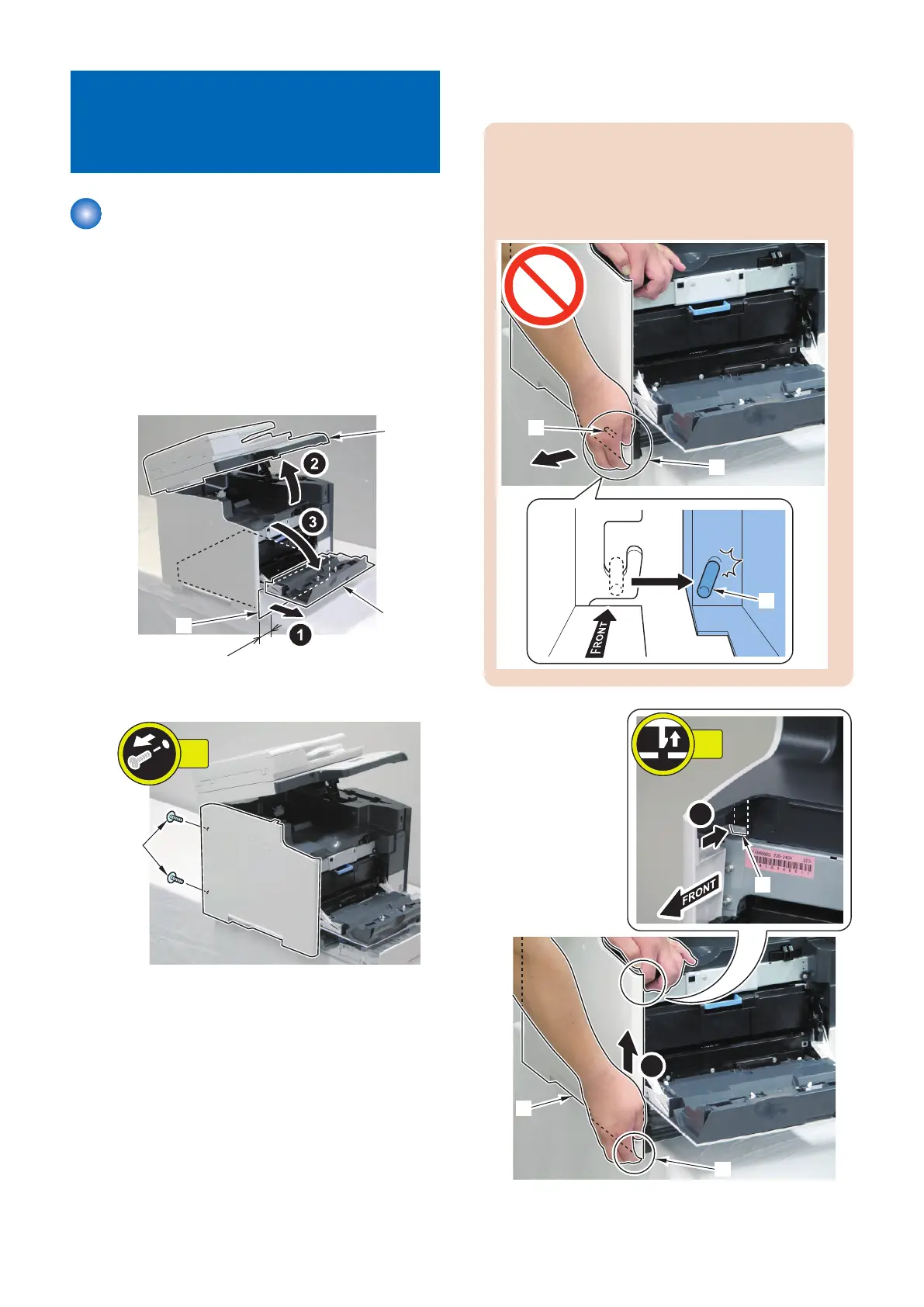
1. To remove the lower claw of the Left Cover, shift the
host machine by 5cm from the base.
2. Remove the Cassette [1].
3. Open the ADF Unit + Reader Unit [2] and the Front
Cover [3].
4. Remove the 2 screws [2].
5. While pushing the claw [2] of the Left Cover [1], hold
the top of the host machine, and push the Left Cover
directly upward with your finger on the [A] part of the
Left Cover.
CAUTION:
Do not open [A] part of the Left Cover in the direction
of the arrow when removing the Left Cover; otherwise,
the projection [1] of the Left Cover can be damaged/
broken.
4. Disassembly/Assembly
118



 To Next Page