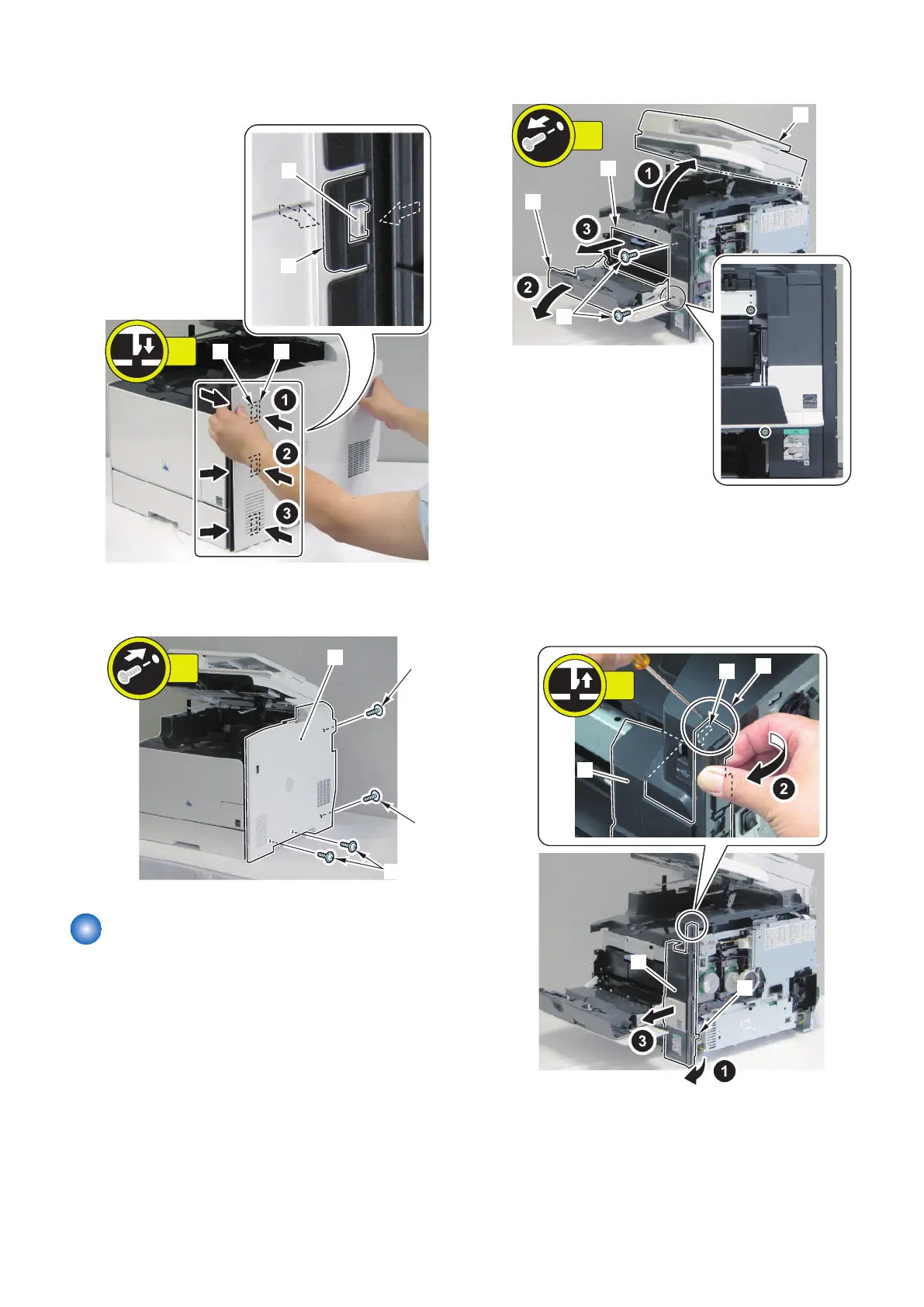
3. Install the 3 hooks [1] at the left side of the Right
Cover and the 3 holes [2] of the Right Front Cover.
4. Install the Right Cover [1].
• 4 screws [2]
Removing the Right Front
Cover
■ Preparation
1. Remove the Right Cover.(Refer to “Removing the
Right Cover” on page 120)
■ Procerdure
1. Remove the Cassette.
2. Open the ADF Unit + Reader Unit [1] and the Front
Cover [2].
3. Draw out the Cartridge Tray.
4. Remove the 2 screws [2].
5. Remove the claw [1] at the lower right side of the
Right Front Cover.
6. Put a flat-blade screwdriver into the gap [A] between
the upper area of the Right Front Cover and the
Upper Cover to remove the claw [2] in the direction
of the arrow.
4. Disassembly/Assembly
121



 To Next Page