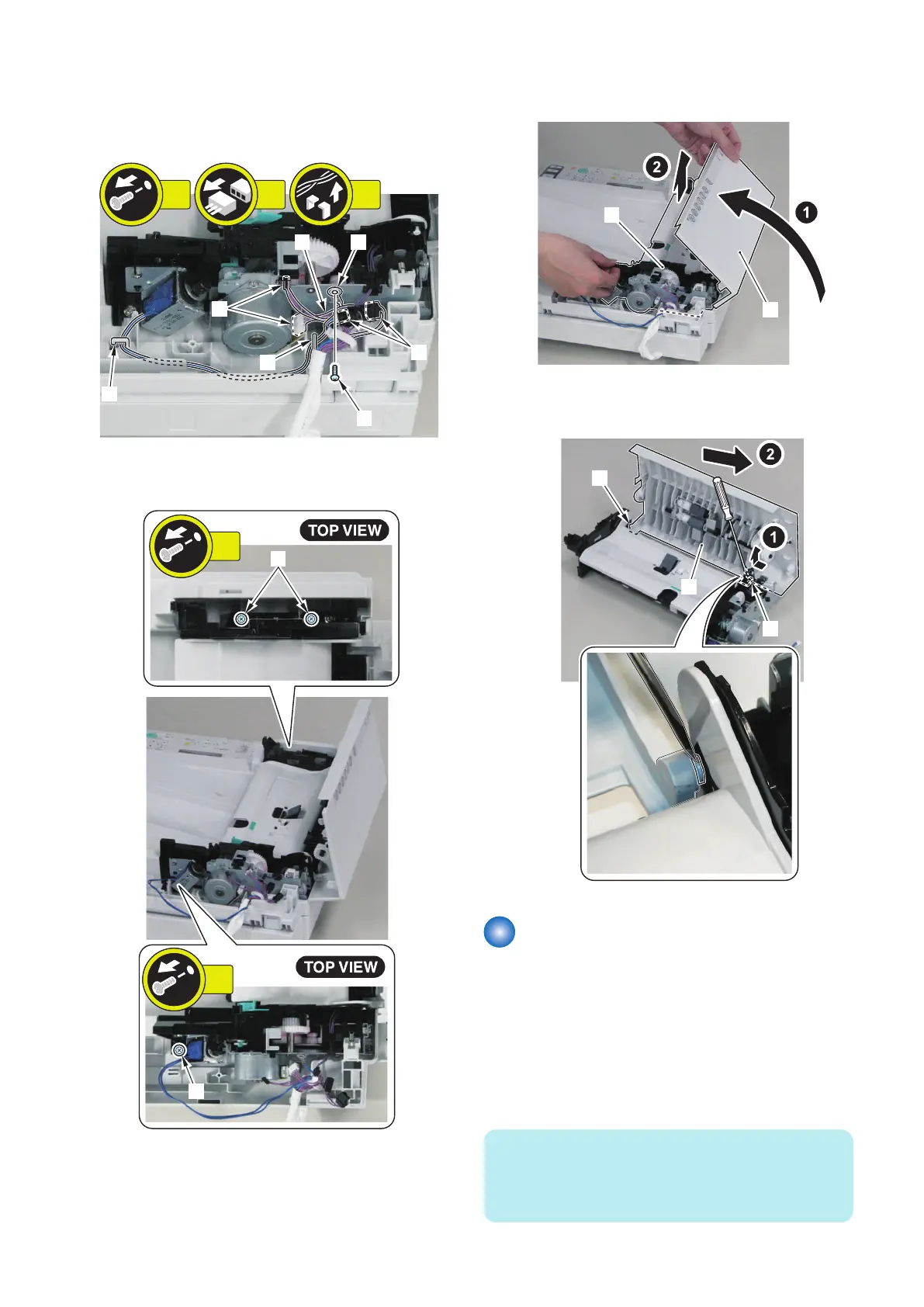
5. Remove the harness [1] and the grounding cord [2].
• 1 screw (binding) [3]
• 4 connectors [4]
• 2 Harness Guide [5]
[1]
[3]
[5]
[5]
[2]
[4]
[4]
1x
2x4x
6. Remove the 3 screws [1] of the ADF Pickup Feed
Unit.
7. Close the ADF Upper Cover [1] to remove the ADF
Pickup Feed Unit [2].
8. Remove the ADF Upper Cover Unit [1].
• 2 bosses [2]
Removing the ADF Pickup
Motor
■ Preparation
1. Remove the ADF Pickup Feed Unit.(Refer to
“Removing the ADF Pickup Feed Unit” on page 140)
■ Procedure
NOTE:
When removing the ADF Pickup Motor, it is not necessary
to remove the ADF Upper Cover Unit described in the
previous step.
4. Disassembly/Assembly
141



 To Next Page