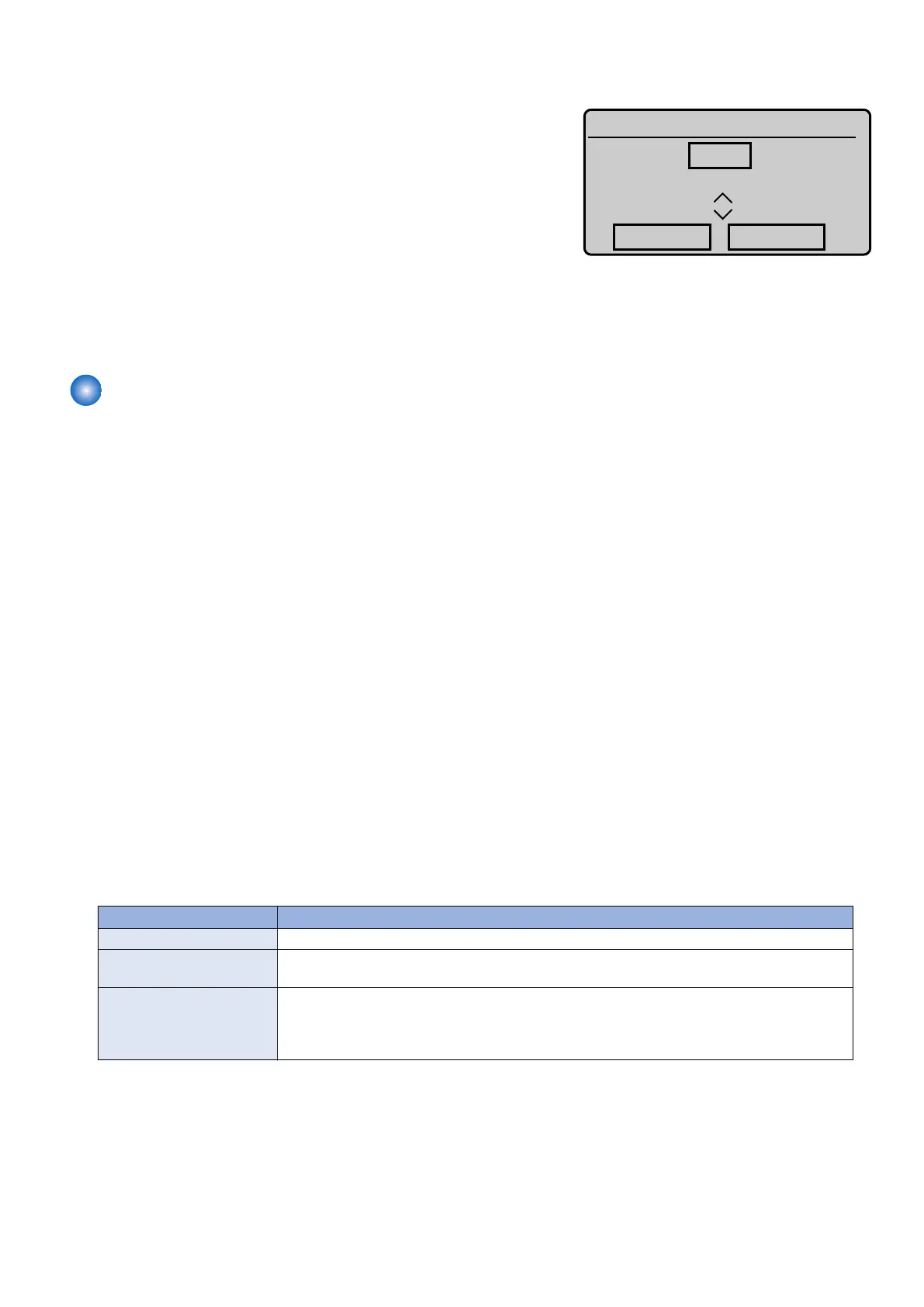
• Numeric value entry screen
Enter the setting value. : numeric keypad
Switch the sign (+/-) of the value : [*] Key
Increment the setting value one by one : [▲] (Tap the screen )
Decrease the setting value one by one : [▼] (Tap the screen )
Change the setting : [Apply] Key (Tap the screen )
Change no settings : Return key
• Method to display the setting value of switch
• On decimal display format, display is left aligned. (Comma is put every 3 digits.)
• On binary display format, the most significant bit is placed at the leftmost position and the least significant bit is placed
at the rightmost position.
Remote UI service mode
■ Function Overview
Remote UI can be used to display, set and implement various service mode in addition to rebooting the machine. In this case,
machine's UI displays "Remote service mode".
■ Operating condition
Operation of service mode using remote UI becomes possible in the following cases:
• Service mode is not used on LUI.
• There is no user who has been logged in to the remote UI service mode (this function).
• Remote UI is enabled in the setting of LUI.
Setting Menu > System Management Settings > Remote UI On/Off
• “RMT-SW” is enabled in service mode (Enabled when the setting value is “1”.)
COPIER > OPTION > BODY > RMT-SW (remote UI service mode function)
0: OFF, 1: ON (default)
■ Usage method
1. Activate the Web browser.
2. Enter the following URL in the address input field.
http://<IP address of the machine or host name>/servicemode.html
3. Enter the password and click "Log In".
* Password required for authentication differs depending on the service mode setting.
COPIER > OPTION > BODY > PSWD-SW
PSWD-SW Password required for authentication
0 1. Password of RUI service mode
1 1. Password of RUI service mode
2. Password of service mode
2 1. Password of RUI service mode
2. User's system administrator ID
3. Password of system administrator
4. Password of service mode
* Password of service mode can be changed in COPIER > OPTION > BODY > SM-PSWD.
8. Service Mode
262



 To Next Page