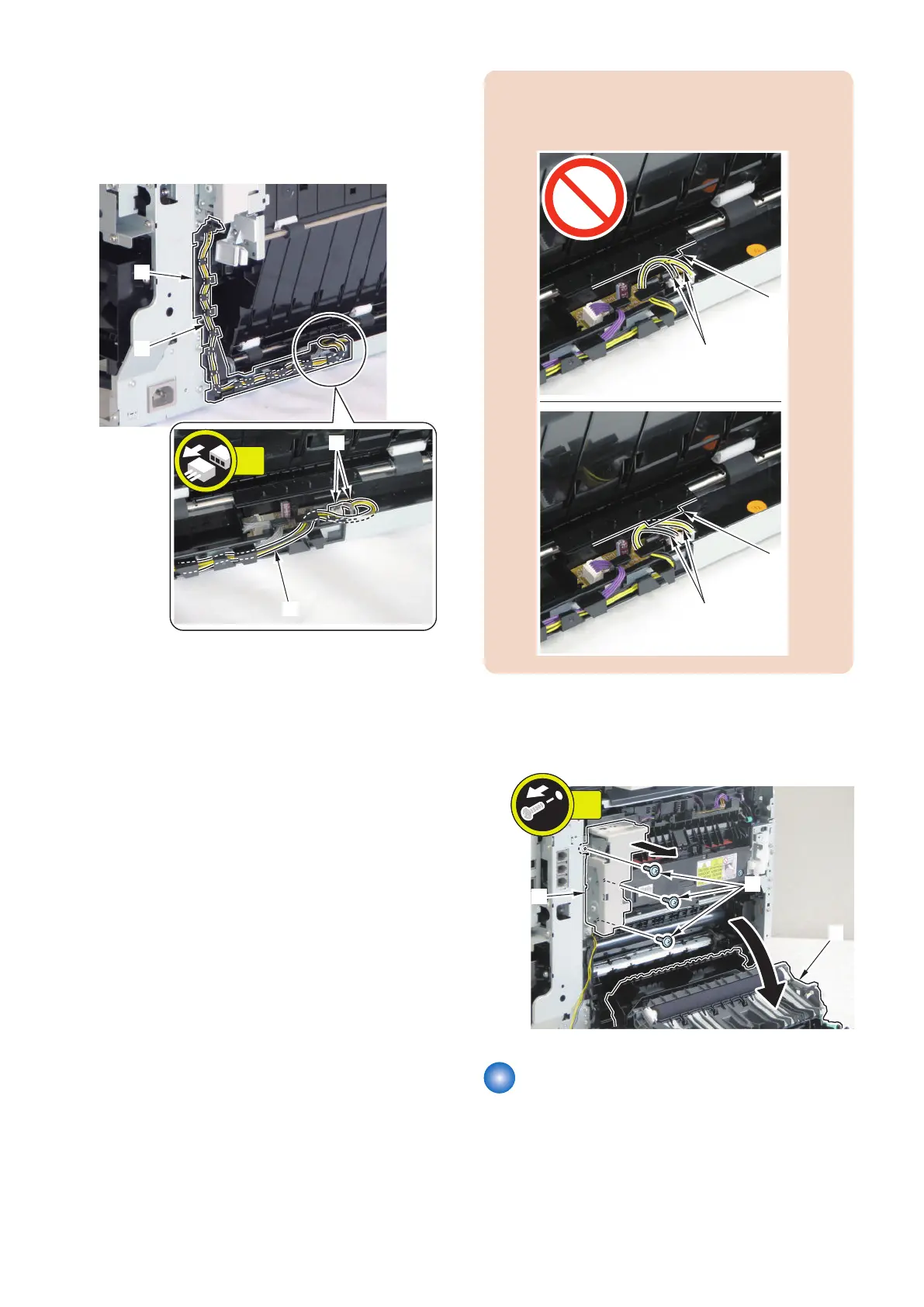
■ Procedure
1. Remove the wire harness [1] from the wire harness
cover [2].
• 2 connectors [3]
CAUTION:
Be sure to insert the 2 harnesses [1] at the bottom of
the Guide [A] when installing.
2. Open [1] the Duplex Feed Unit, and remove the
Duplex Reverse Drive Unit [2].
• 3 screws [3]
Removing the Fixing/Fixing
Power Supply Cooling Fan Unit
■ Preparation
1. Removing the Right Cover.(Refer to “Removing the
Right Cover” on page 120)
4. Disassembly/Assembly
180



 To Next Page