Fixing System Disassembly/
Assembly Procedure
Removing the Fixing
Assembly
■ Preparation
1. Removing the Right Cover.(Refer to “Removing the
Right Cover” on page 120)
2. Removing the Left Cover.(Refer to “Removing the
Left Cover” on page 118 )
3. Removing the Rear Upper Cover.(Refer to
“Removing the Rear Upper Cover” on page 123)
4. Removing the Rear Cover.(Refer to “Removing the
Rear Cover” on page 123)
5. Removing the Rear Lower Cover.(Refer to
“Removing the Rear Lower Cover” on page 123)
6. Removing the Rear Cover Rib Unit.(Refer to
“Removing the Rear Cover Rib Unit” on page 125 )
7. Removing the Duplex Printing Reverse Drive Unit.
(Refer to “Removing the Duplex Reverse Drive Unit”
on page 179)
■ Procedure
CAUTION:
When removing the fixing unit, be sure to turn OFF the
power.
Since the fixing assembly is extremely hot just after the
printing, do not handle it unless it cools down
completely.
If you touch the high-temperature assembly, it may
cause a burn.
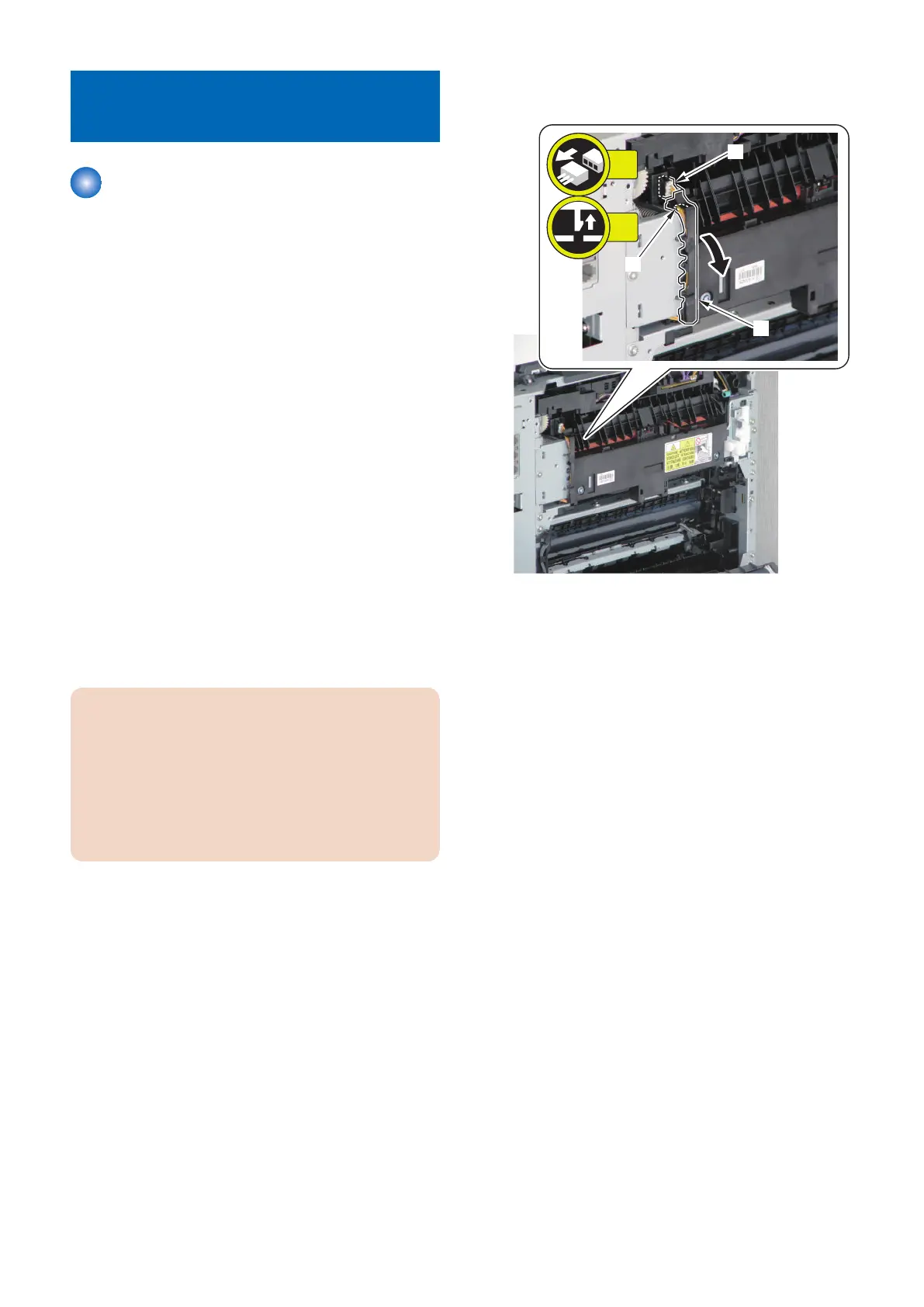
1. Remove the claw [2] of the harness guide [1] and
disconnect the connector [3].
4. Disassembly/Assembly
200



 To Next Page