NOTE:
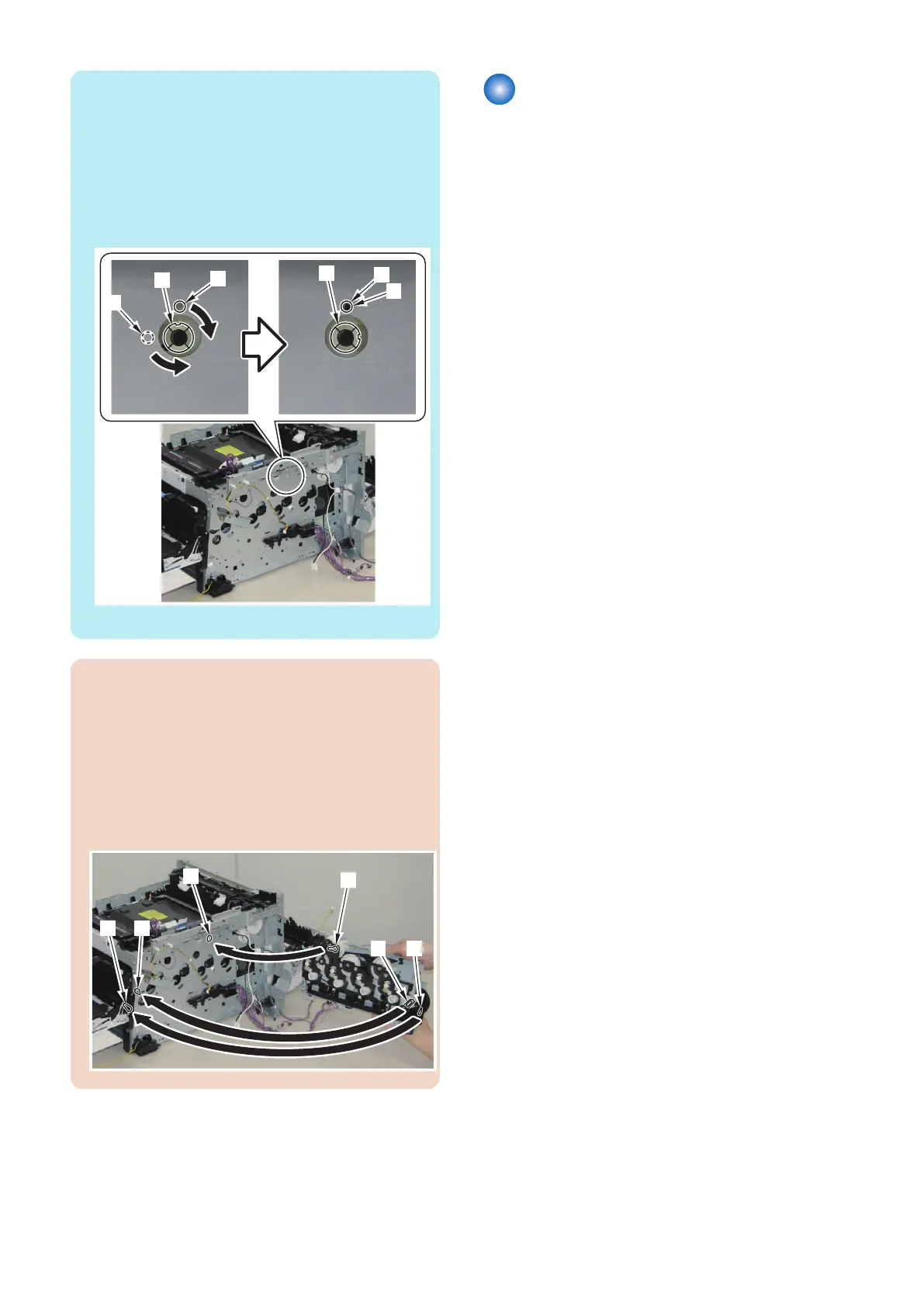
The host machine side needs to be in the following
condition when installing the Main Drive Unit.
• The direction of the joint [1] on the host machine side
is as shown in the figure below (at this time, the hole
[A] of the plate and hole [B] of the joint [1] are aligned
in a straight line).
If the direction is not correct, rotate the joint [1] to the
direction as shown in the figure below.
• The Front Cover is open.
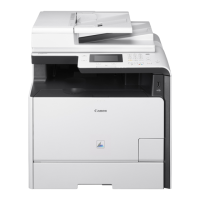
CAUTION:
When installing the Main Drive Unit, be sure to pay
attention to the following points:
• Fit the joint [1] of the gear of the Main Drive Unit
with the joint [2] of the host machine.
• Fit the hole [3] of the link with the shaft [4] of the
host machine.
• Fit the hole [5] of the Front Door Arm with the shaft
[6] of the host machine.
Removing the Duplex Reverse
Drive Unit
■ Preparation
1. Removing the Right Cover.(Refer to “Removing the
Right Cover” on page 120)
2. Removing the Left Cover.(Refer to “Removing the
Left Cover” on page 118)
3. Removing the Rear Upper Cover.(Refer to
“Removing the Rear Upper Cover” on page 123)
4. Removing the Rear Cover.(Refer to “Removing the
Rear Cover” on page 123)
5. Removing the Rear Lower Cover.(Refer to
“Removing the Rear Lower Cover” on page 123)
6. Removing the Rear Cover Rib Unit.(Refer to
“Removing the Rear Cover Rib Unit” on page 125)
4. Disassembly/Assembly
179



 To Next Page