Document Exposure, Feed
System Disassembly/
Assembly Procedure
Removing the ADF Unit +
Reader Unit
■ Preparation
1. Remove the Right Cover.(Refer to “Removing the
Right Cover” on page 120)
2. Remove the Left Cover.(Refer to “Removing the Left
Cover” on page 118)
■ Procedure
CAUTION:
Be sure to perform "After replacing ADF unit (Refer to
“After Replacing the ADF Units” on page 132)" and
"After replacing reader unit (Refer to “After Replacing
the Reader Unit” on page 133)" when replacing the
ADF Unit and Reader Unit, respectively.
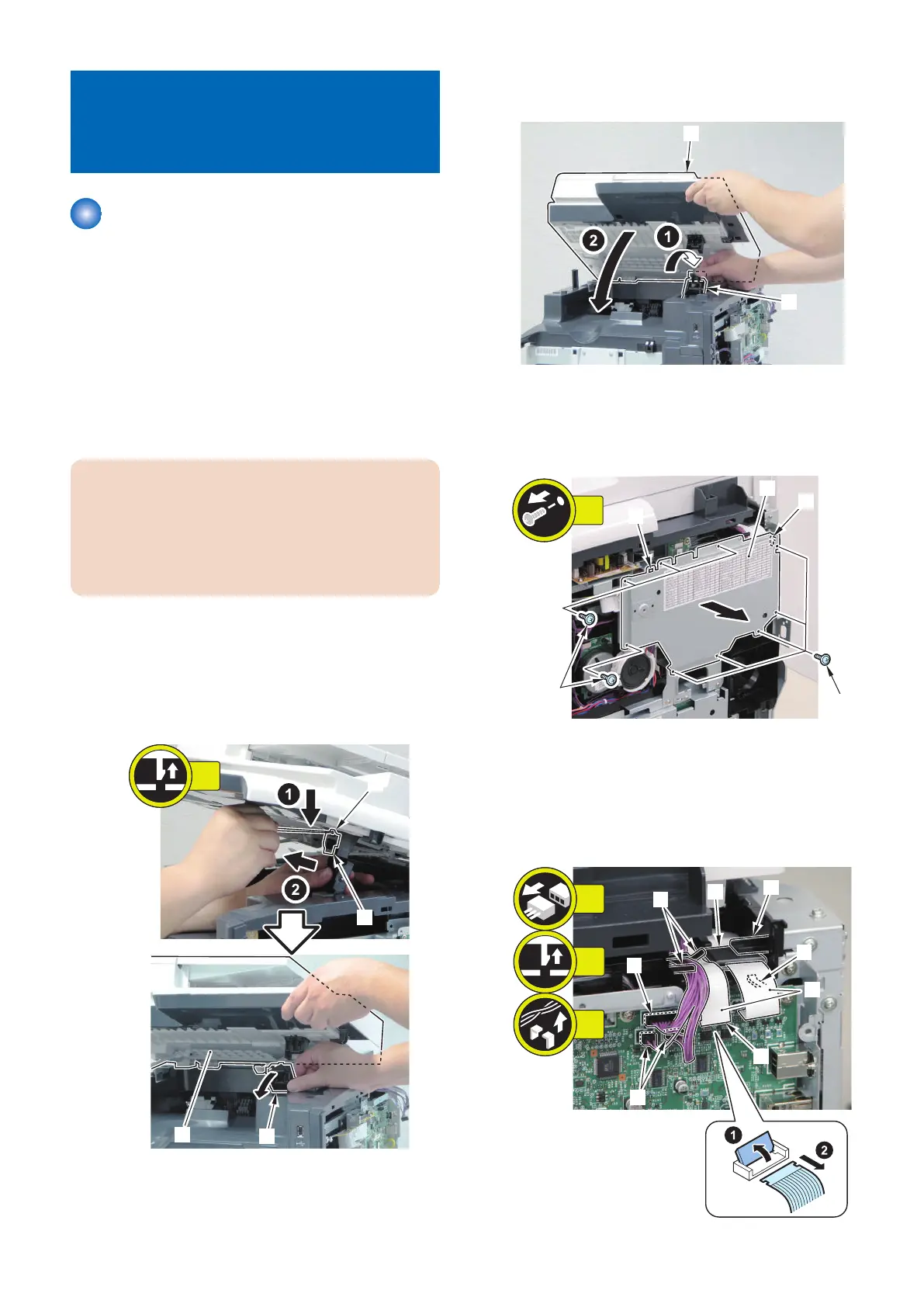
1. Open the ADF Unit + Reader Unit.
2. Remove the claw [1] to remove the Reader Shaft
Retainer [2].
3. While supporting the ADF Unit + Reader Unit [3],
remove the Reader Support Shaft [4].
4. Bring down the Reader Support Shaft [1] to close the
ADF Unit +Reader Unit [2].
5. Remove the Controller Cover [1] at the right side of
the host machine.
• 9 screws [2]
• 2 Hooks [3]
6. Remove the 2 Flat Cables [1] and the Ferrite Core [2]
on the right side of the machine.
• 1 Flat Cable Connector Lock [3]
• 3 Connectors [4]
• 1 Claw [5]
• 3 Harness Guides [6]
[2]
[4]
[4]
[5]
[6]
[6]
[3]
[1]
3x
1x
5x
4. Disassembly/Assembly
130



 To Next Page