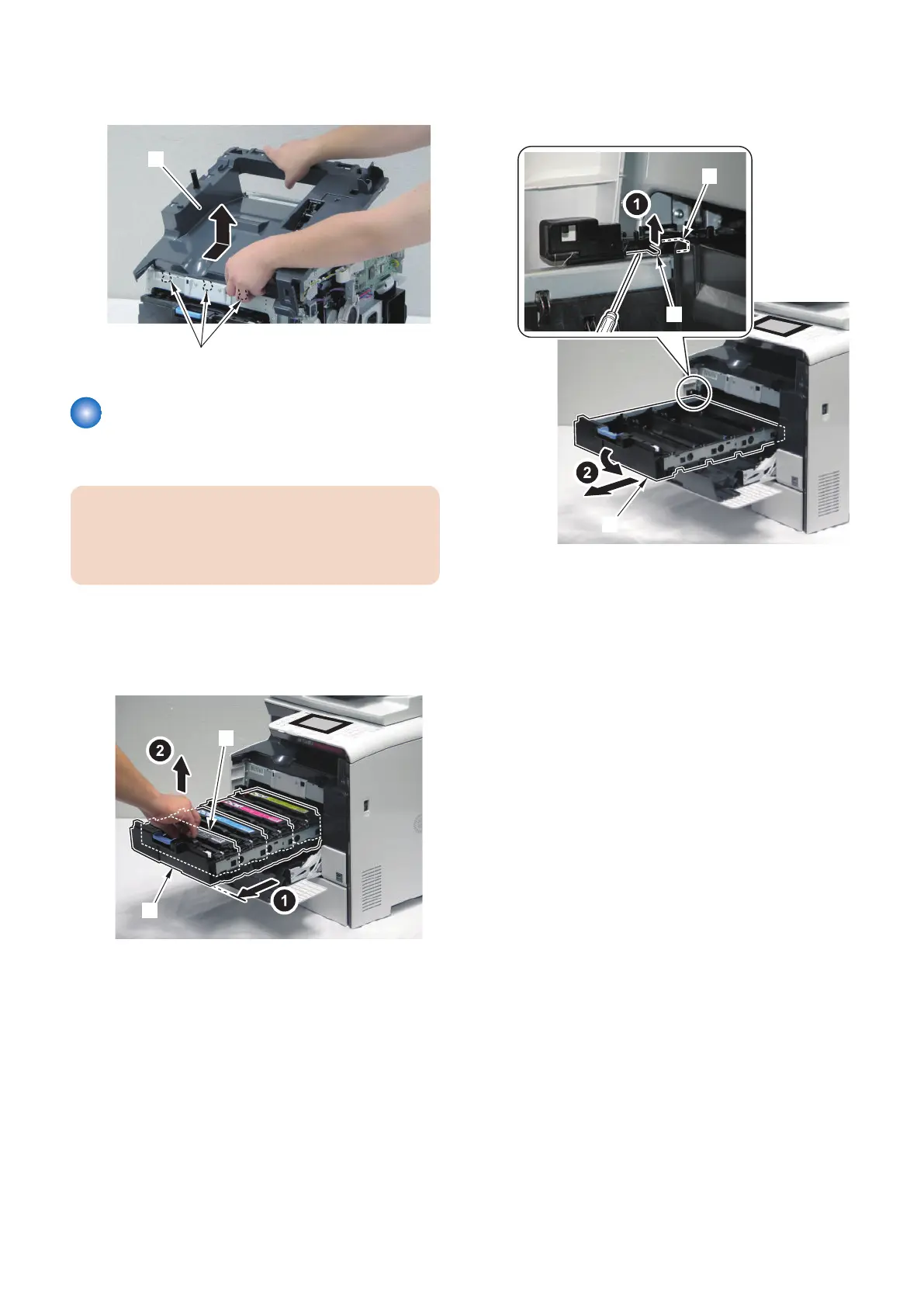
5. Remove the Upper Cover [1].
• 3 Hooks [2]
Removing the Cartridge Tray
■ Procedure
CAUTION:
When removing the Toner Cartridge, be careful not to
damage the Photosensitive Drum. Also, be sure to
block light.
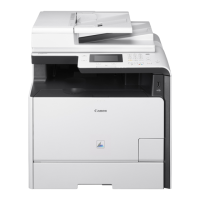
1. Open the Front Cover.
2. Pull out the Cartridge Tray [1].
3. Remove the toner cartridges (Y, M, C, Bk) [2].
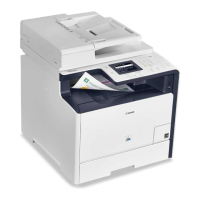
4. While raising the stopper [1], remove the Cartridge
Tray [2].
• 1 Protrusion [3]
4. Disassembly/Assembly
127



 To Next Page