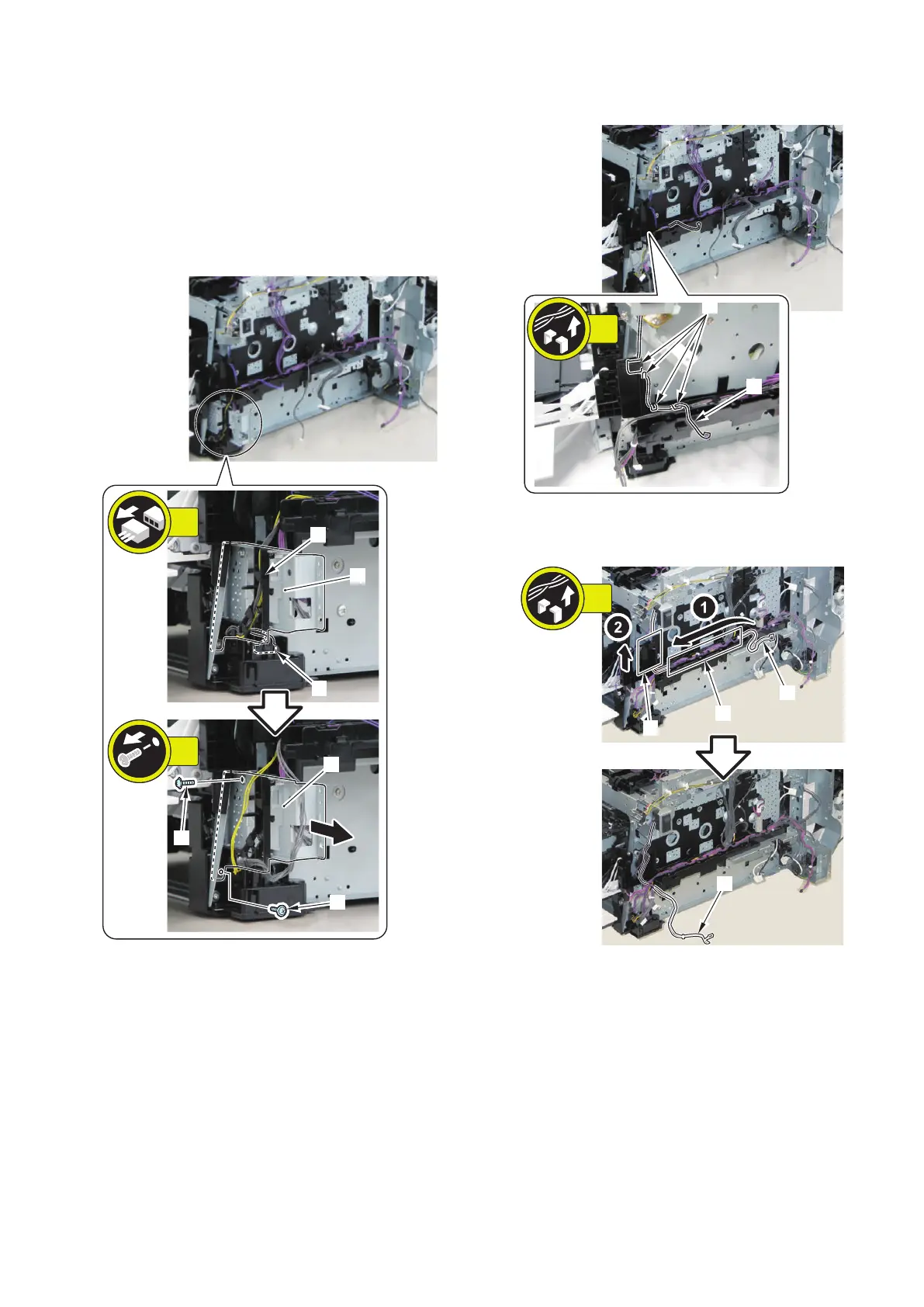
20. Removing the Off Hook PCB.(MF728Cdw / 727Cdw /
725Cdn only) (Refer to “Removing the Off Hook PCB
(MF728Cdw / 727Cdw / 725Cdn)” on page 172)
■ Procedure
1. Remove the Harness Guide and plate [1].
• 1 Connector [2]
• 1 Harness Guide [A]
• 2 Screws [3]
2. Free the harness [1].
• 4 Harness Guides [A]
3. Free the harness [1] from the guides [A] and [B].
(MF728Cdw / 724Cdw only)
4. Free the harness [1] from the Harness Guide [A].
4. Disassembly/Assembly
173



 To Next Page