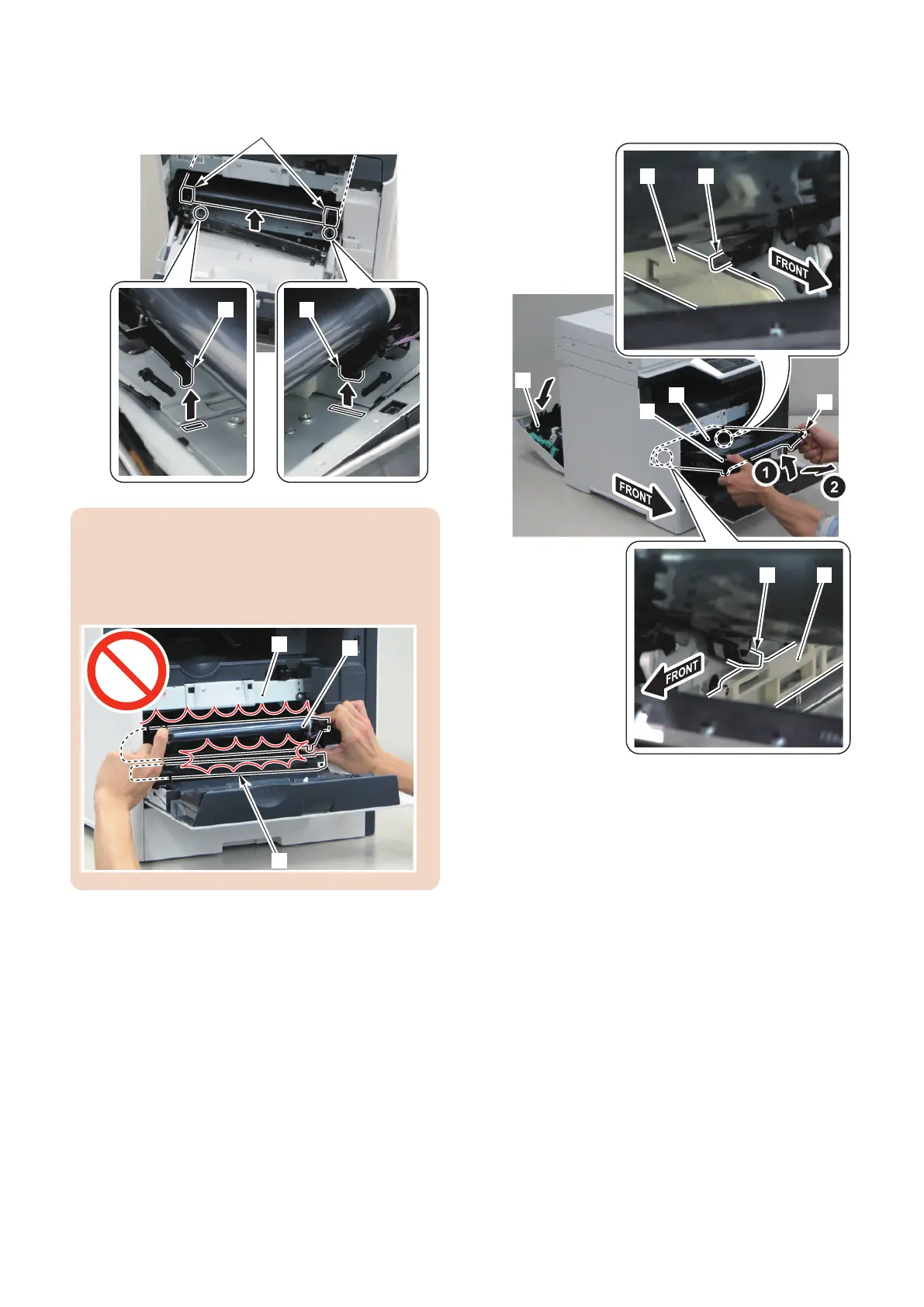
3. Lift the 2 parts [A] at the front side of the ITB Unit to
release the 2 protrusions [1].
CAUTION:
Be careful not to hit the ITB [1] against the Patch
Density/Registration Sensor Unit [2] at the lower side
and the frame [3] at the upper side when installing/
removing.
4. Open the Rear Cover [1].
5. Hold the 2 parts [A] at the front side of the ITB Unit
to tilt the ITB Unit [2].
6. Slide the 2 parts [B] at the rear side of the ITB Unit
along the rails [3], and remove the ITB Unit [2] by
pulling it out.
4. Disassembly/Assembly
192



 To Next Page