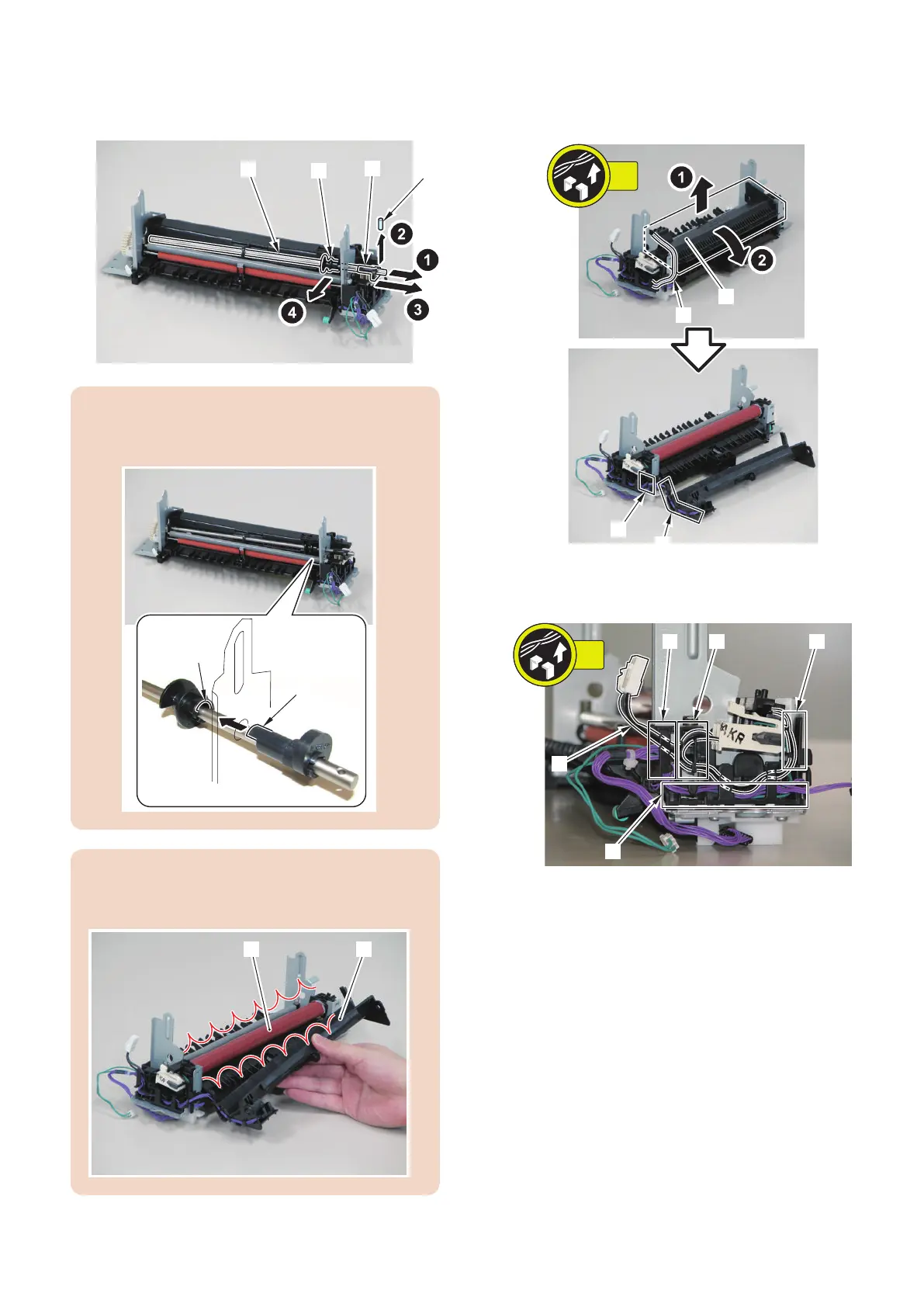
3. After sliding the shaft [1] to remove the Parallel Pins
[2] and the cam [3], remove the shaft [1] and the
Sensor Flag [4].
CAUTION:
At installation, be sure to align the protrusion of the cam
[1] with the groove of the Sensor Flag [2].
CAUTION:
Be sure to prevent the guide [1] from hitting against the
Fixing Film Unit [2] when installing/removing.
4. While securing the harness [1] to the guide [A],
remove the harness [1] and the guide [2].
• Harness Guide [B]
5. Free the harness (black) [1] from the Harness Guide
[A], [B], [C] and [D].
6. Free the harness (purple) [1] from the Harness Guide
[A] and [C].
4. Disassembly/Assembly
203



 To Next Page