7. Removing the Fixing/Fixing Power Supply Cooling
Fan Unit.(Refer to “Removing the Fixing/Fixing
Power Supply Cooling Fan Unit” on page 180)
8. Removing the Fixing Sub PCB.(Refer to “Removing
the Fixing Sub PCB” on page 166)
■ Procedure
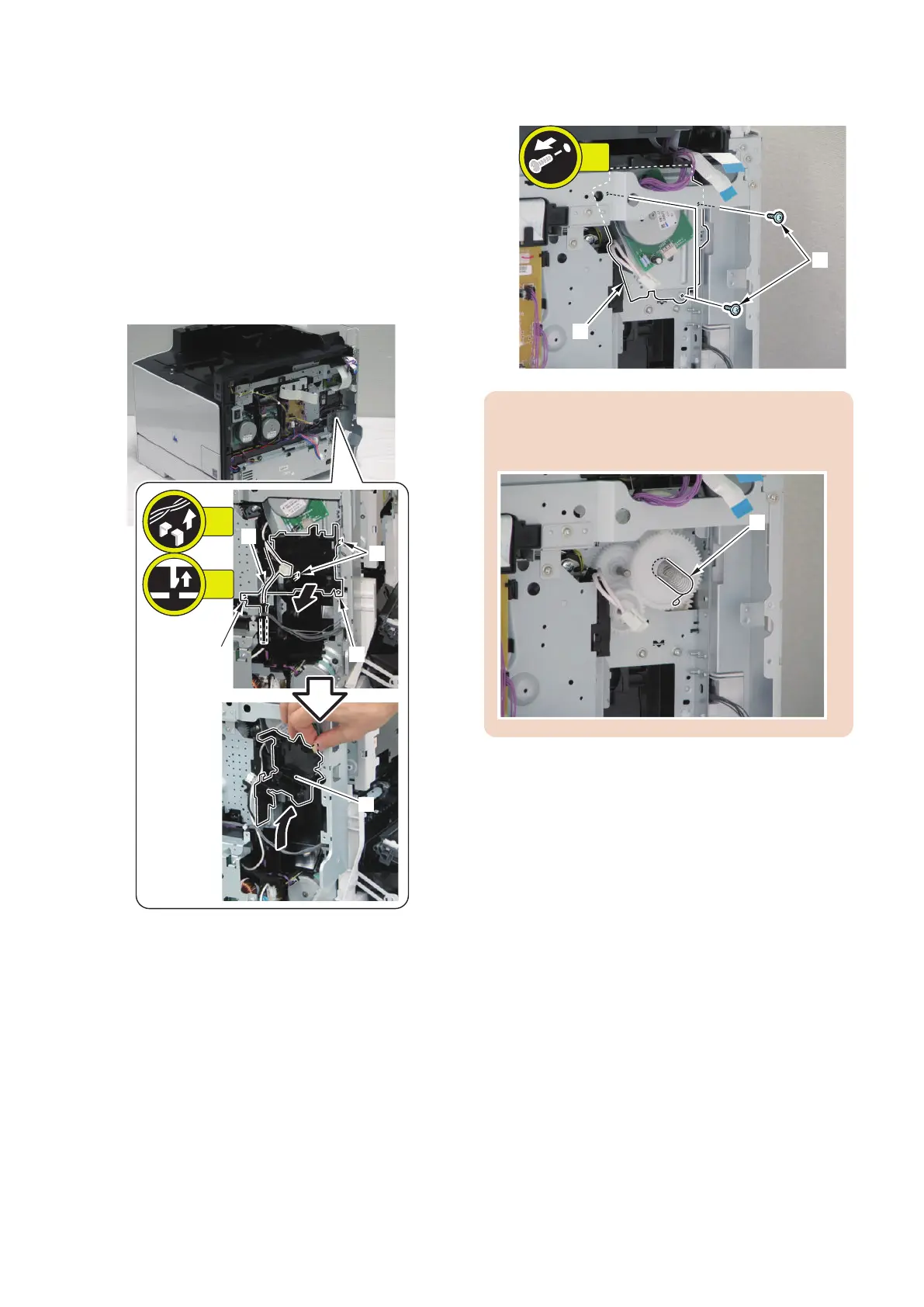
1. Free the harness [1] to remove the Sub Power
Supply PCB Holder [2].
• 2 Claws [3]
• 2 Bosses [4]
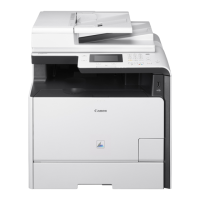
2. Remove the Fixing Motor unit [1].
• 3 screws [2]
CAUTION:
When removing the Fixing Motor Unit, do not lose the
spring [1] in the backside.
4. Disassembly/Assembly
206



 To Next Page