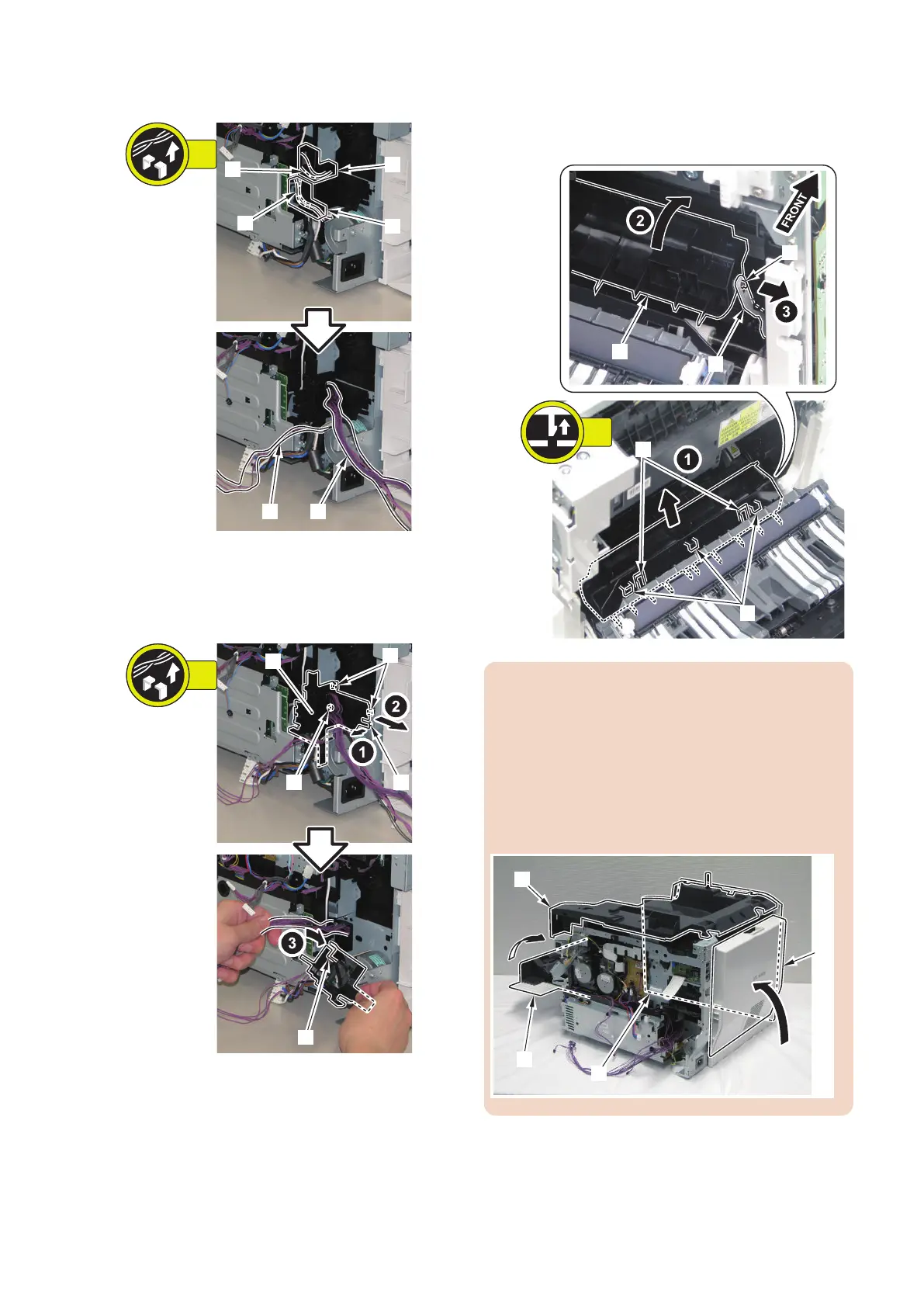
2. Free the harness [1] and [2] from the Harness Guide
[A] and [B].
3. Remove the Harness Guide [1].
• Harness Guide [A]
• 2 Boss [2]
• 2 Hooks [3]
4. Release 2 claws [1], and turn the guide [2] to align
the hook [4] with the hole on the arm [3], and remove
the arm [3].
• 3 hooks [5]
CAUTION:
1. When tilting the host machine, remove the Toner
Cartridge (Y, M, C, Bk) beforehand.
2. For protection, install each cover before tilting the
machine.
• Close the Rear Cover [1].
• Install the Upper Cover [2].
• Install the Left Cover [3].
• Close the Front Cover [4].
4. Disassembly/Assembly
215



 To Next Page