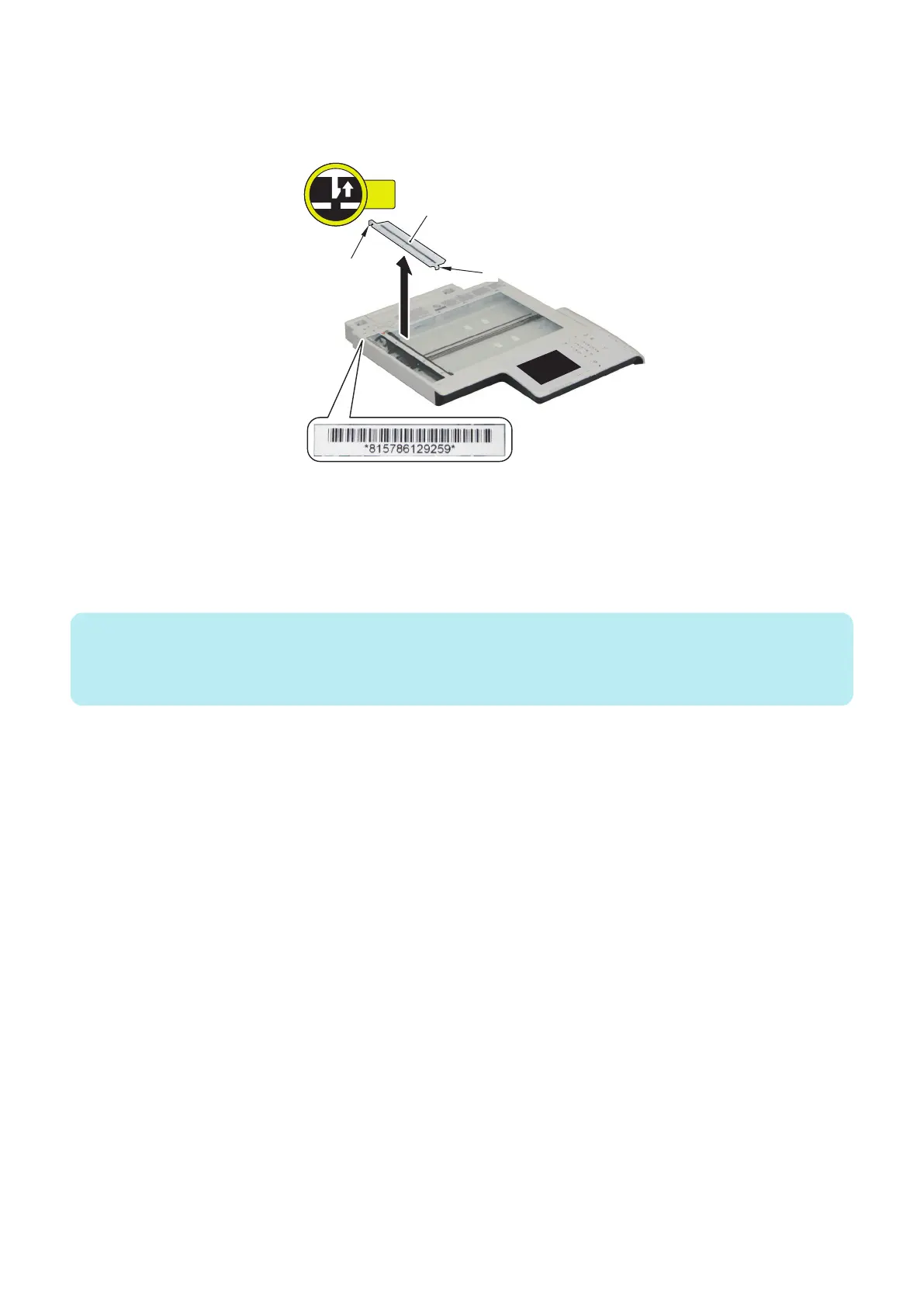
■ After Replacing the Reader Unit
1. Release the 2 claws [1], remove the Scoop-up Sheet Holder [2], and check the setting values of the Standard White
Plate indicated under the barcode that was hidden beneath the Scoop-up Sheet Holder.
2. Enter the X, Y, and Z values indicated under the barcode on the Copyboard Glass in
• COPIER > ADJUST > CCD > W-PLT-X (White level data (X) entry of white plate) ,
• COPIER > ADJUST > CCD > W-PLT-Y (White level data (Y) entry of white plate) , and
• COPIER > ADJUST > CCD > W-PLT-Z (White level data (Z) entry of white plate) ,
and then write the entered values (the the X, Y, and Z values shown under the barcode on the Copyboard Glass) on the
service label.
NOTE:
The value of W-PLT-X: The first four digits of the value on the label
The value of W-PLT-Y: The four digits in the middle of the value on the label
The value of W-PLT-Z: The last four digits of the value on the label
3. Return the Scoop-up Sheet to its original position.
4. AGC adjustment
1. Entering a provisional value
Change the foregoing values to "1,000".
• COPIER > ADJUST > CCD > LED-BW-R (Adjustment of LED light-up time (R) at B&W reading)
• COPIER > ADJUST > CCD > LED-BW-G (Adjustment of LED light-up time (G) at B&W reading)
• COPIER > ADJUST > CCD > LED-BW-B (Adjustment of LED light-up time (B) at B&W reading)
Change the foregoing values to "1,200"
• COPIER > ADJUST > CCD > LED-CL-R (Adjustment of LED light-up time (R) at color reading)
• COPIER > ADJUST > CCD > LED-CL-G (Adjustment of LED light-up time (G) at color reading)
• COPIER > ADJUST > CCD > LED-CL-B (Adjustment of LED light-up time (B) at color reading)
2. Adjust the white level in the following service mode.
• COPIER > FUNCTION > CCD > BW-AGC (CIS intensity adjustment in ADF (B&W))
• COPIER > FUNCTION > CCD > CL-AGC (CIS intensity adjustment in ADF (color))
3. If the operation was "successful", this procedure is completed. (There is no need to write the value on the service label.)
5. Adjustment
227



 To Next Page