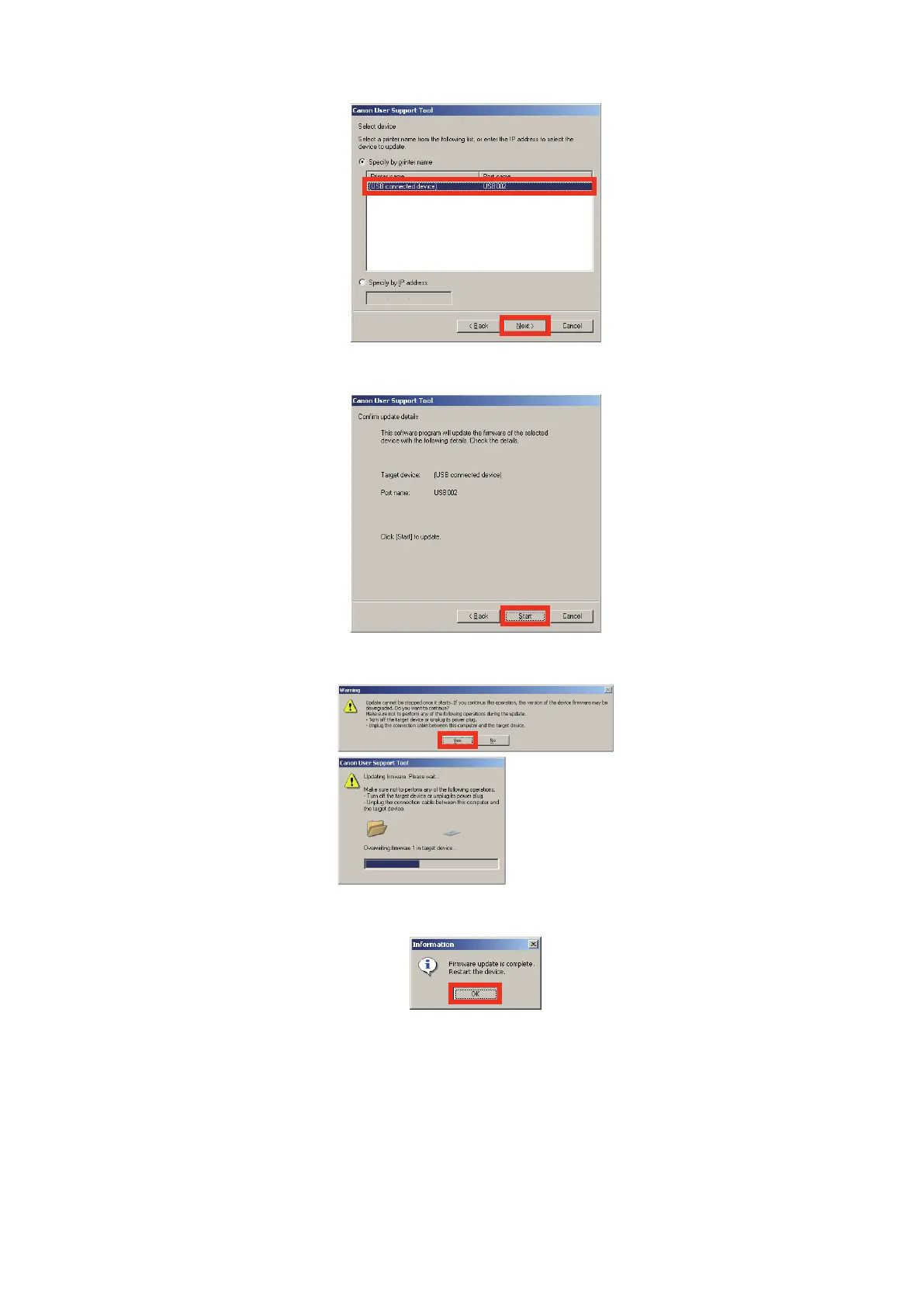
4. Select [USB Device] and click [Next] button.
5. Click [Start] button.
6. Click [Yes] button for the warning message to start download.
7. Click [OK] button when download is completed.
8. Turn off and on the power to restart the device.
9. Output the spec report from Service mode to confirm if the firmware version is the same as that on the note taken
in Step 2).
COPIER> FUNCTION> MISC-P> SPEC
6. Troubleshooting
246



 To Next Page