ITB
Primary transfer pad
Photosensitive
drum
DC bias
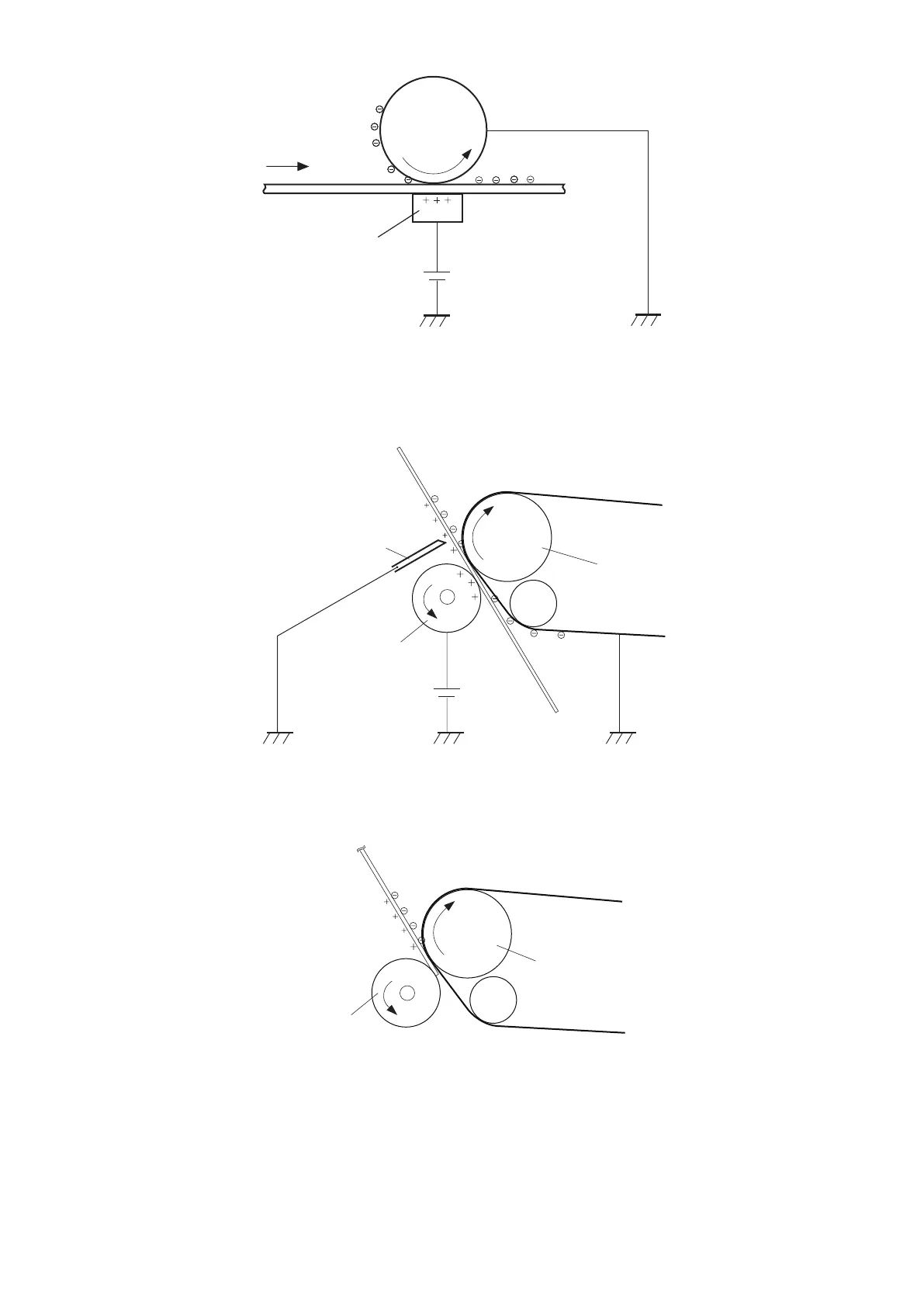
● Step 5: Secondary transfer
Transfer the toner image on the ITB to paper.
The DC positive bias is applied to the secondary transfer external roller to charge the paper positively. By this, the negatively
charged toner image on the ITB is transferred to the paper.
ITB
Secondary
transfer external roller
Media
ITB drive roller
DC bias
Static charge eliminator
● Step 6: Separation
Separate the paper from the ITB using paper elasticity and curvature of the ITB drive motor. To stabilize the paper delivery and
image quality, use the static eliminator to decay the potential on the back of the paper after image transfer.
ITB
ITB drive roller
Secondary
transfer external roller
Media
■ Block 4 : Fixing
The toner image is fixed on the paper in this block.
● Step 7: Fixing
This product employs the on-demand fixing method.
By applying pressure and heat on the paper and the toner image on it, the toner is fused to develop the permanent image.
2. Technical Explanation
33



 To Next Page