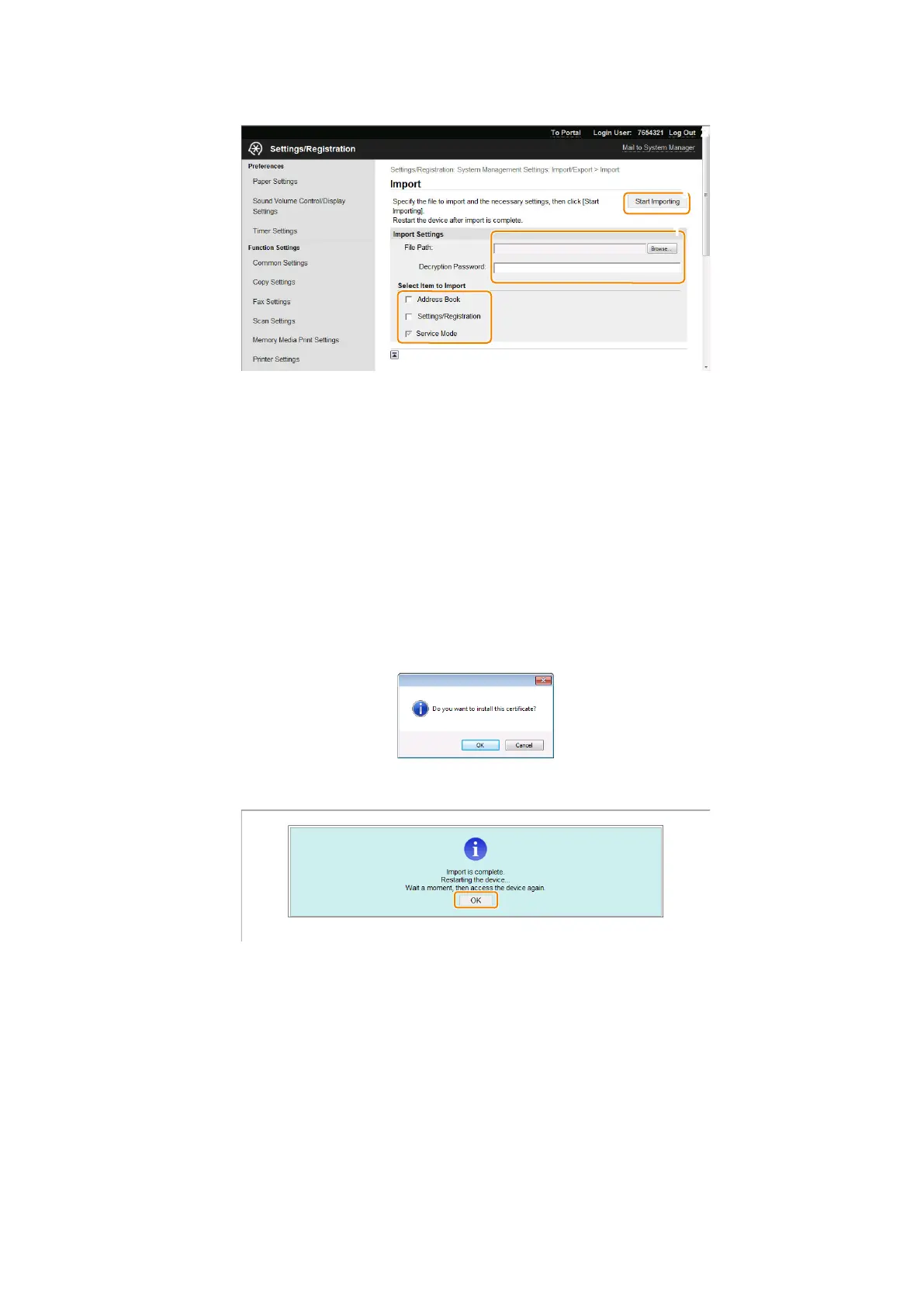
5. Specify the settings for Importing, and click [Start Import].
Enter the encryption password and click [Start Import]. The menu options data will be Imported.
[Browse..]button
Click to select the file to import.
Decryption Password
Enter up to 32 alphanumeric characters for the password that was set when the file was exported.
Address Book
Select the check box to import the Address Book data.
Address Book PIN
If the Address Book PIN is set, enter the PIN in the [Address Book PIN:] text box. Setting a PIN for Address Book
Settings/Registration
Select the check box to import the setting data of the menu options.
6. A dialog box asking whether the user wants to execute import will appear. Click [OK].
7. A message will appear to indicate that the process has been completed. Click the [OK] button.
8. Restart the host machine, enter service mode, and then check that the setting information is reflected.
2. Technical Explanation
72



 To Next Page