THS – FI022GB2K8v3 --- V - MAINTENANCE
50
Controls
The control of the Metal Detector and the setting of the device parameters are performed through the control panel
keyboard, as shown below:
Key Function
Access and exit from the programming phase
Return back from the submenus to the main menu
Exit from the Metal Detector Status visualization
Scroll through the sequence of instructions
Choice of the parameters to be changed
Modification of the parameter values
Metal Detector Status visualization
Selection of the selected submenu from the main menu
Confirmation of the data entered
Reset of some kinds of fault
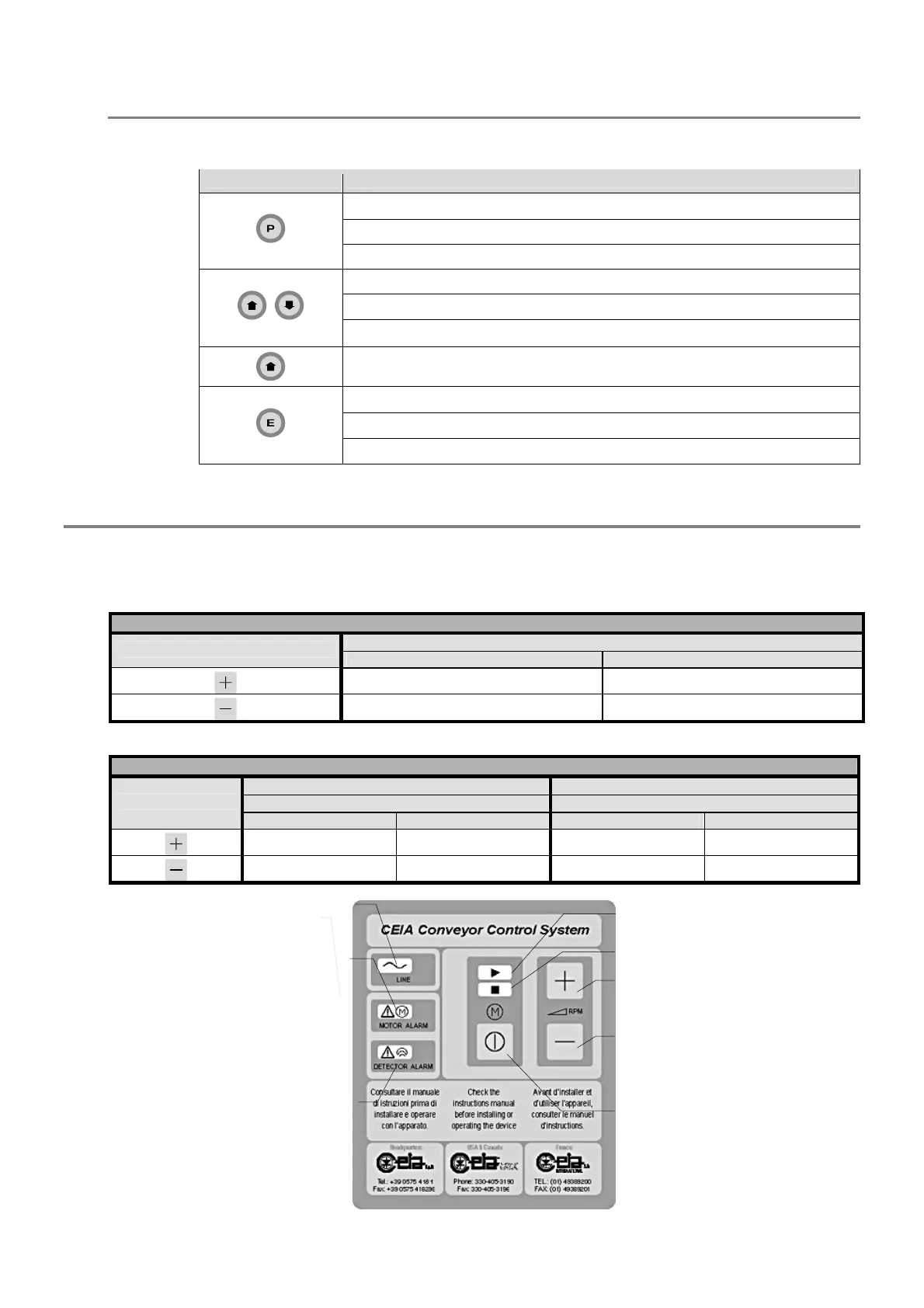
Conveyor Control System power supply unit control panel
On the power supply unit Conveyor Control System, the container cover incorporates a motor control panel.
In the case of operation with stopping of the belt and manual resetting, the motor start/stop button also functions as the
alarm reset.
The motor speed control keys have different functions depending on the version.
Fixed-speed Conveyor Control System
Status of motor
Key
Motor on Motor off
No function Manual advance *
No function Manual reverse *
* if parameter MM = ON
Variable-speed Conveyor Control System
Parameter MM = OFF Parameter MM = ON
Status of motor Status of motor
Key
Motor on Motor off Motor on Motor off
Increase in speed No function No function Manual advance
Decrease in speed No function No function Manual reverse
Fig. III-3: commands and indicators on the power unit with inverter card Conveyor Control System
Scheda MDL
Power indicator
Motor malfunction
indicator
Metal detector alarm
indicator detector
Motor on indicato
Motor off indicator
Speed increase button
Speed decrease button
Motor start/stop and alarm
reset button



 To Next Page