THS – FI022GB2K8v3 --- V - MAINTENANCE
62
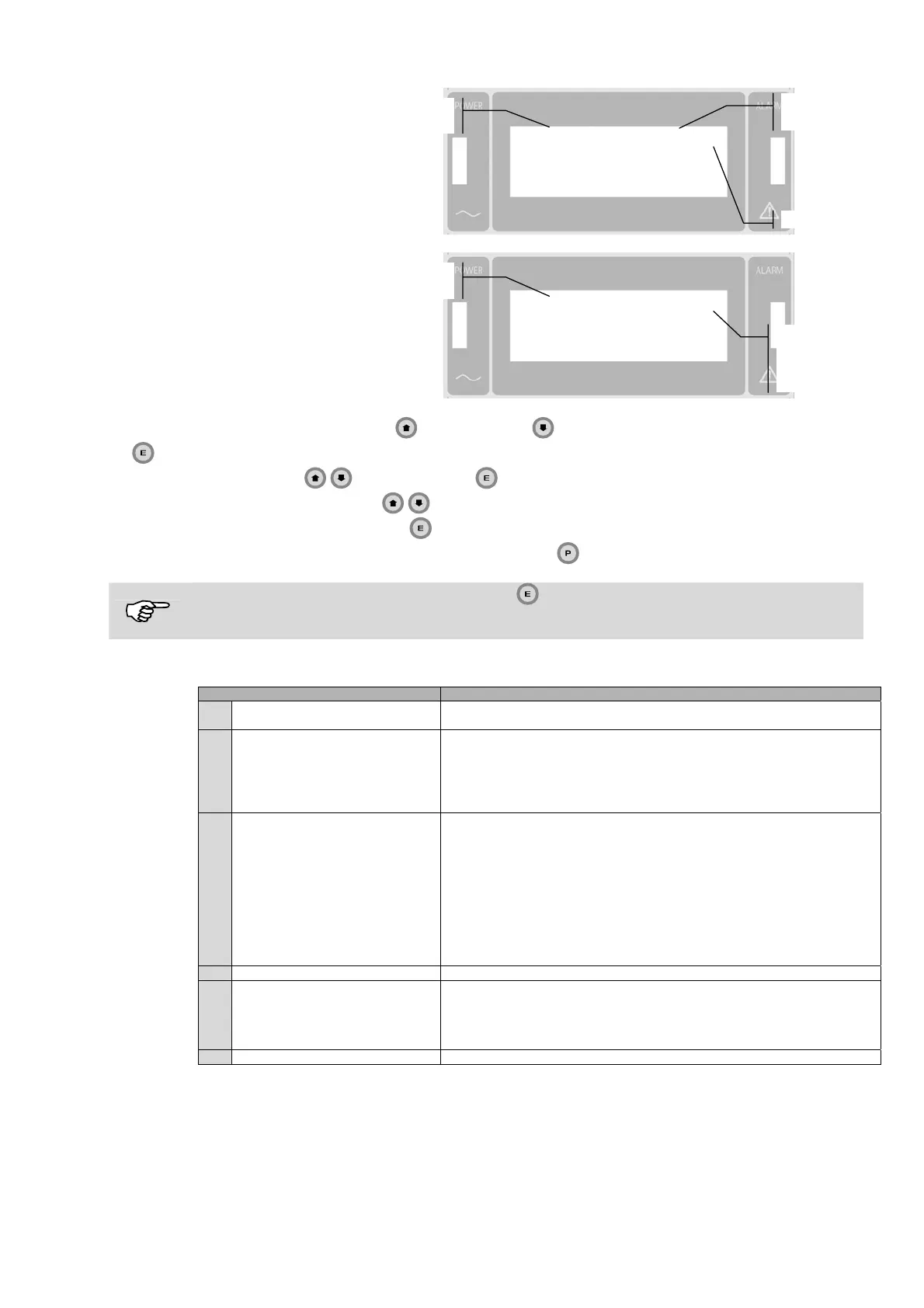
Example of display output
during operator-level
programming.
Sensitivity 265 <-
Products
Pa r a me te
nam
Parameter
value
Cursor
Example of display during
programming: supervisor
level.
Products ->
Autolearn
Detection
Ejection
Pa r a me te
nam
Cursor
indicating
presence of
sub me nu
- The parameters are selected via the
(increase) and (decrease) keys, and are activated via the
(Enter) key: when this happens, the current setting begins to flash.
- Submenus are selected via
, and accessed via
- The parameter settings are modified via
- The modifications are confirmed by pressing
- Returns to the previous menu and exits from programming mode via
.
If the sensitivity value does not begin to flash after has been pressed, it means that the parameter in
question is not accessible from the current programming level. The product named “Defalut” cannot be
modified.
Every level of programming allows access to various groups of operating parameters, as shown in the following table:
Livello Menu / Comandi disponibili
1 Operator level
Sensitivity
Products
2 Supervisor level
Products
Autolearn
Detection
Ejection
Ejection time
Counters
3 Engineer level
Products
Autolearn
Detection
Ejection
Counters
Bar-code reader*
THS Configuration
Date setting
Change password
ALM Configuration
I/O status
4 Quality Control operator level MD Test
5 Head of Quality Control level
MD Test
Print
Print report
Q-C Config.
Test sensitivity
6 Remote programming level All the commands at Engineer and Head of Quality Control levels.
* menu available only when a bar-code reader is fitted.
The structure of the programming menus is tree-type. The individual parameters are described in the “Programming
Instructions” table, along with the menu/submenu sequence via which they can be selected.



 To Next Page