M-Series Operator’s Manual 4/9/15
10-63
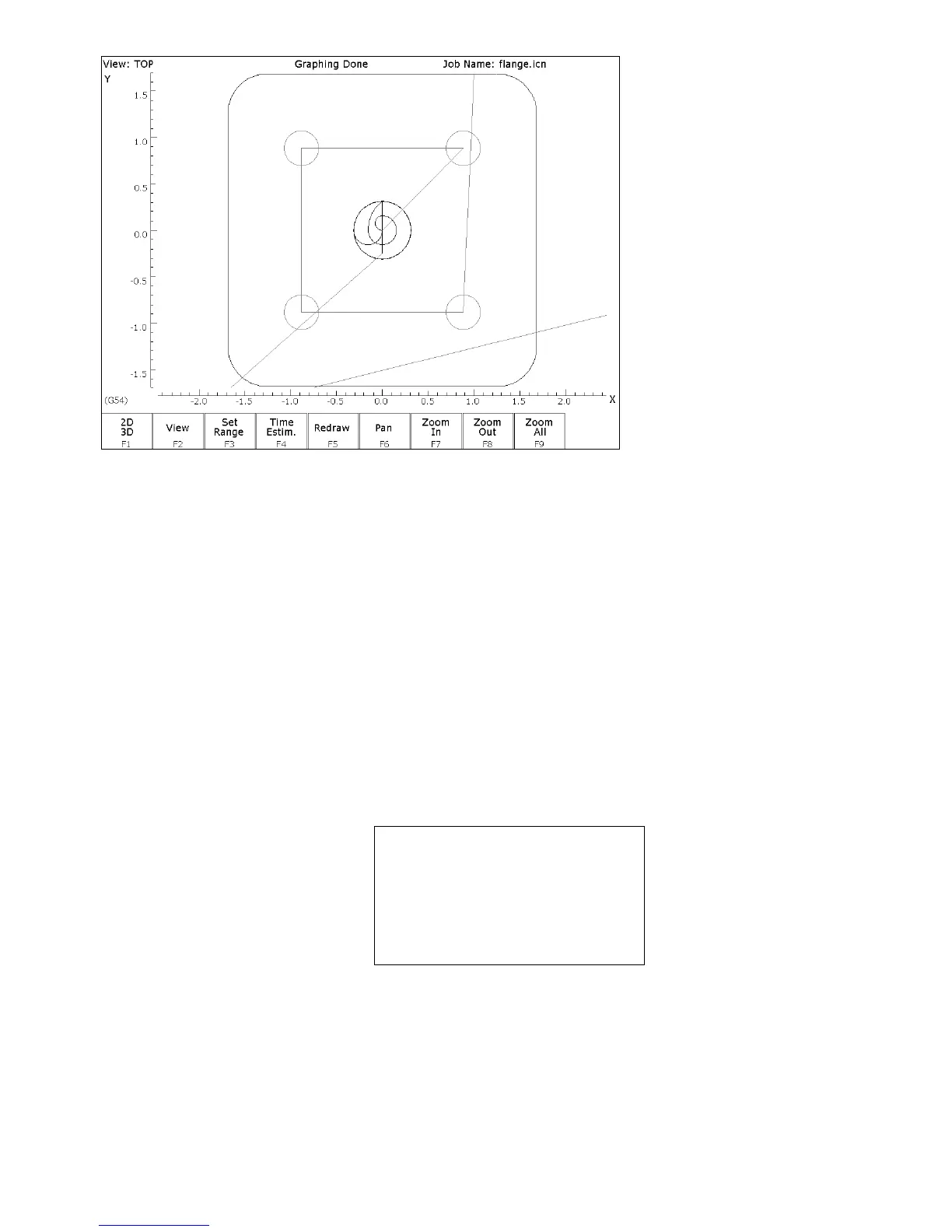
FIG. 3 - Graphics screen showing part with bolt holes and outer frame
ESC/CANCEL Return to the editing screen.
F10 - Accept Keep selected values.
F9 - Subpgm Access the Insert Subprogram screen.
F2 - Repeat We programmed the part to cut one copy only. We now want to
repeat the part 2 more times at an incremental distance of 6 inches
along the X-axis. The part can now be cut into the stock mounted
into the two other fixtures. The part begins with the circular
pocket in operation #0003 and ends with the linear mill in
operation #0005. Press F2 - Z Home to enter “Home” for
“Clearance Height.
N0060 Repeat
Start Block :
N0003
End Block :
N0005
Increment X
:
6.0000
Y
:
0.0000
Clearance Height :
Home
Plunge Rate :
2.0000
Number of copies
:
2
F8 - Graph Display a preview of the parts. This preview can be used to
detect problems that may occur if the part was cut now.
ESC/CANCEL Return to Repeat Subprogram.
F10 - Accept Keep selected values if you wish to cut these two extra parts. If
you do not wish to do this, press ESC/CANCEL.



 To Next Page