M-Series Operator’s Manual 4/9/15
10-78
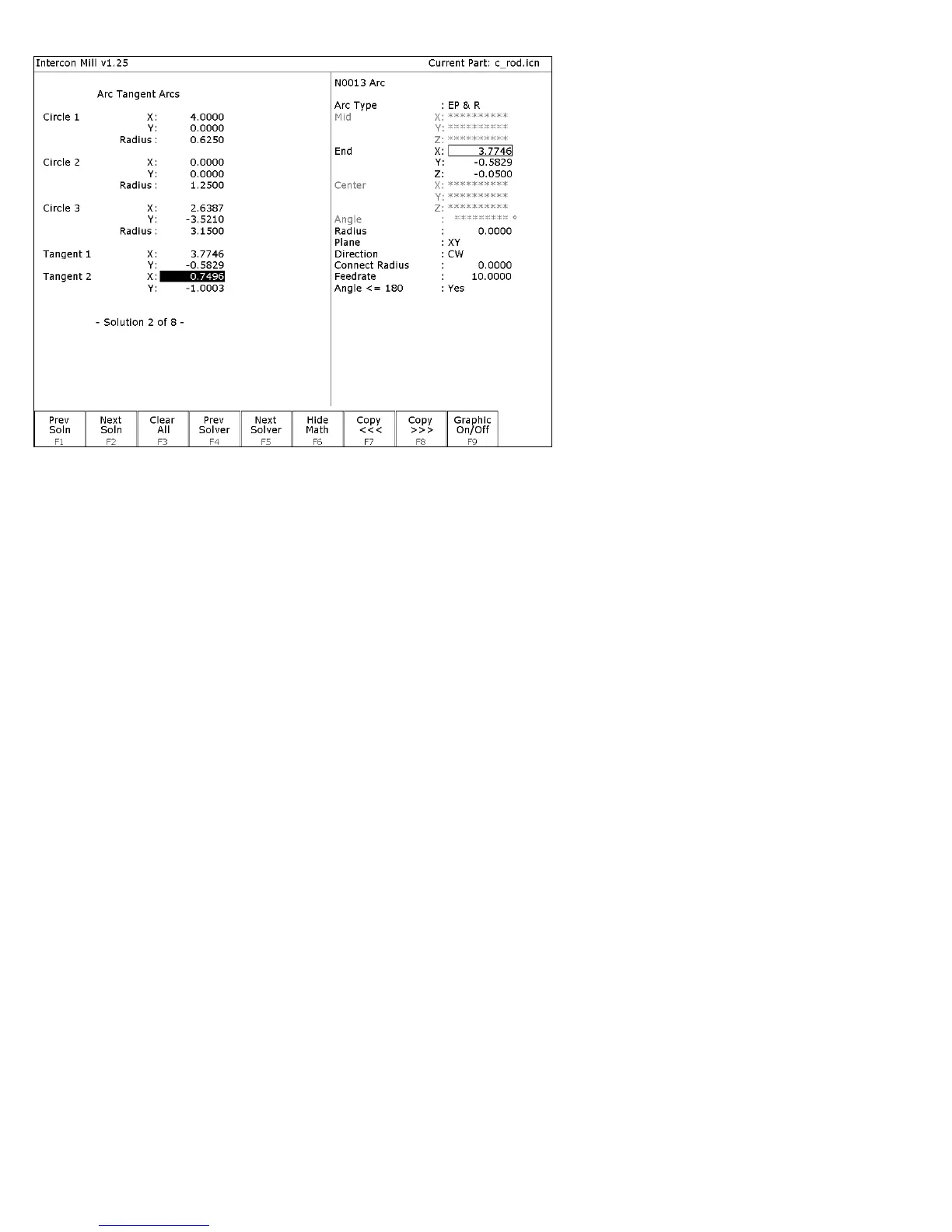
FIG. 6 – New arc 2 entry screen shown with solution for arcs 1 and 2 of Figure 3.
↑
↑↑
↑↓
↓↓
↓(UP/DOWN) If necessary, move the block cursor to the Tangent 2 X field as
shown above. The rectangle at End X shows that it will be the
destination of the copy.
F8 - Copy >>> Transfer the tangent point T2 value for X into the end point X
coordinate. The active fields on both sides of the screen advance
automatically.
F8 - Copy >>> Transfer the tangent point T2 value for Y into the end point Y
coordinate.
F6 - Hide Math Hide Math Help temporarily.
↑
↑↑
↑↓
↓↓
↓(UP/DOWN) Move down to the radius field and enter the radius of the arc
labeled ARC 2 in Figure 3 (this radius is 3.1500 inches). Set the
direction to “CCW”.



 To Next Page