M-Series Operator’s Manual 4/9/15
5. Feature width W (P226)
W and Min_Angle work together to determine which angles will be "sharp" (not be smoothed). For example a Gcode
file may contain small spikes, double backs or zig zags of less 1mm that may be causing unwanted
slowdowns in an otherwise high speed stretch of toolpath. Given a STEP (P222) = .25mm , setting W (P226)= 4
(4*.25=1mm) should reduce or eliminate decelerations across the problem toolpath. W does not itself smooth
the offending data, that's the job of Smoothing (controlled by NBpts and STEP), but W does allow you to
minimize slowdowns caused by small features, which is very helpful for running smooth thru jagged CAD/CAM
generated G code.
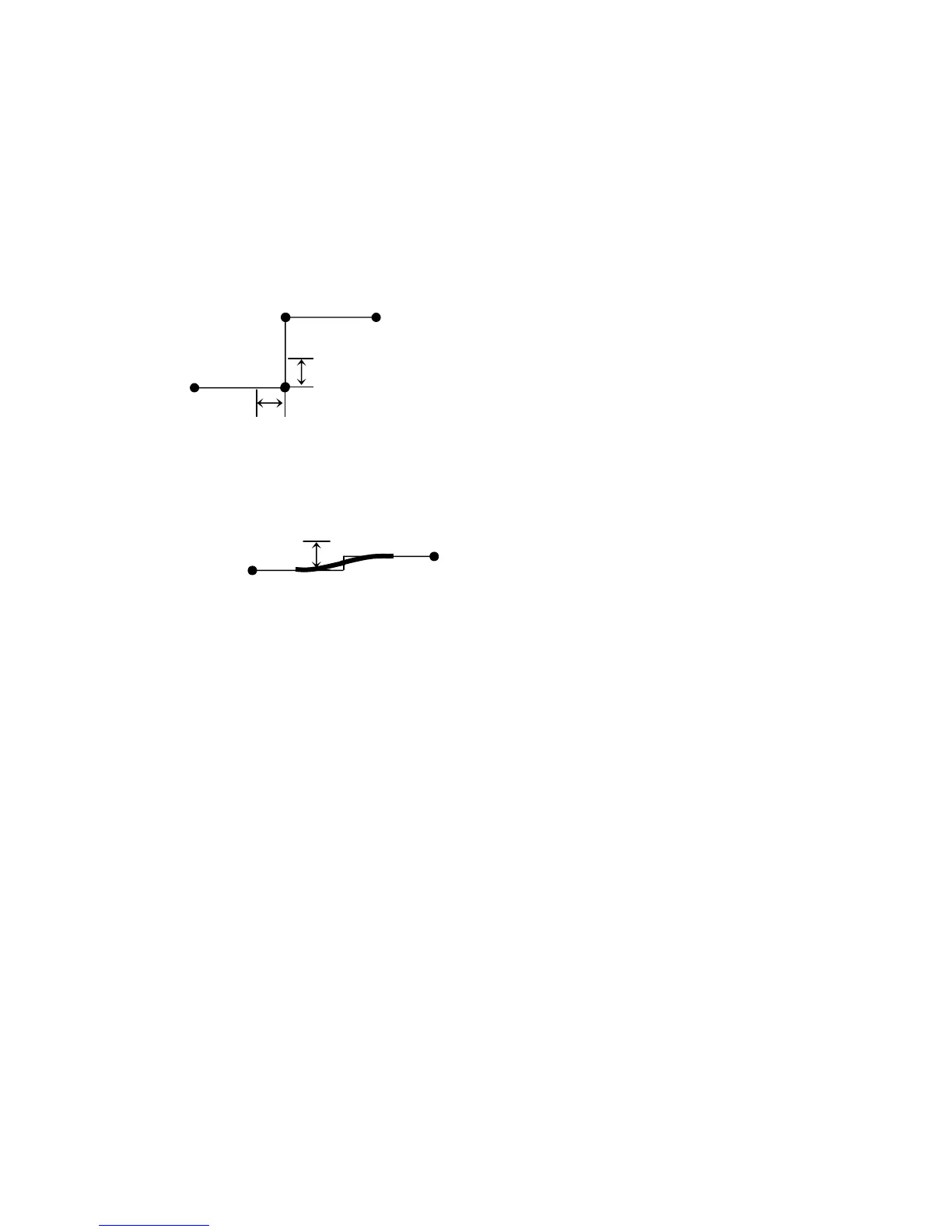
Fig 6. W determines whether or not a feature is significant
Feature is larger
than W x Step
This feature is significant.
Therefore, if the feature’s angles are less than
Min_Angle (P227) they will be shapened.
Otherwise, smoothing will be applied.
Feature is smaller
than W x Step
Because this feature is considered insignificant,
smoothing will be applied over it.



 To Next Page