Managing Device Information
Defining System Information
ESW 500 Series Switches Administration Guide 50
2
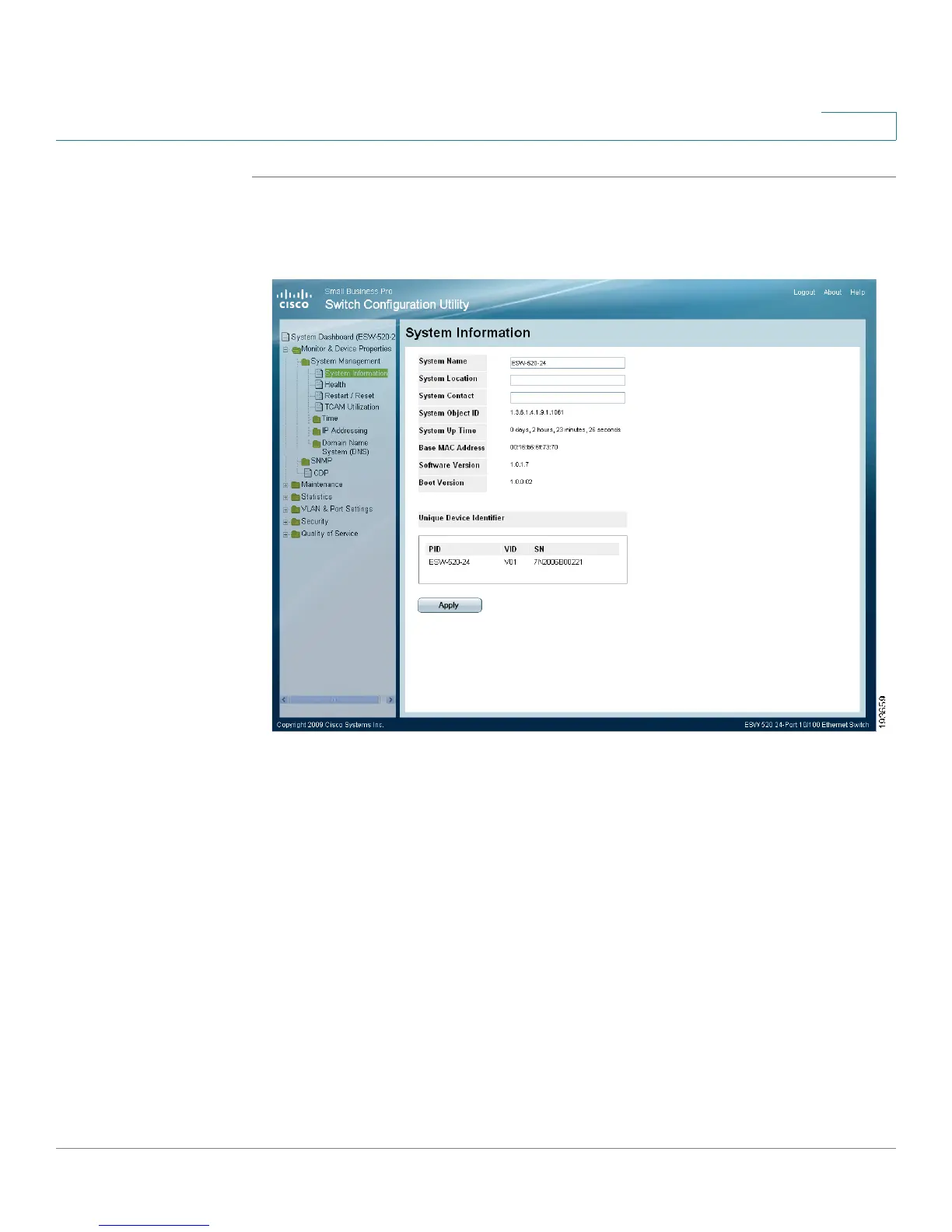
STEP 1 Click Monitor & Device Properties > System Management > System Information.
The
System Information Page
opens:
System Information Page
The
System Information Page
contains the following fields:
• System Name — Displays the user configured name of the system.
• System Location — Defines the location where the system is currently running.
The field range is from 0-160 characters.
• System Contact — Defines the name of the contact person. The field range is
0-160 characters.
• Login Banner — Defines a user-configurable message of up to 1000 characters
• System Object ID — Displays the vendor’s authoritative identification of the
network management subsystem contained in the entity.
• System Up Time — Displays the amount of time that has elapsed since the last
device reset. The system time is displayed in the following format: Days, Hours,





 To Next Page