Aggregating Ports
Defining EtherChannel Management
ESW 500 Series Switches Administration Guide 414
18
• Defining EtherChannel Management
• Configuring LACP
• Defining EtherChannel Settings
Defining EtherChannel Management
Ports added to a EtherChannel lose their individual port configuration. When ports
are removed from the EtherChannel, the original port configuration is applied to
the ports.
To define EtherChannel management:
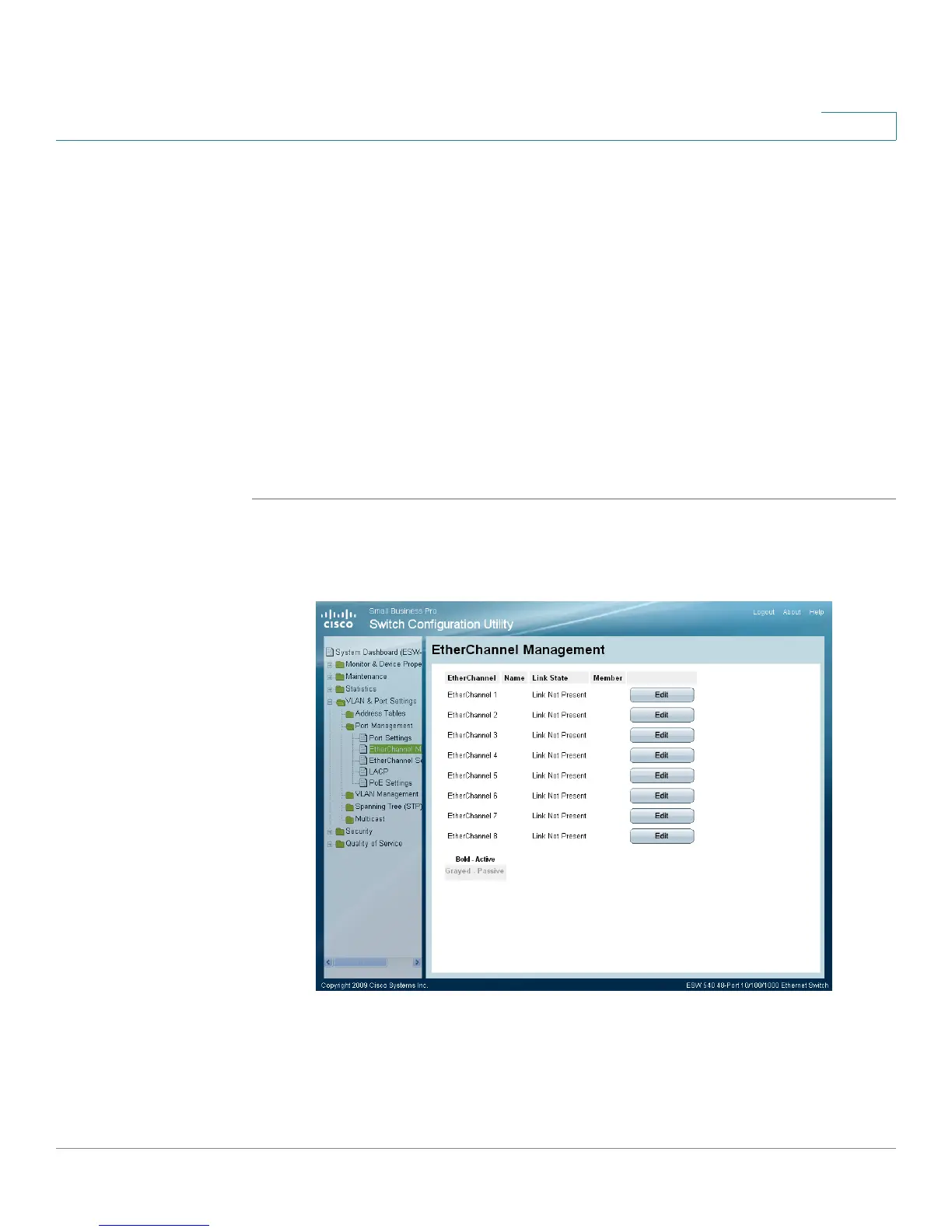
STEP 1 Click VLAN & Port Settings > Port Management > EtherChannel Management. The
EtherChannel Management Page
opens:
EtherChannel Management Page
The
EtherChannel Management Page
contains the following fields.
• EtherChannel — Displays the EtherChannel number.
• Name — Displays the EtherChannel name.





 To Next Page