Managing Smart Ports
Configuring Smart ports for Printers
ESW 500 Series Switches Administration Guide 81
3
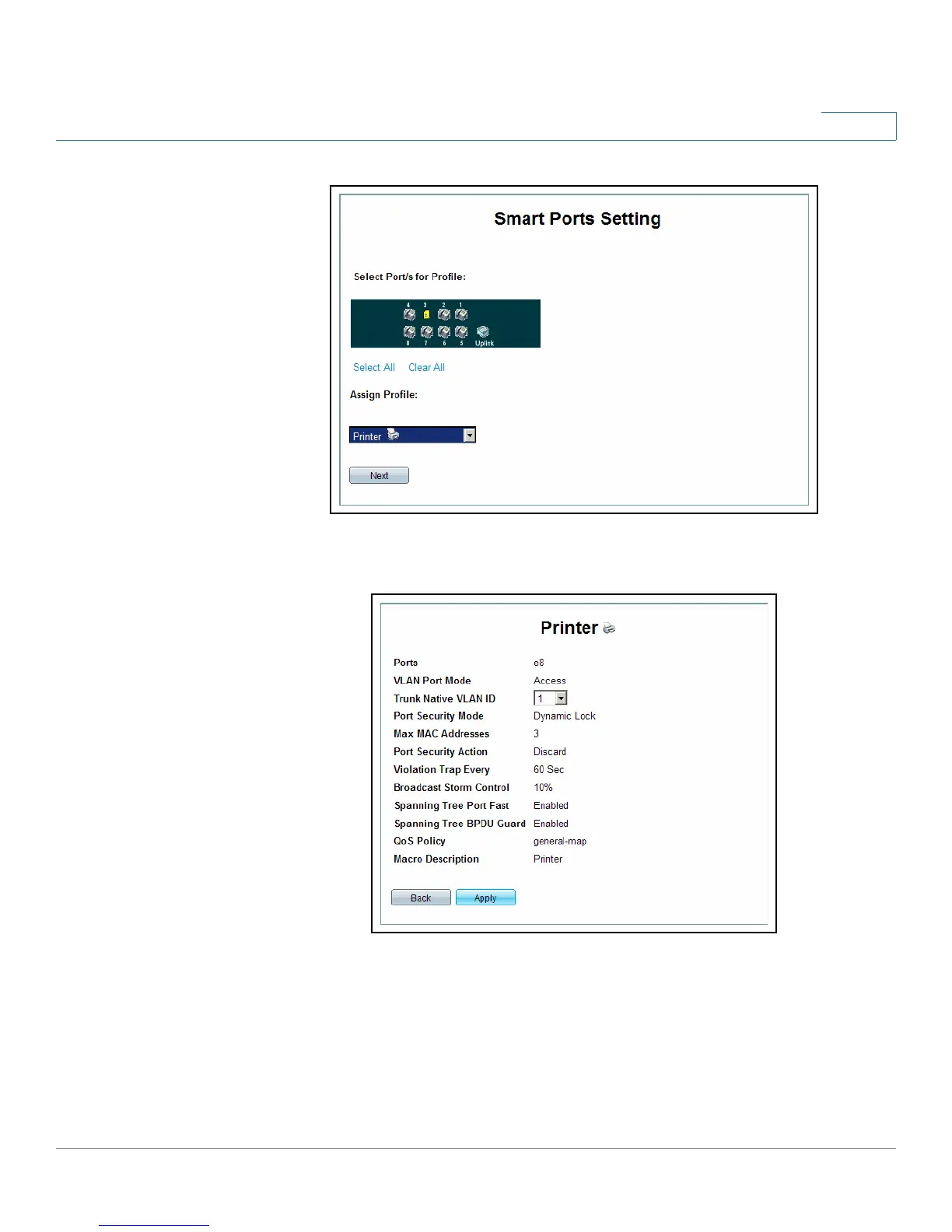
Smart ports Setting Page
STEP 5 Click Next. The
Smartports Printer Settings Page
opens:
Smartports Printer Settings Page
The
Smartports Printer Settings Page
contains the following fields:
• Ports — Indicates the port to which Smart ports Wizard settings are applied.
• VLAN Port Mode — Indicates the VLAN port mode enabled on the port. The
value is:
-
Access
— Indicates the value is Access.





 To Next Page