Appendix – Examples Control Station Duetto
136 2.0/0518
The following parameters have to be entered for an HTTP request:
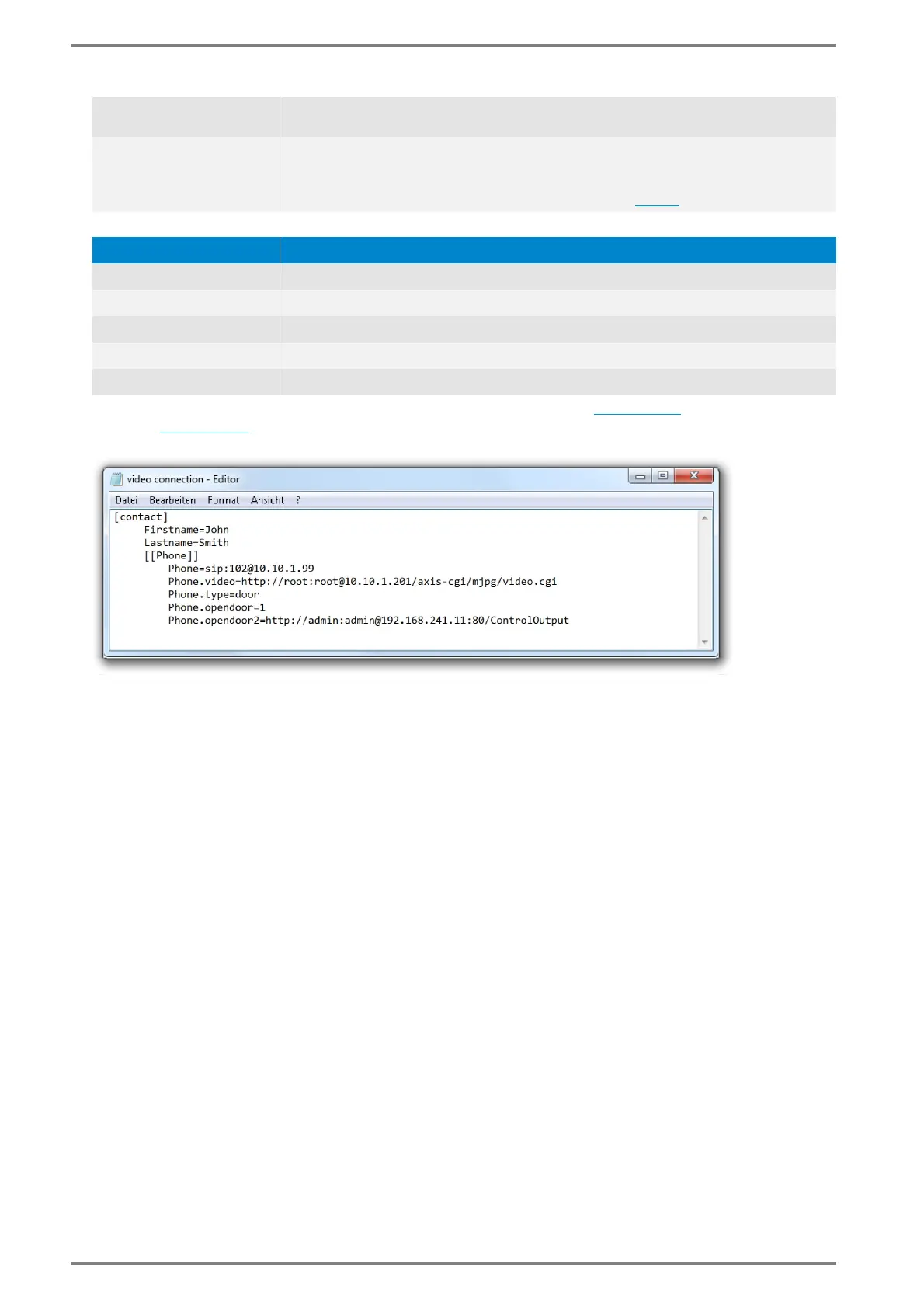
Save this file in RC data format and import it via the web interface (see page 77). An example can be
found on page 136.
Example: SIP contact with video connection and door opener function
SIP contact with video connection and door opener function
<Button>
(only Intercom)
Button (1 – 9) to open the door at an incoming door call.
<HTTP request>
A HTTP request can be sent to the configured IP address at an incoming door call in
order to e.g. control a relay automatically. Enter the following HTTP request:
“http://<User name>:<Password>@<IP address>:<Port>/<Command>”
An overview of the required parameter can be found below.
Parameter Description
<User name> User name for authentication (if required).
<Password> Password for authentication (if required).
<IP address> IP address, to which the HTTP request will be sent
<Port> Port of the destination IP address (if required).
<Command> Command to be executed.



 To Next Page