Appendix – Examples Control Station Duetto
140 2.0/0518
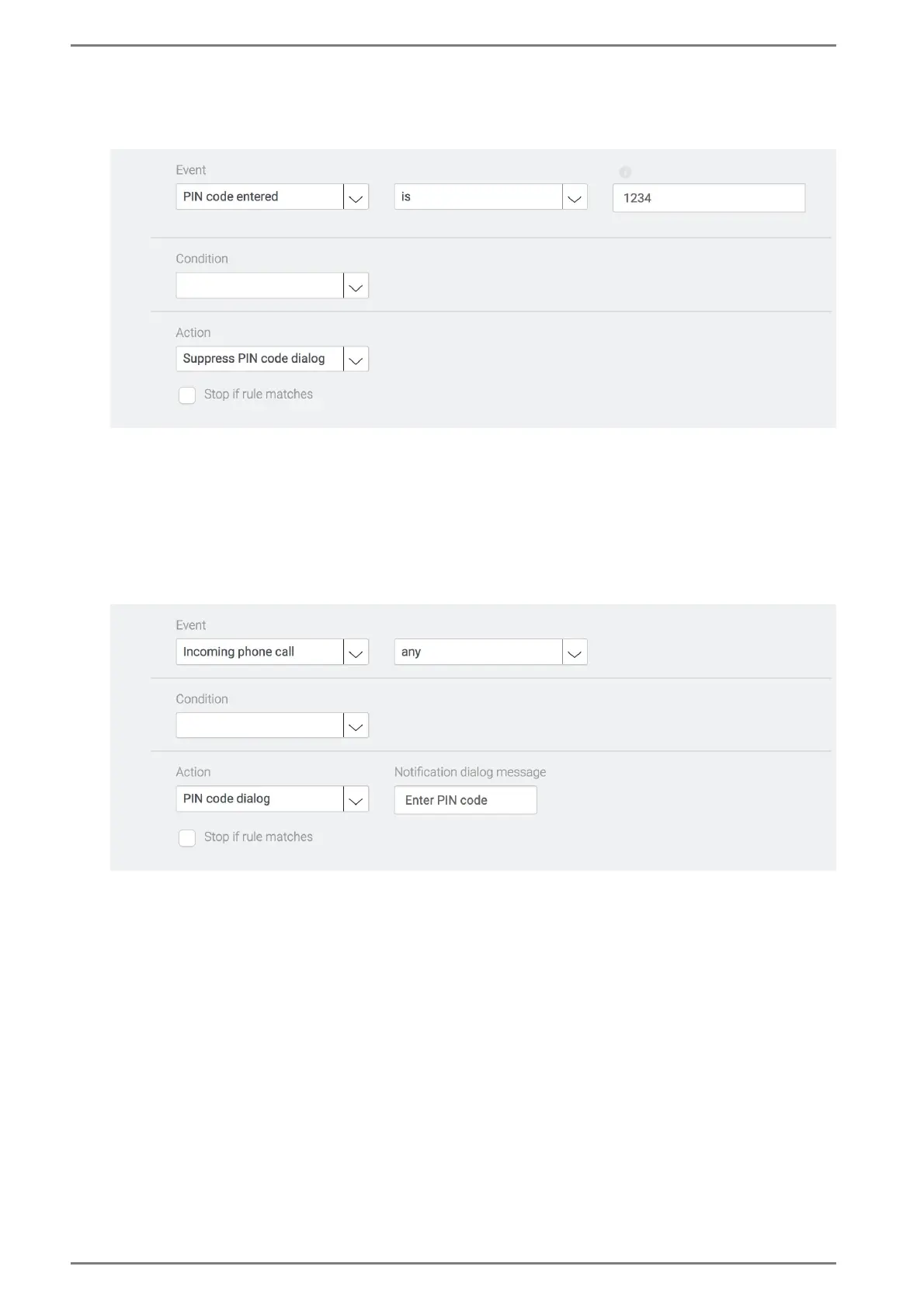
Add a new logic rule. With this logic rule, the display of the DUETTO device is unlocked when the
correct PIN code is entered. See the following screenshot:
Display is unlocked when the correct PIN code is entered
Select the event “PIN code entered”.
Select the entry “is” in the drop-down list below the event. Thus, the event is only fulfilled when the
correct PIN code is entered.
In the field below, enter the desired PIN code to unlock the display.
Select the action “Suppress PIN code dialog”.
Add a new logic rule for SIP and Intercom mode each (if available). With this logic rule, the display
of the DUETTO device is unlocked by incoming SIP or Intercom calls. See the following screenshot:
Display is unlocked by incoming SIP calls
Select the event “Phone call from number” or “Intercom call from number”.
Select the entry “any” in the drop-down list below the event. Thus, the event is fulfilled by any in-
coming SIP or Intercom call.
Select the action “Suppress PIN code dialog”.



 To Next Page