Engineering Manual Engineer Menu 2-7
103
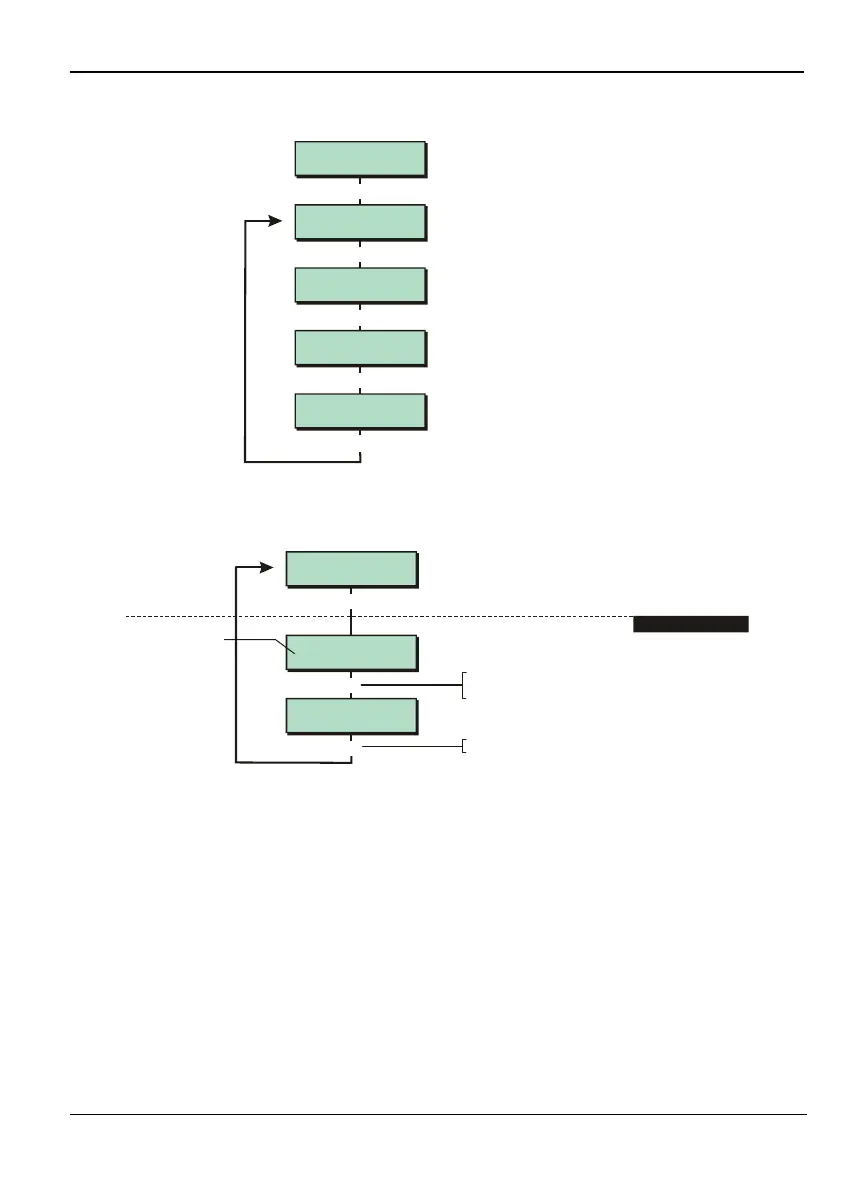
Option 2-7-2: Testing Outputs
Test Outputs 2
Digi H/Wired
Test Outputs 3
Digi On Board
Test Outputs 4
Equipment
Test Outputs 1
Panel
|
|
|
Use or
|¬
to scroll through options,
or press hot key (1-4)
|
Built In Tests 2
Outputs
[
Option 2-7-2-1 – Testing the "Panel" Outputs
e.g.
Test Outputs 1
Panel
Panel Outputs On
*****
Panel Outputs On
1****
]
1
[
Press when you have finished
]
1. TOGGLE OUTPUTS
Enter ouput number (e.g. 1)
to toggle output on/off
Outputs (* = off)
This option allows you to switch outputs 1 to 5 on and off. Outputs 1 and 2 are relay outputs.
Outputs 3, 4 and 5 are transistor outputs. Switching on an output should cause the appropriate
output LED on the PCB to illuminate.
Outputs 2 and 5 are not available on an M550, M600, M750, M800 or M800ID.



 To Next Page