Engineering Manual Engineer Menu 2-7
107
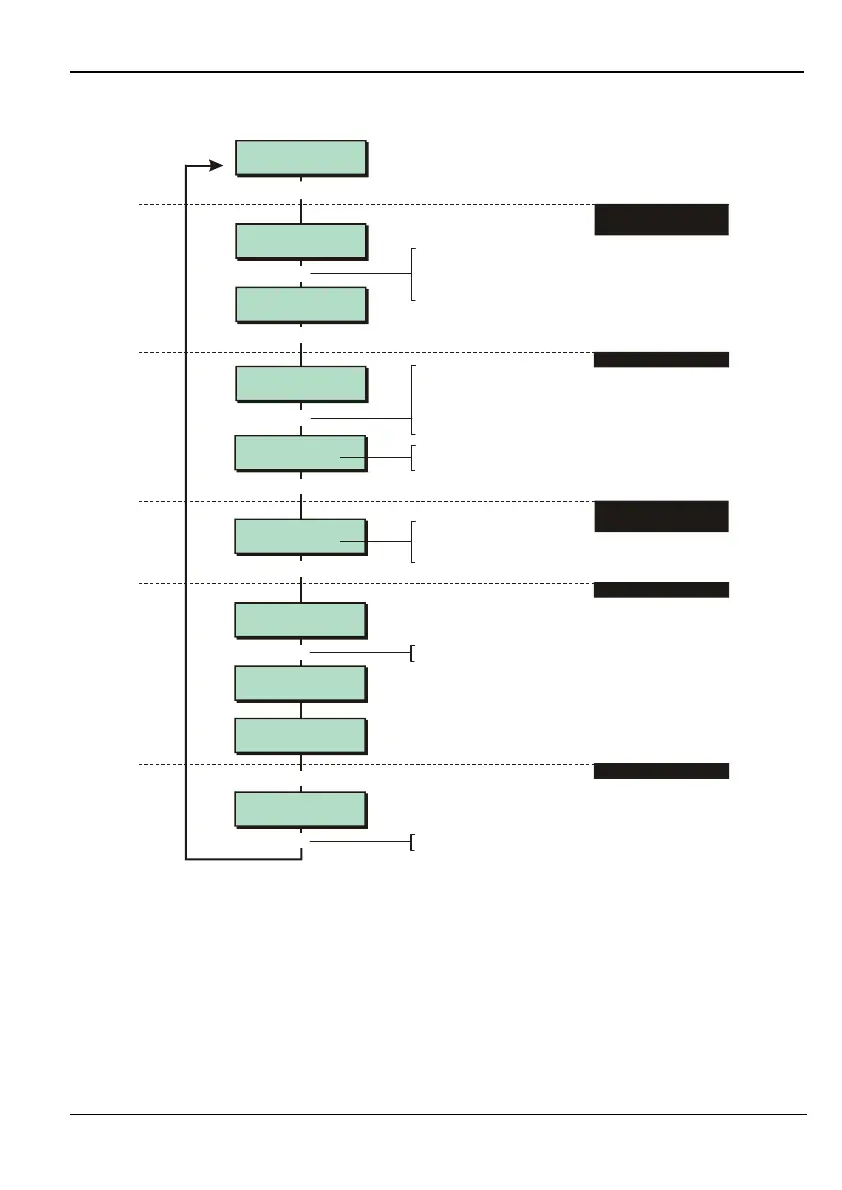
Option 2-7-3-2 – False Setting the System
False set wards:
Ward > 1**.....
Select Zones
0001 Disarmed
[
1234567890123456
1234567890123456
Equipment 2
False Setting
False set wards:
Ward > ***.....
[
1
2. SELECT ZONES TO ARM
4. EDIT TIMER VALUE
|
e.g.
Press to choose whether the zone
should be armed or remain disarmed
r
1. SELECT SET OF WARDS
TO BE FALSE SET
Press the ward number to to toggle
ward in set (number shown) or not in set
("*" displayed). A dot (".") indicates that the
ward is not allocated to any zones
18
Select Zone
0002 Disarmed
Exit For Wards:-
Ward : 123.....
Wards Set :-
Ward : 123.....
TESTING COMPLETE
[ESC] to quit.
O=Set Selection
[Ent]=User Level
0
]
All outputs will
remain active
[
[
]
Press when you have finished
]
3. SELECT WHETHER TO
ACTIVATE OUTPUTS
4. FALSE SET SYSTEM
5. FINISH TEST
Press
0
to false set
To select zone:
Press or
"
"
|¬
to scroll, or
Enter zone number, including full network
address. For example, 1023 is network 1,
device 02, zone 3
Press to choose whether
outputs should be activated or
deactivated
r
e.g.
This option allows you to set the system while the premises are occupied. You can choose the
following:
1. The wards to set.
2. The zones to activate. Excluded zones are isolated.
3. Whether to enable or disable all outputs (digicom, bell, strobe, etc.).
The system unsets the zones once you have finished the test.



 To Next Page