Engineering Manual Engineer Menu 2-7
109
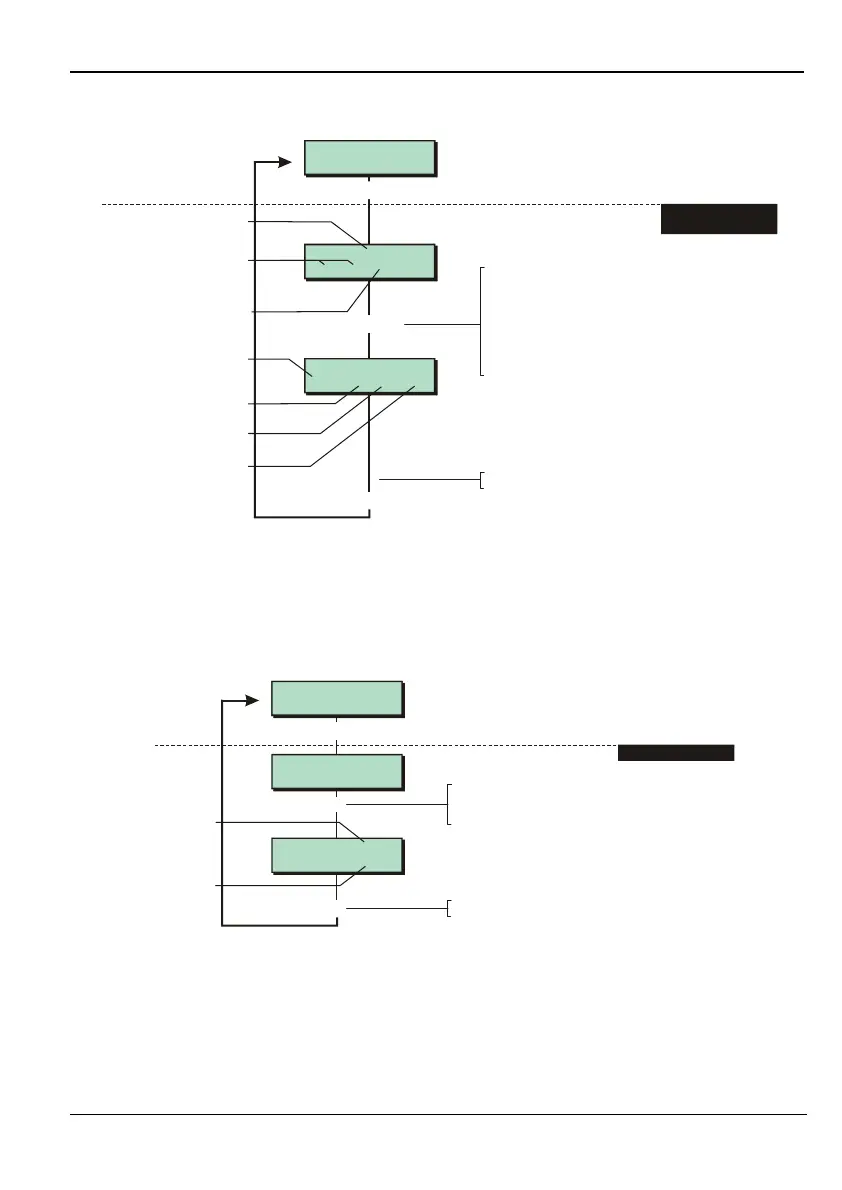
Option 2-7-3-5 – Checking the Status Network Devices
2,02 XNode
13.75 FH TH HH**
[
1234567890123456
1234567890123456
Equipment 5
Network Devices
2,01 Remote
A-T B-H T-H
202
, ,
1. SELECT DEVICE TO
VIEW STATUS
Press when you have finished
]
]
e.g.
Device type
Zone status
(T = tamper, H = healthy,
A = Active, S = Shorted
M = Masked)
XNode voltage
To select device:
Press or
"
"
|¬
r
to scroll, or
Enter network and device number
(e.g. 101 for network 1, device 01)
For an XNode/MNode, press to
toggle between this screen and
displaying zone status
Lid tamper status
(H = healthy, A = active)
Fuse status
(H = healthy, B = blown)
Lid tamper status of any
attached keypad
(H = Healthy, A = Active)
Lid tamper status
(H = healthy, A = active)
This option allows you to check the status of zones, tampers, fuses, etc. connected to devices
on the network. The information displayed depends on the device type. Note that MNodes are
listed as XNodes in this screen.
The keypad that you are using is the first device to be displayed.
Option 2-7-3-6 – Viewing Network Errors
Network 2 0254
Last error 2,01
[
1234567890123456
1234567890123456
Equipment 6
Network Errors
Network 1 0003
|
1. SELECT NETWORK
Press when you have finished
]
]
e.g.
Error count
Last error
To select network:
Press or
"
|¬
to scroll, or
Enter network number (e.g. 2)
"
This option allows you to view the number of data transmission errors for each network.
You can re-set the error count to zero by pressing the 0 key. You may want to do this,
then use the option again (e.g. in 20 minutes) to determine the number of errors that are
occurring.
Transmission errors can be caused by poor terminations, intermittent cable faults, RF
interference, voltage drops, earth faults, cables for different networks routed together and



 To Next Page