Engineering Manual Engineer Menu 1-3
35
Option 1-3: Assigning Ward Equipment and Attributes
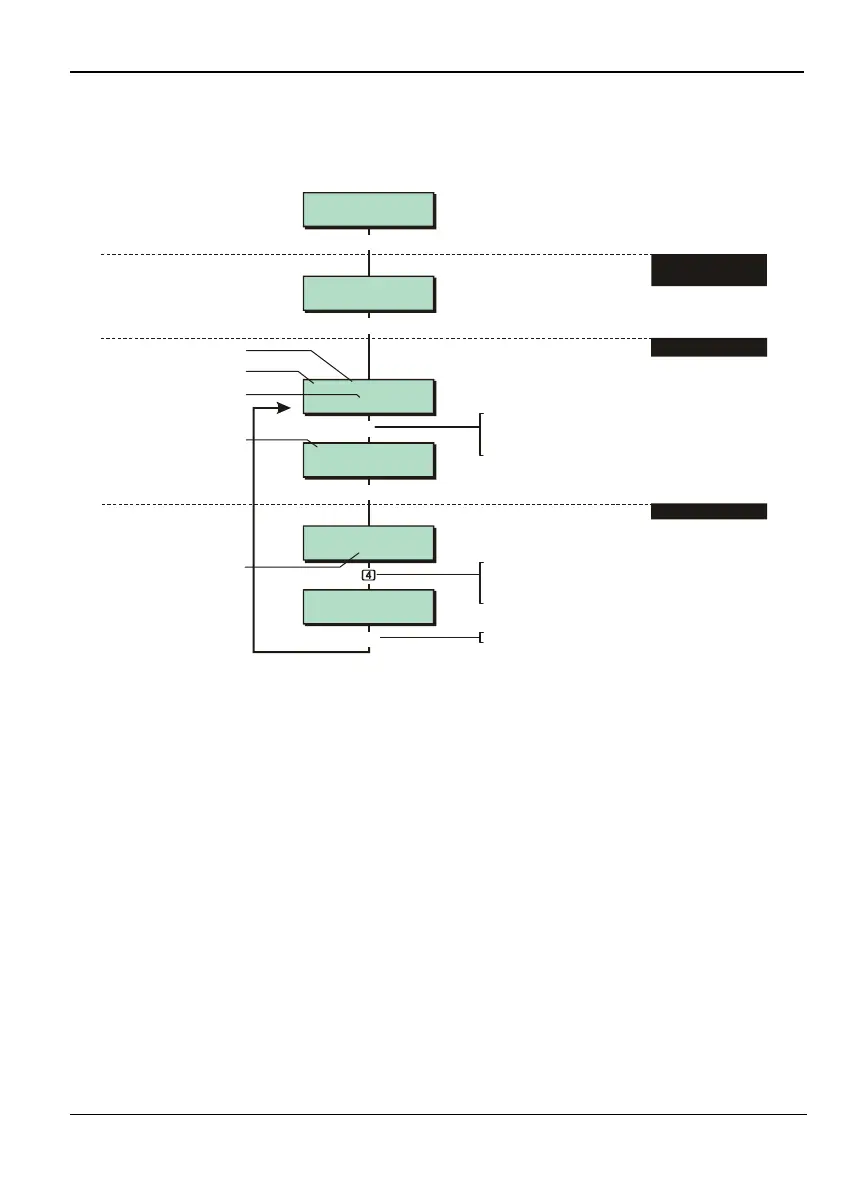
Option 1-3-1: Assigning Equipment to Wards
Ward Options 1
Equip To Wards
1,01 Remote
Ward : 12345678
1,02 Remote
Ward : 12345678
1,02 Remote
Ward > 1234....
1,02 Remote
Ward > 123*....
e.g.
Note:
Ward Options - Attributes
See next section for
Device type
Network 1, Device 01
Shows wards that device is
in (initially shows all wards)
Eng 1 Menu 3
Ward Options
[
[
[
[
|
e.g.
1. SELECT "EQUIP TO
WARDS" OPTION
Press ward number
18
to to toggle
device in ward (ward number shown) or not
in ward ("*" displayed).
Press to save changes and continue
[
Network 1, Device 02
To select network device:
Press or
"
"
|¬
to scroll, or
Enter zone number (e.g. 102)
By default, the device is
in all wards that its zones
have been allocated to
in Engineer menu 1,1. A
dot (".") indicates that
none of the device's
zones are in the ward
2. SELECT DEVICE
3. SELECT WARDS
Use the Equip To Wards option to assign each keypad, XNode, MNode, MIDNode/IDNode,
LEC2 and TS900 to the appropriate wards. For the device type, choose
Remote
for a keypad,
XNode for an XNode or MNode, or Node for an MIDNode/IDNode, LEC2 or TS900.
It is important to allocate each device to the correct wards, since this will ensure correct
responses from the system. For example:
If a tamper alarm occurs at a keypad, and the keypad is assigned to ward "n", a full
alarm (page 26) can occur if ward "n" is set, and a local alarm if ward "n" is unset.
If a “Standard Ward” user code is assigned to ward "n" (user option 2-4), the user code will
only be able to set and unset ward "n" from a keypad that is assigned to ward "n".
The control panel tamper, extension loudspeaker and external bell tamper can be
assigned to wards using the Panel Tamper, Panel Speaker and Bell Tamp attributes (page
37).
The bell and strobe can be assigned to wards using the Bell & Strobe attribute (page 38).
Keypads and loudspeakers connected to an XNode or MNode are automatically
allocated to the same wards as the XNode/MNode. The loudspeaker and keypad
sounder follow the wards assigned to the XNode/MNode. For example, if an XNode is
assigned to wards 2 and 3, the loudspeaker and keypad sounder will operate when ward
2 or3 requires an entry, exit or alarm sounder. Using the Sndr Ctl output type (page 53),



 To Next Page