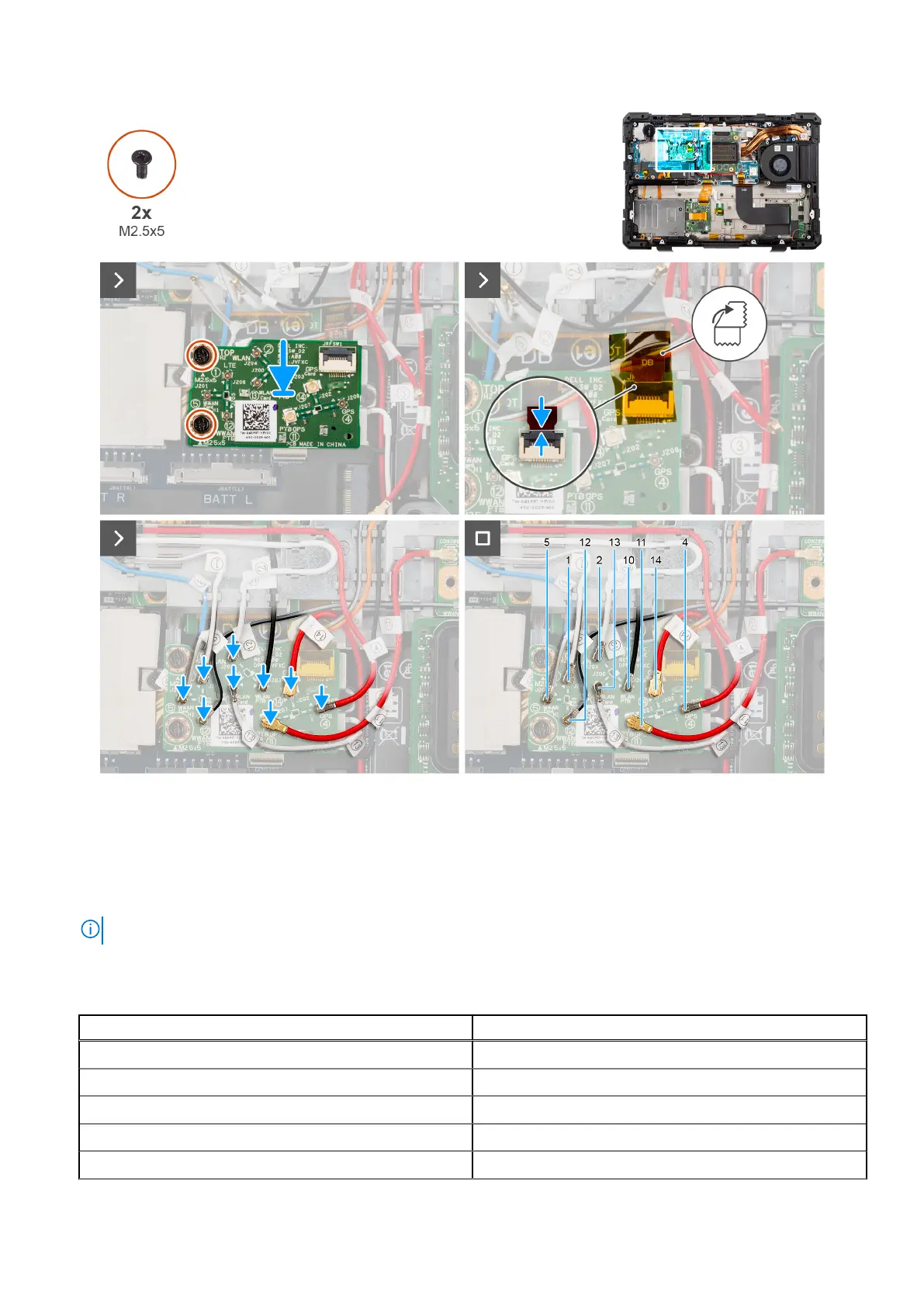
Figure 65. Installing the RF switch board
Steps
1. Place and align the RF switch board with the screw holes on the system board.
2. Replace the two (M2.5x5) screws that secure the RF switch board to the system board.
3. Connect the flexible printed cable to the RF switch board.
NOTE: Adhere the flexible printed cable with kapton tape to the connector.
4. Connect the WLAN, WWAN, and GPS antennas to the RF switch board.
Table 43.
Cable connectors on Dell Pro Rugged 13 RA13250
Cable number Antenna
5 WWAN antenna
1 WWAN antenna
12 WWAN antenna
2 WLAN antenna
13 WLAN antenna
100 Removing and installing Field Replaceable Units (FRUs)











 To Next Page