2. Disconnect the flat printed cable from its connector on the right Type-C board.
3. Disconnect the right Type-C cable from its connector on the right Type-C board.
4. Remove the two (M2x3.5) and (M2.5x5) screws that secure the right Type-C port holder on the right Type-C board.
5. Remove the (M2x3.5) screw that secures the right Type-C board and lift the board from the computer chassis.
Installing the right Type-C board
CAUTION: The information in this installation section is intended for authorized service technicians only.
Prerequisites
If you are replacing a component, remove the existing component before performing the installation procedure.
About this task
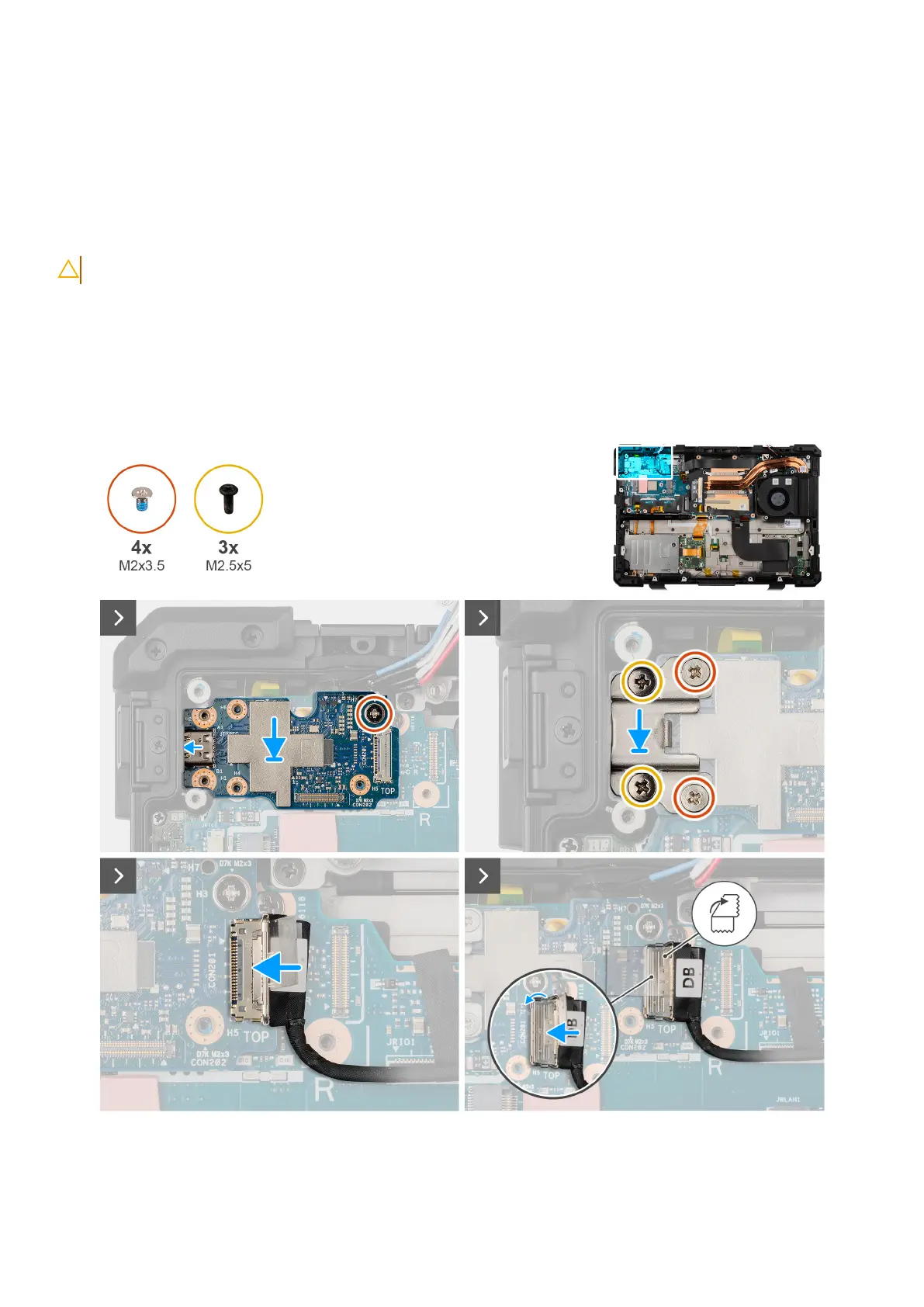
The following image indicates the location of the right Type-C board and provides a visual representation of the installation
procedure.
Figure 100. Installing the right Type-C board
138
Removing and installing Field Replaceable Units (FRUs)











 To Next Page