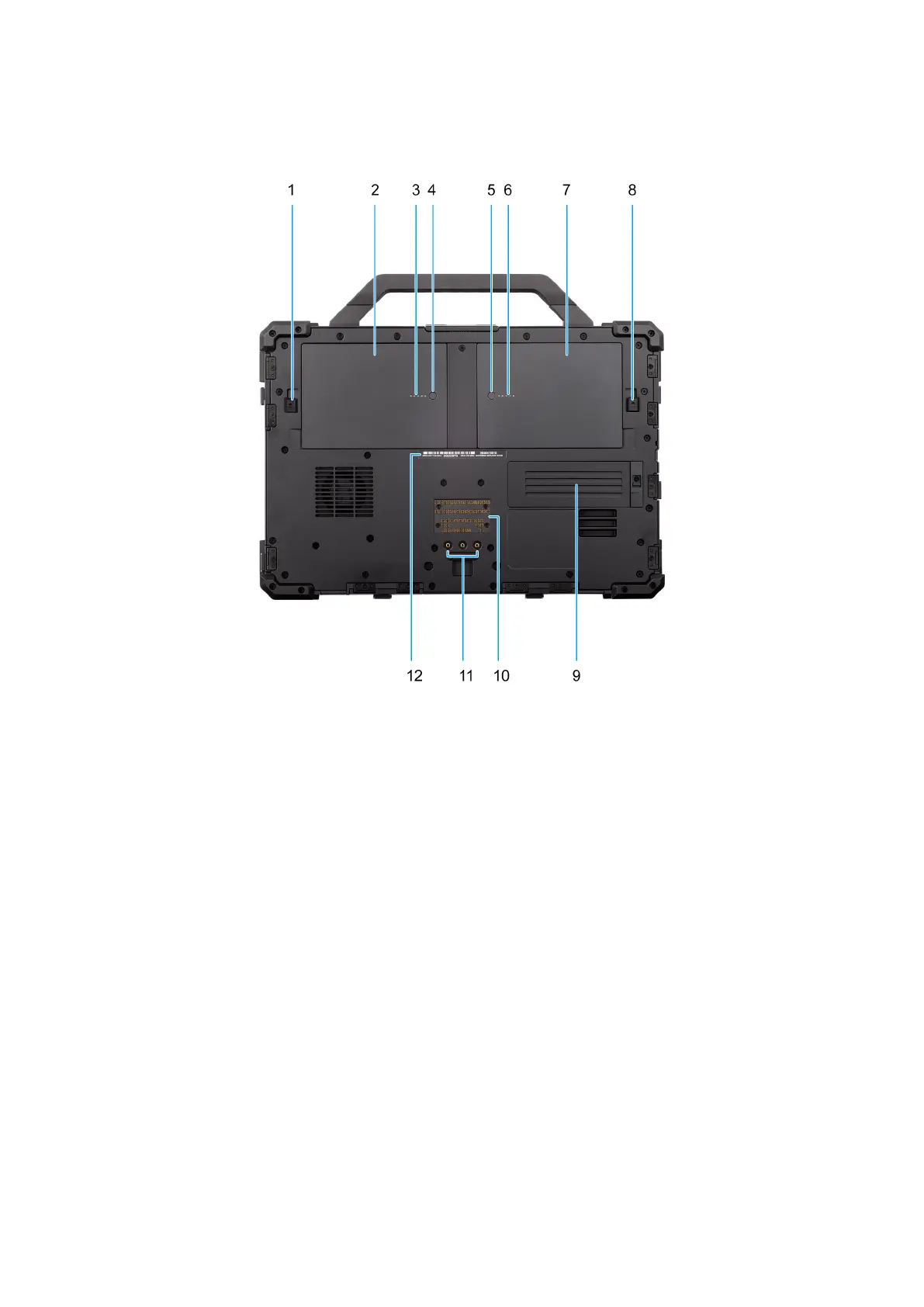
Bottom
Figure 6. Bottom view
1. Battery-release latch
Lock or unlock the battery in the battery bay. Slide the latch to the unlocked position to release the battery.
2. Battery
Supplies power to the laptop. It enables the laptop to work without connecting to an electrical outlet for a certain time.
3. Battery-status light
Indicates the battery-charge status.
Solid green-Battery is charging.
Off-Battery is fully charged.
4. Battery-charge status button
Press to check the charge remaining in the battery.
5. Battery-charge status button
Press to check the charge remaining in the battery.
6. Battery-status light
Indicates the battery-charge status.
Solid green-Battery is charging.
Off-Battery is fully charged.
Views of Dell Pro Rugged 13 RA13250
13











 To Next Page