Views of Dell Pro Rugged 13 RA13250
Right
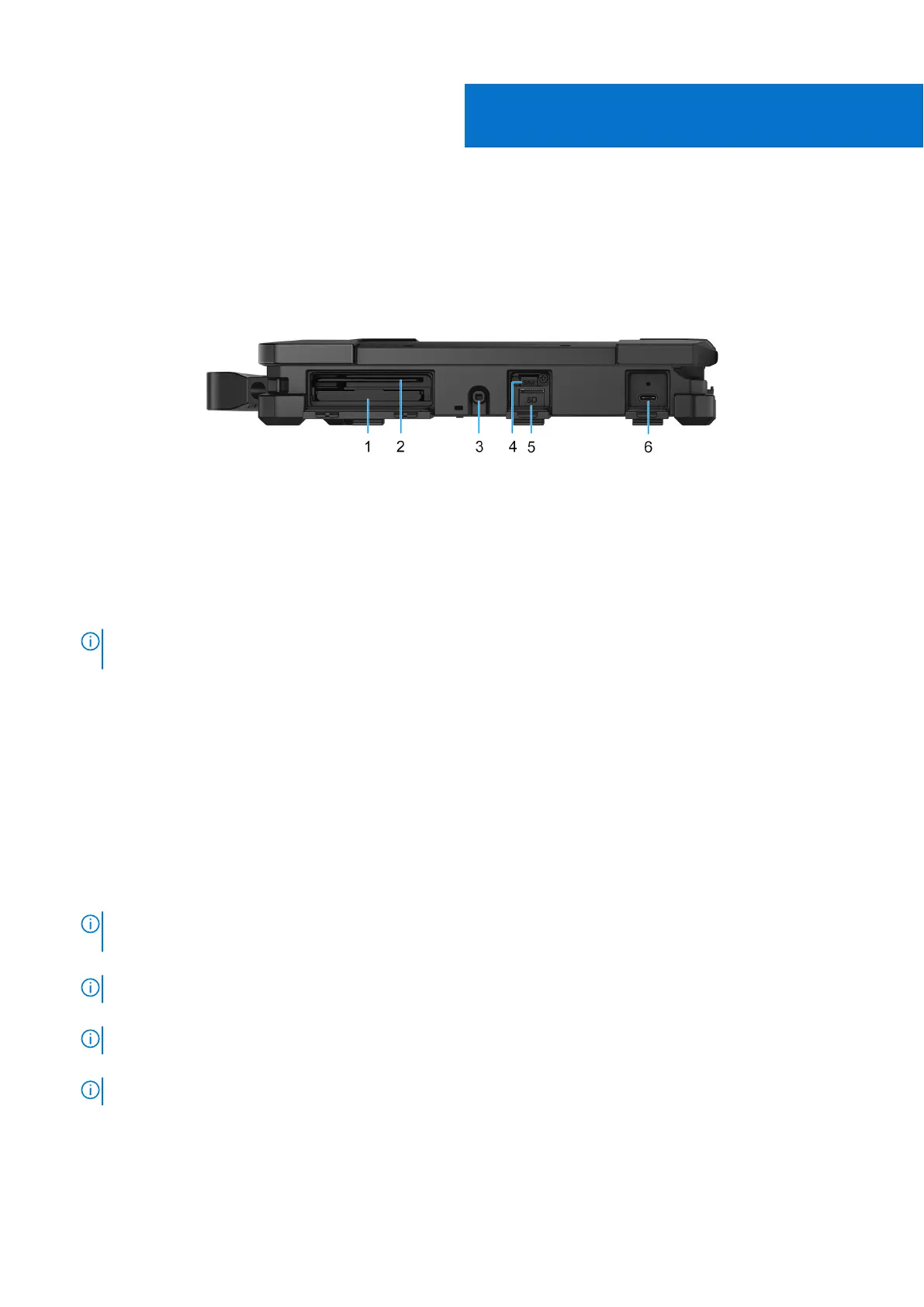
Figure 1. Right view
1. Express-card reader slot (optional)
Insert ExpressCard modules to add new features to your laptop, such as extra ports or additional memory.
2. Smart-card reader slot (optional)
Reads information from a smart card with an integrated-chip.
NOTE:
Ensure that the smart card does not exceed the edge of the back cover while inserting in to the smart-card
cover.
3. Stylus slot
Dock the stylus into the slot after use.
4. Nano-SIM card slot (optional)
Insert a SIM card to connect to a mobile broadband network.
5. microSD-card slot
Insert a microSD card to expand the computer's storage capacity.
6. Thunderbolt 4.0 with DisplayPort Alt Mode/USB Type-C/USB4/Power Delivery (optional)
Supports USB4, DisplayPort 1.4, Thunderbolt 4 and also enables you to connect to an external display using a display adapter.
Supports data transfer rates of up to 40 Gbps for USB4 and Thunderbolt 4.
NOTE:
You can connect a Dell Docking Station to the Thunderbolt 4 ports. For more information, search in the
Knowledge Base Resource at Dell Support Site.
NOTE: A USB Type-C to DisplayPort adapter (sold separately) is required to connect a DisplayPort device.
NOTE: USB4 is backward compatible with USB 3.2, USB 2.0, and Thunderbolt 3.
NOTE: Thunderbolt 4 supports two 4K displays or one 8K display.
1
8 Views of Dell Pro Rugged 13 RA13250











 To Next Page