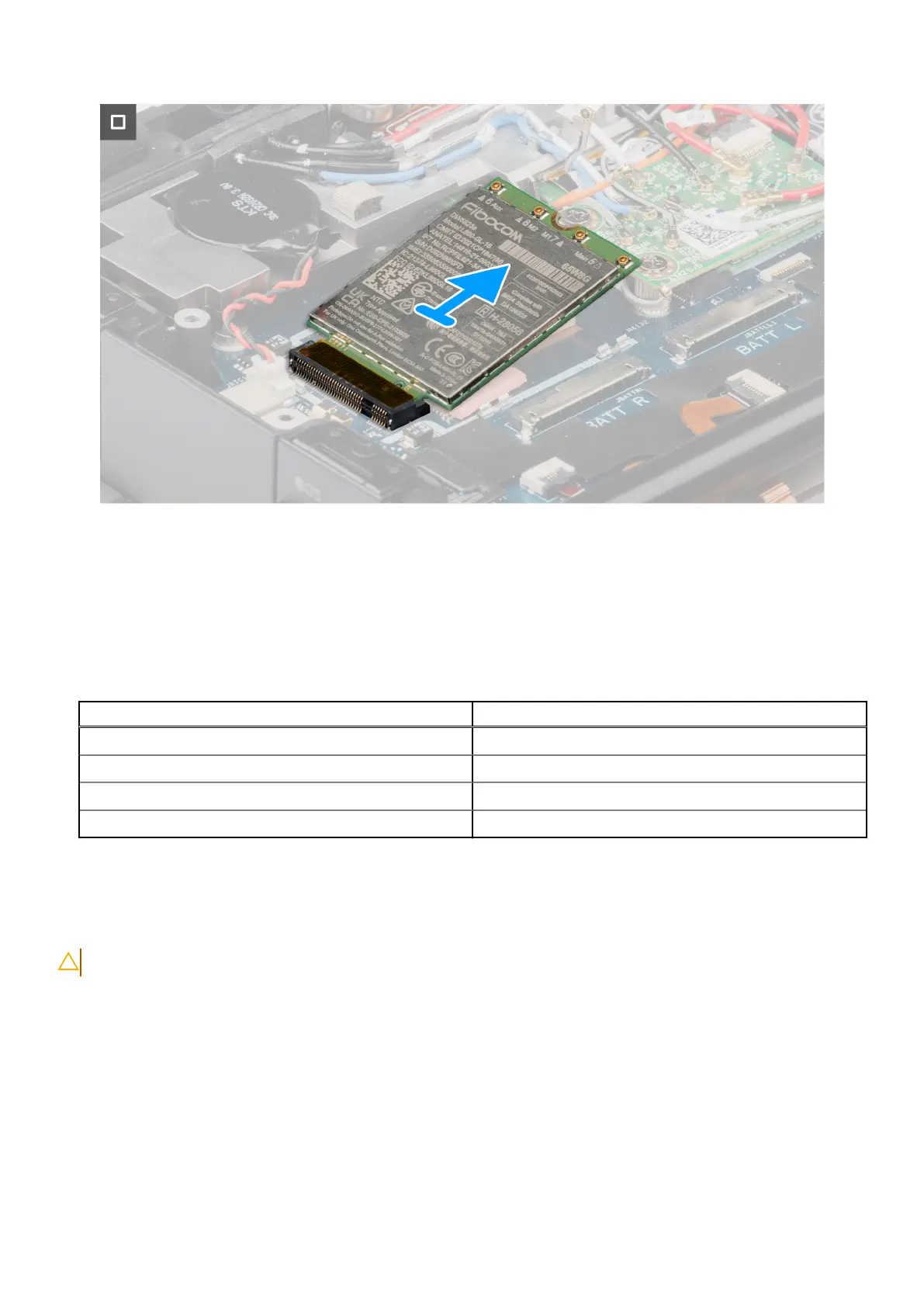
Figure 71. Removing the WWAN card (5G configuration)
Steps
1. Peel back the anti-static fabric tape slightly and remove the WWAN shield.
2. Remove the (M2x3) screw that secures the WWAN card holder to the system board.
3. Remove the WWAN card holder.
4. Disconnect all the antenna cables from the WWAN card.
Table 46.
Connectors on the WWAN card
Antenna Cable Color
Main (white triangle) - ANT1 Orange (cable number 7)
Main (white triangle) - ANT3 White and Black (cable number 6)
Auxiliary (black triangle) - ANT0 White and Grey (cable number 5)
Auxiliary (black triangle) - ANT2 Blue (cable number 8)
5. Slide and remove the WWAN card from the WWAN card slot.
Installing the WWAN card
CAUTION: The information in this installation section is intended for authorized service technicians only.
Prerequisites
If you are replacing a component, remove the existing component before performing the installation procedure.
About this task
The following image indicates the location of the WWAN card and provides a visual representation of the installation procedure.
108
Removing and installing Field Replaceable Units (FRUs)











 To Next Page