● Solid amber-Battery charge is low.
● Off-Battery is fully charged.
9. Display latch
Secures the display panel when closed. Press the latch to open the lid.
Back
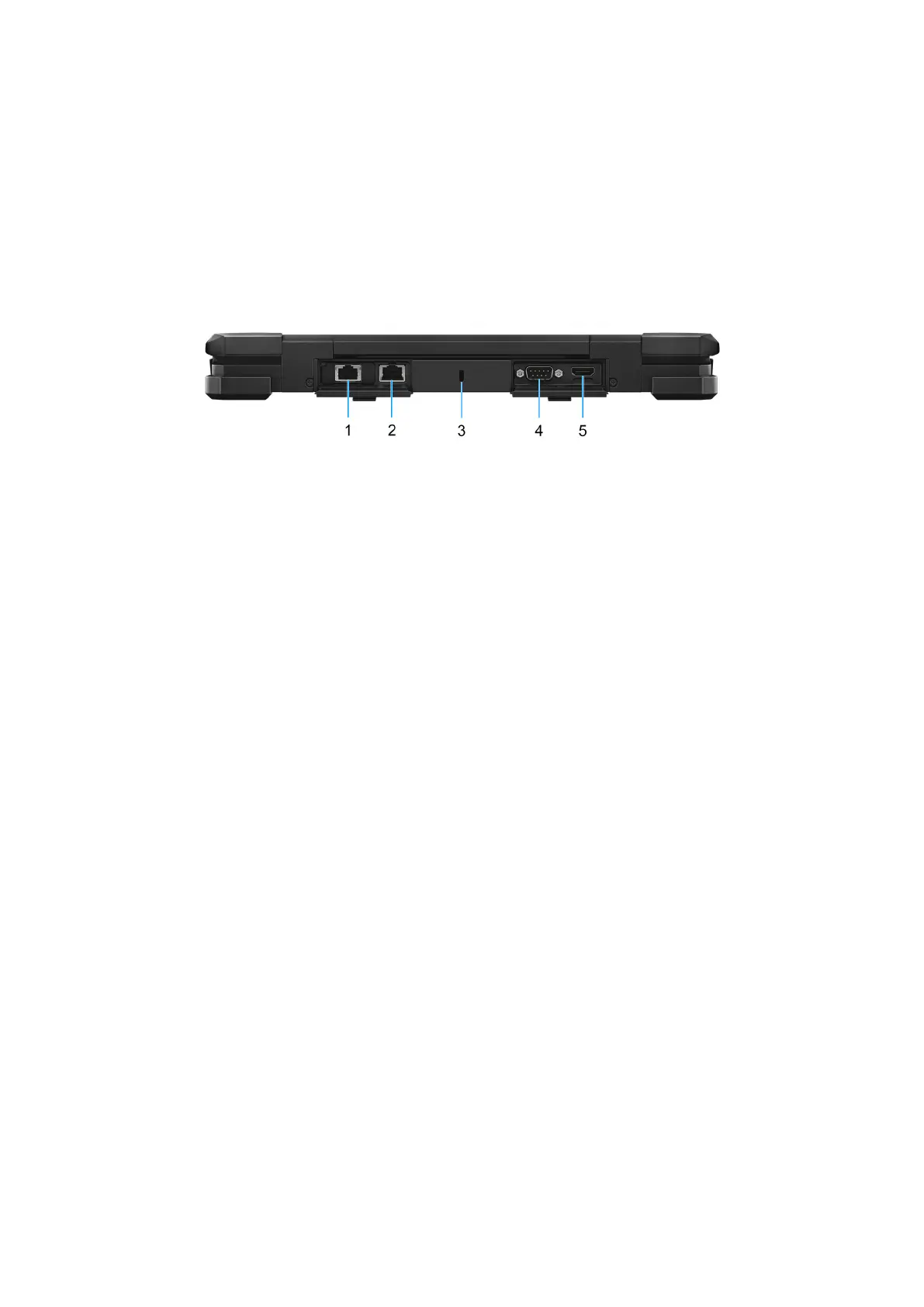
Figure 5. Back view
1. Optional I/O bay
Choose from: RJ45 (1 Gbps) Ethernet port/USB 3.2 Type-A port/Serial port/Fischer USB port.
● With RJ45 Ethernet port - Connect an Ethernet (RJ45) cable from a router or a broadband modem for network or
Internet access, with a transfer rate of 10/100/1000 Mbps.
● With USB 3.2 Type-A port - Connect devices such as external storage devices and printers. Provides data transfer
speeds up to 5 Gbps.
● With Serial port - Connects serial devices using the RS-232 standard through an adapter or external interface, enabling
communication with legacy hardware and peripherals.
● With Fischer USB port - Provides a secure, high-speed connection for USB 3.0 devices, supporting data transfer rates up
to 5 Gbps.
2. RJ45 Ethernet port
Connect an Ethernet (RJ45) cable from a router or a broadband modem for network or Internet access, with a transfer rate
of 10/100/1000 Mbps.
3. Security-cable slot (wedge-shaped)
Connect a security cable to prevent unauthorized movement of your laptop.
4. Serial port
Connects serial devices using the RS-232 standard, enabling communication with legacy hardware and peripherals.
5. HDMI 2.1 TMDS port
Connect to a TV, external display, or another HDMI-in enabled device. Provides video and audio output.
12
Views of Dell Pro Rugged 13 RA13250











 To Next Page