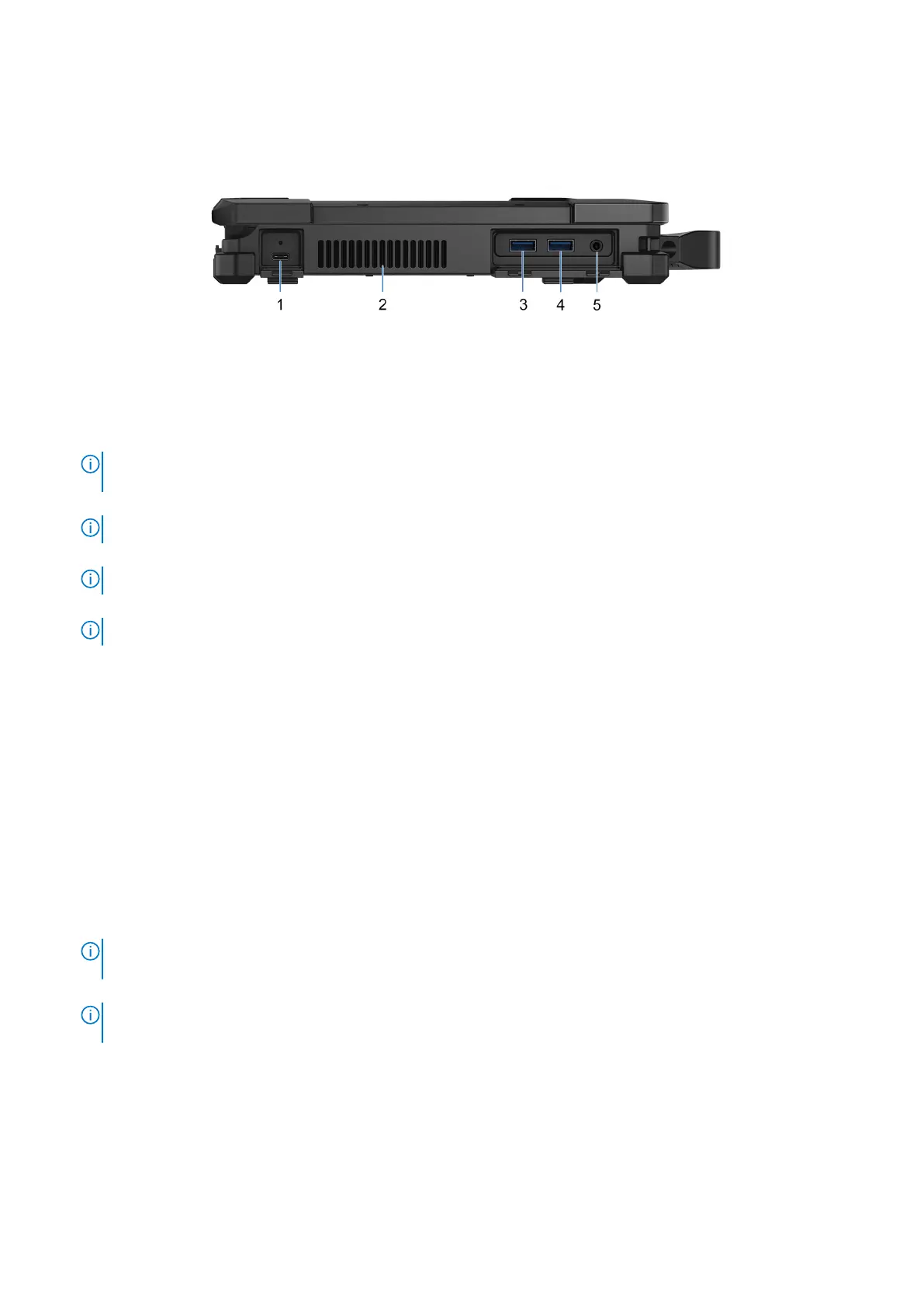
Left
Figure 2. Left view
1. Thunderbolt 4.0 with DisplayPort Alt Mode/USB Type-C/USB4/Power Delivery
Supports USB4, DisplayPort 1.4, Thunderbolt 4 and also enables you to connect to an external display using a display adapter.
Provides data transfer rates of up to 40 Gbps for USB4 and Thunderbolt 4.
NOTE: You can connect a Dell Docking Station to the Thunderbolt 4 ports. For more information, search in the
Knowledge Base Resource at Dell Support Site.
NOTE: A USB Type-C to DisplayPort adapter (sold separately) is required to connect a DisplayPort device.
NOTE: USB4 is backward compatible with USB 3.2, USB 2.0, and Thunderbolt 3.
NOTE: Thunderbolt 4 supports two 4K displays or one 8K display.
Connect devices such as external storage devices and printers. Supports Power Delivery that enables two-way power supply
between devices. Provides up to a 5 V power output that enables faster charging.
Provides data transfer speeds up to 10 Gbps.
2. Air vent
Air vents provide ventilation for your computer. Clogged air vents can cause overheating and can affect your computer's
performance and potentially cause hardware issues. Keep the air vents clear of obstructions and clean them regularly to
prevent the build-up of dust and dirt. For more information about cleaning air vents, search for articles in the Knowledge
Base Resource at
Dell Support Site.
3. USB 3.2 Gen 1 port with PowerShare
Connect devices such as external storage devices and printers.
Supports data transfer speeds up to 5 Gbps. PowerShare enables you to charge your USB devices even when your computer
is turned off.
NOTE:
If your computer is turned off or in a hibernate state, you must connect the power adapter to charge your
devices using the PowerShare port. You must enable this feature in the BIOS setup program.
NOTE: Certain USB devices may not charge when the computer is turned off or in a sleep state. In such cases, turn on
the computer to charge the device.
4. USB 3.2 Gen 1 (5 Gbps) port
Connect to external storage devices. Provides data transfer speeds up to 5 Gbps.
5. Headset (headphone and microphone combo) port
Connect headphones or a headset (headphone and microphone combo).
Views of Dell Pro Rugged 13 RA13250
9











 To Next Page