14. Install the solid state drive carrier.
15. Install the batteries.
16. Follow the procedure in after working inside your computer.
Display-panel assembly
Removing the display-panel assembly
Prerequisites
1. Follow the procedure in before working inside your computer.
2. Remove the display assembly.
About this task
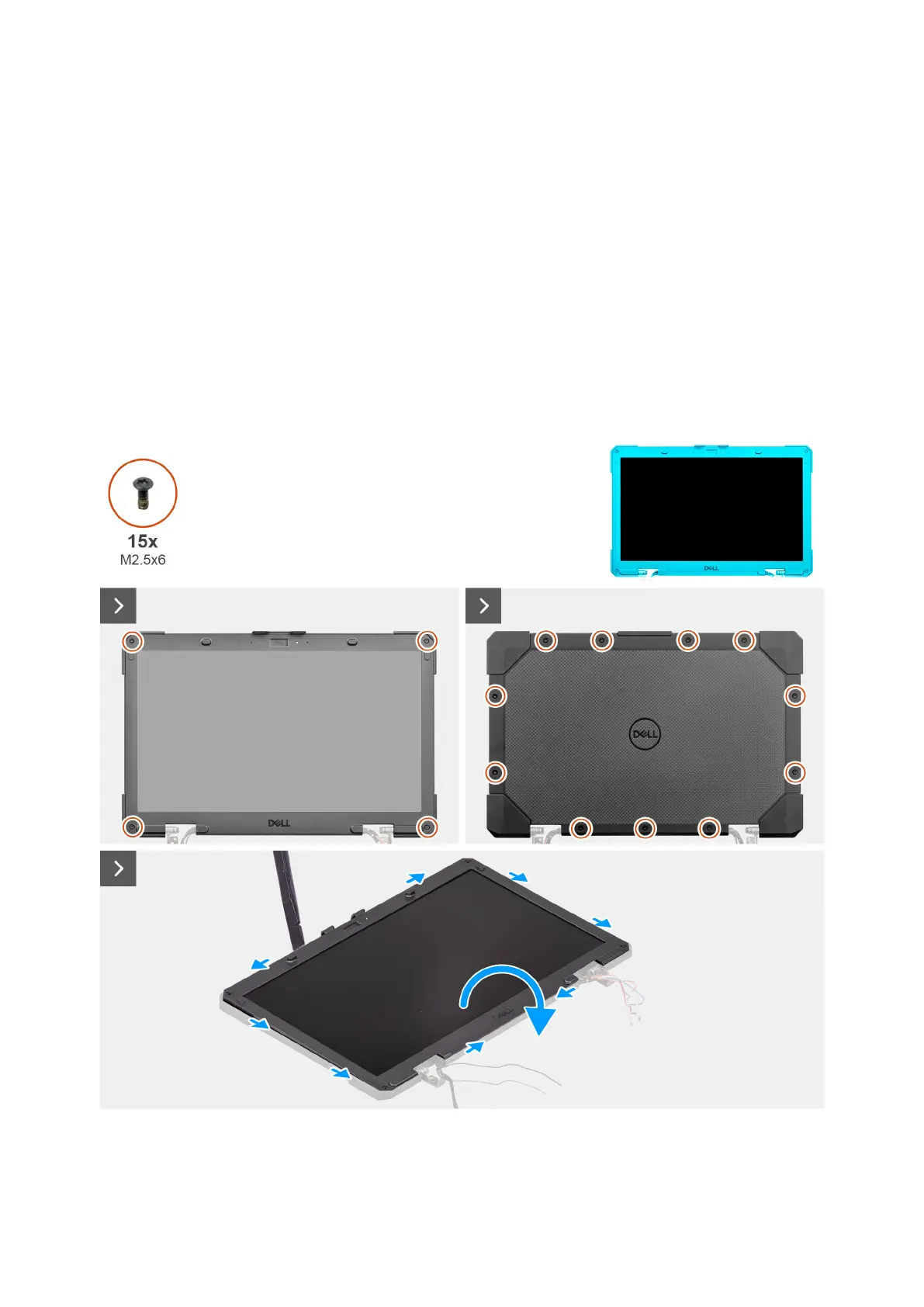
The following image indicates the location of the display bezel and provides a visual representation of the removal procedure.
Figure 116. Removing the display-panel assembly
Removing and installing Field Replaceable Units (FRUs)
153











 To Next Page